



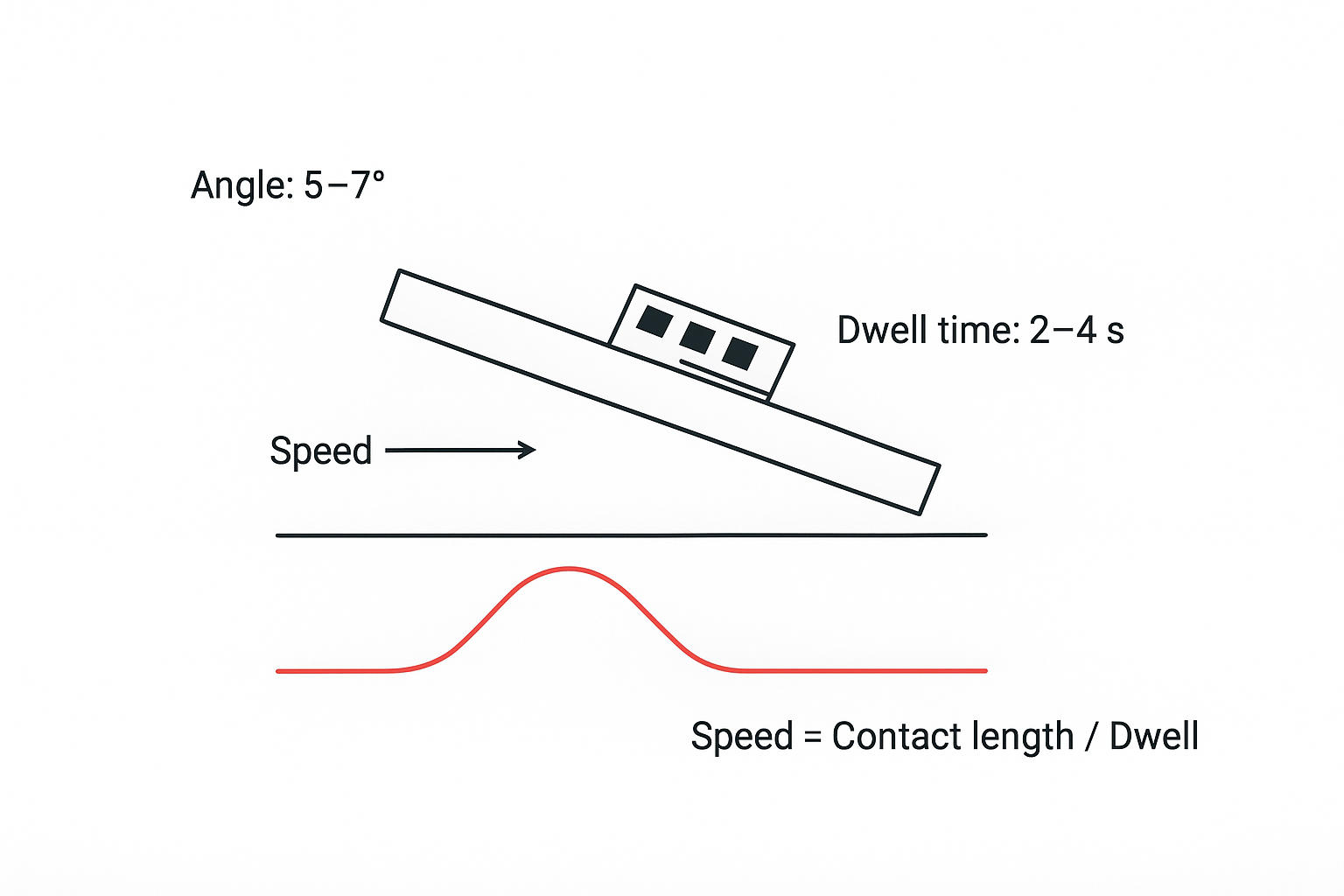
If your wave solder line is fighting two expensive defects—insufficient hole fill (reliability risk) and solder bridges (short risk)—conveyor speed and conveyor angle are two parameters you can change fast.
But they’re not independent knobs.
Speed mostly controls dwell time in the wave (how long the board actually solders).
Angle mostly controls drainage at wave exit (how cleanly solder peels off).
This guide gives you a decision-ready way to set both, validate the window, and document settings that survive audits and changeovers.
Key takeaways
Start with a conveyor angle of 5–7° as a baseline, then validate against your board mix. S&M’s own tuning guidance recommends this range to balance coverage and bridge risk in production.
Use dwell time as the control target, not a copied conveyor speed. Compute speed from effective contact length.
When you see poor hole fill, you usually need more heat + more time in contact (or better wetting). When you see bridging, you usually need better drainage + less excess solder
Don’t “fix” speed/angle while flux, preheat, wave height, or solder pot condition is drifting—those variables can mimic speed/angle problems.
The two-parameter model: dwell time vs drainage
To avoid chasing defects, treat wave soldering conveyor speed and conveyor angle as a coupled system:
Speed determines dwell time (how long the board is actually in contact with the wave).
Angle influences drainage and peel-off (how cleanly solder separates at wave exit).
Conveyor speed: your dwell-time dial
Conveyor speed determines how long each joint is exposed to molten solder. Too fast and you reduce the time available for wetting and barrel fill. Too slow and you increase solder deposition and thermal stress.
S&M’s practical guidance for wave solder defect tuning frames this directly: faster conveyor speeds can reduce excess solder and bridging, while slower speeds can improve wetting and fill—up to the point where overheating and excess solder become the next failure mode (see S&M’s wave solder defect troubleshooting guide linked below).
Conveyor angle: your drainage dial
Conveyor angle shapes what happens at the wave exit.
A shallow angle can leave solder with more time to pool and bridge between adjacent conductors.
A steeper angle generally improves solder drainage, but can also reduce coverage/contact if you don’t compensate elsewhere.
OEM support guidance (for example, ITW EAE’s note on Wave Solder Conveyor Angle) emphasizes that angle affects both contact length/dwell and solder drainage conditions. In practice, the “right” angle is the one that supports drainage without starving the joint.
Wave soldering conveyor speed and conveyor angle: typical starting ranges
Treat these as starting points, not universal settings.
Wave soldering conveyor angle: 5–7° is a widely used baseline. S&M’s troubleshooting guidance explicitly recommends setting the conveyor angle in this band to balance solder coverage and minimize bridging.
Wave soldering dwell time: many lines target roughly 2–4 seconds for qualified joints, while some processes use 3–5 seconds depending on alloy, thermal mass, and wave configuration.
The practical takeaway: decide your dwell-time target first, then set speed accordingly.
How to calculate a conveyor speed that actually hits your dwell-time target
You can’t set speed intelligently until you know your effective wave contact length.
Step 1: Measure effective contact length
Effective contact length is the distance the board spends skimming the wave crest under real running conditions (not just nozzle length on a spec sheet).
Practical ways to estimate it on the floor:
Use a witness/coupon method to visualize the wetting footprint.
Verify wave height and pot level first—both change the contact patch.
Step 2: Choose a dwell-time target
Pick a target based on your board thermal mass and hole-fill requirement.
If you’re running lead-free, validate thermal conditions with profiling rather than “feel” (A Comprehensive Guide to Wave Soldering Temperature; see also S&M’s Mastering the Lead-Free Wave Soldering Profile).
Step 3: Compute speed (unit-safe)
Use this relationship:
Speed (mm/s) = Contact length (mm) / Dwell time (s)
Then convert units:
mm/min = (mm/s) × 60
m/min = (mm/min) ÷ 1000
Example:
Contact length: 240 mm
Target dwell time: 3.0 s
Speed = 240/3 = 80 mm/s = 4,800 mm/min = 4.8 m/min
If that looks higher than your line can run, don’t force it—re-check the assumptions. Many production setups have a shorter effective contact length than people expect, and wave geometry (plus wave height) changes it.
Pro Tip: Log speed in mm/min (or cm/s) in your traveler, and periodically verify actual speed. A setpoint isn’t always reality when conveyors drift.
Practical tuning: what to change for poor hole fill vs bridging
This is the decision-friendly part: tune speed and angle as a pair.
If you see insufficient hole fill
Goal: increase the probability of full barrel fill without flooding the board.
First verify wetting prerequisites
Flux coverage and activity are correct.
Preheat is sufficient and consistent.
Pot temperature is stable and correct for your alloy.
Poor fill often isn’t “just speed.” S&M’s process overview and temperature guidance put thermal control and flux activation ahead of mechanical tuning (A step-by-step guide to the wave soldering process).
Then adjust speed to increase dwell time (small steps)
Decrease conveyor speed incrementally to increase dwell time.
Keep angle in the qualified band while you tune
If you increase angle too far, you may shorten effective contact and lose fill.
Start around 5–7° and validate.
If fill is still low, verify you’re not “missing the wave”
Wave height too low or contact patch too small can mimic a “too fast” condition.
For a defect-focused checklist of common causes and corrective actions, S&M’s Vyladění procesu pájení vlnou a řešení běžných vad is a good reference.
If you see solder bridging
Goal: improve drainage and reduce excess solder deposition.
Increase angle within the baseline range to improve drainage
If you’re at the low end of the angle range, moving toward the middle/high end often improves peel-off.
Increase speed slightly (or reduce dwell) once drainage is acceptable
Too much dwell can leave more solder on the trailing edges.
Check wave exit behavior and wave height
Excessive wave height or unstable exit conditions can overwhelm even a “good” angle.
Check flux and cleanliness
Insufficient flux activity can reduce wetting uniformity and make drainage worse.
S&M explicitly ties small conveyor angles and slow conveyor speed to higher bridging risk and recommends keeping angle between 5–7° while tuning speed (per the S&M guide linked earlier).
The tradeoffs engineers should put into the process spec
A decision-stage spec shouldn’t just list numbers. It should define the trade space.
Speed vs throughput vs defect risk
Faster speed: higher throughput, but less dwell time margin for heavy boards.
Slower speed: better fill margin, but higher thermal load and more bridging risk.
Angle vs coverage vs drainage
Lower angle: more coverage/contact length, but weaker drainage.
Higher angle: better drainage, but risk of insufficient contact if you don’t control other variables.
Equipment capability check (for process sign-off)
When you write a process spec, confirm your equipment can hold settings repeatably.
As a reference point, S&M Co.Ltd’s wave soldering machine specs include:
Conveyor speed range: 400–1800 mm/min
Adjustable soldering angle: 5.5° ± 1.0°
These ranges can be useful when you’re validating whether a machine configuration supports your required dwell-time window and drainage settings.
A repeatable control plan: what to measure and what to log
If you want this to survive audits and changeovers, log the parameters that actually move outcomes.
Minimum control items to record per product family:
Conveyor speed setpoint and verified actual speed
Conveyor angle setpoint
Effective contact length (or verified dwell time)
Solder pot temperature
Preheat (topside) temperature at wave entry
Wave height / immersion depth
Flux type, application method, and basic verification method
If you need a framework for through-hole fill acceptance and terminology alignment across teams, Circuits Assembly provides a useful perspective in Clarifying Through-Hole Fill Levels.
⚠️ Warning: Don’t “tune” speed and angle on a day when dross, flux contamination, or wave height is drifting. You’ll qualify a window you can’t reproduce.
When to stop tuning and escalate
Escalate beyond speed/angle tuning when:
Fill defects are isolated to one connector type or hole pattern (geometry/DFM signal)
Bridging is localized to a footprint orientation or pitch (layout/orientation signal)
Your window only works at a wave height that causes solder splash or icicles (wave configuration signal)
For hole-fill defect root causes and examples, Epec’s defect library is a practical reference (see Inconsistent or Poor Hole Fill).
Next steps
If you want a second set of eyes on your current window, start with a short “parameter review package”:
Your traveler log (speed, angle, pot temp, preheat)
10-panel defect snapshot (bridging rate and fill % by connector)
One board photo showing component orientation relative to wave
Then compare your settings against the baseline logic above and S&M’s own tuning guidance in the wave solder defect troubleshooting guide linked earlier.