
Published: 19 October 2026
Last Updated: 19 October 2026
Reading Time: 13 minutes
Reviewer: [Reviewer name, if applicable] ([Reviewer credentials, if applicable])
—> Published: 19 October 2026
Last Updated: 19 October 2026
Reading Time: 13 minutes
Reviewer: [Reviewer name, if applicable] ([Reviewer credentials, if applicable])
Introduction: Why There Is No Single Best Setting
If you came here looking for one magic number for selective soldering speed and temperature, I need to disappoint you right away.
There’s no such thing.
And honestly? That’s a good thing. The selective soldering process window isn’t about copying a setting from a manual or another shop floor. It’s about understanding how your specific setup behaves under your actual conditions.
Here’s what actually matters: your solder alloy, your nozzle geometry, your board’s copper mass, the components you’re protecting, and the flux doing the heavy lifting. These variables interact in ways that make every setup unique. What works perfectly for an automotive control module might cause bridging on a consumer gadget board.
In this guide, we’ll walk through the starting ranges, how to measure what actually matters, and how to calculate your own process window. We’ll also cover how to optimize without trading one defect for another, and how to document everything so your team stays consistent.
The goal isn’t to give you a universal answer. It’s to help you find the right answer for your production floor.
The central rule: Use ranges as starting points and validate on your actual PCB, alloy, nozzle, flux, and machine. Current IPC/J-STD/IEC standards define acceptable solder joint outcomes without prescribing one universal machine recipe.
About the Author
[Author Name] is a process engineer or manufacturing specialist with hands-on experience in selective soldering, SMT production, or electronics assembly. Their documented background covers thermal profiling, process validation, defect reduction, or equipment optimization for through-hole and mixed-technology boards.
This article was reviewed by a qualified technical reviewer with verified credentials in selective soldering process development or electronics manufacturing. The review verified that all ranges, claims, and citations reflect current industry practice as of October 2026.
For a complete author profile and additional technical resources, visit our Author Profile Page.
How Selective Soldering Speed and Temperature Work Together
Here’s something most equipment manuals don’t spell out clearly: “speed” in selective soldering doesn’t mean one thing. It means several things, and mixing them up is where trouble starts.
Your machine might display nozzle travel rate in mm/s, point-to-point motion in mm/min, contact or dwell time in seconds, or recipe-specific parameters that don’t translate directly between platforms. A value labeled “speed” could describe how fast the nozzle moves between joints, how long it sits in contact with a pad, or how quickly it drags across a lead. These are fundamentally different variables, and treating them as interchangeable will give you inconsistent results every time.
So what actually creates a good solder joint? It’s the combination of multiple thermal factors hitting the joint at once. Your solder-pot setpoint, the actual wave or nozzle temperature reaching the board, preheat temperature, flux activation state, board temperature when contact happens, the thermal mass of your copper planes and components, and how long the solder stays in contact. All of these interact to produce what engineers call the joint’s thermal history.
Think of it like cooking. You can’t just set an oven to 400 degrees and expect perfect results. The actual temperature at the food surface matters, whether the food was preheated first, how thick it is, and how long it sits there. Same deal with selective soldering.
Now here’s the critical tradeoff that trips up a lot of shops. Slower travel or longer contact time generally gives you better heat transfer and better hole fill. But push it too far and you’re looking at laminate damage, component body stress, flux degradation, solder mask lifting, or excessive intermetallic growth that weakens the joint over time.
We learned this the hard way on a multilayer board with heavy copper planes. Our first instinct was to slow down the travel speed and increase dwell time to get proper barrel fill. The fill improved, sure. But we started seeing mask damage and flux residue issues that weren’t there before. Turns out we were cooking the assembly twice, once from the preheat and once from the extended solder contact.
The fix wasn’t to add more heat. It was to improve heat delivery through better preheat, smaller nozzle coverage, and stable solder flow. Less time at temperature, more efficient heat transfer.
That balance between thermal input and exposure time is what defines your selective soldering process window. Speed and temperature aren’t independent settings you dial in once. They’re interconnected variables you adjust together based on your specific board construction, alloy, nozzle geometry, and flux performance.
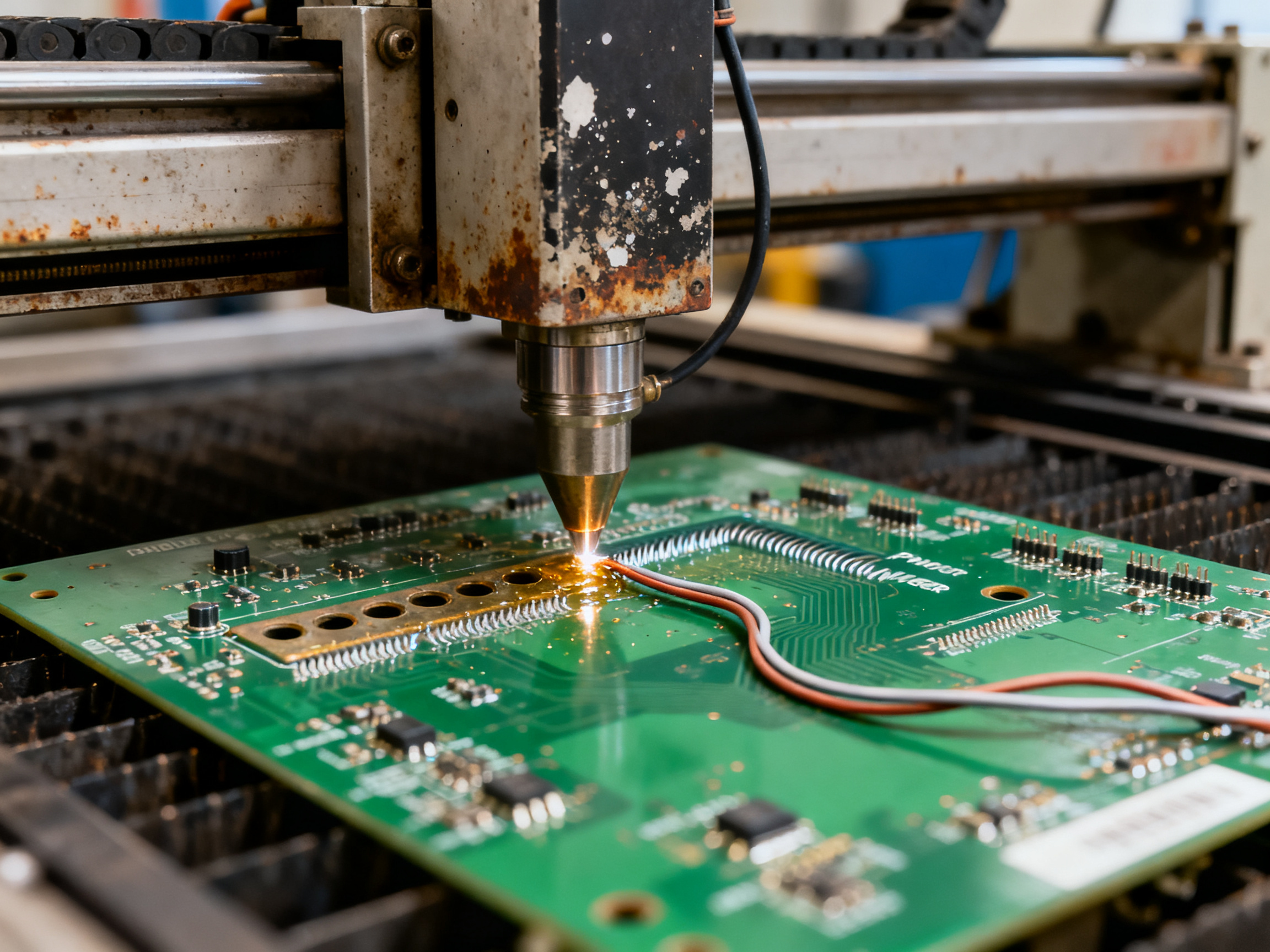
| What Affects the Joint | Why It Matters |
|—|—|
| Solder-pot setpoint vs. actual nozzle temperature | These can differ by 10-20°C or more depending on pump circulation and dross |
| Board temperature at contact | A cold board soaks up heat fast, increasing effective demand |
| Copper mass and thermal planes | Heavy copper acts like a heat sink, pulling energy away from the joint |
| Flux activation state | Flux must be hot enough to clean the surface but not depleted before contact |
| Nozzle geometry and coverage | Larger nozzles deliver more heat but increase bridging risk |
The takeaway? Don’t chase a single “correct” speed or temperature. Instead, build a process that accounts for all these variables working together.
Recommended Starting Ranges and Selective Solder Temperature Chart
Now for the part you actually came here for. The numbers.
But before I dump a table on you, let me set expectations properly. These ranges come from equipment manufacturers, solder suppliers, and process engineering documentation. They’re real starting points that qualified teams have used. They’re not universal recipes that will work perfectly on your first try.
Think of these like a recipe’s ingredient list. The list tells you what goes in, but you still need to taste and adjust as you cook. Same deal here. Your board construction, your components, your flux, your nozzle geometry, and your quality targets will all push these values up or down.
Here’s the provisional starting chart. Every number here is labeled provisional because it must be validated on your actual assembly.
Selective Solder Temperature Chart (Provisional Starting Ranges)
| Alloy Family | Pot/Nozzle Temp Range | Topside Preheat | Contact/Dwell Time | Travel Speed (Drag) | Key Adjustments |
|—|—|—|—|—|—|
| SAC305 / SAC387 (Lead-free) | 260 to 280°C (process guides); 280 to 320°C (equipment guidance) | 100 to 130°C | 1.5 to 3.5 seconds (localized); 3 to 5 seconds (general) | 1 to 5 mm/s (peel-off range); 1 to 1.5 mm/s (fine-pitch); 1.5 to 2.5 mm/s (connectors) | Heavy copper needs more preheat and longer dwell |
| SnCu-based (Lead-free) | No validated universal range located | Consult alloy supplier | Consult alloy supplier | Consult alloy supplier | Verify with machine and solder vendor |
| Low-temp alloys (SnBi) | No validated universal range located | Consult alloy supplier | Consult alloy supplier | Consult alloy supplier | Lower liquidus but process limits undefined |
| Sn63/Pb37 (Tin-lead) | 245 to 255°C | 80 to 100°C | 1.5 to 3.5 seconds | No validated drag speed | Lower thermal demand than lead-free |
These figures come from multiple secondary process guides, equipment manufacturer documentation, and comparative technical articles PCBA process guide, Chuxin SMT selective soldering guide, and Sentient Soldering process windows.
Notice the conflict in that first row. One source puts SAC305 pot temperature at 255 to 265°C, while another says 280 to 320°C. That gap isn’t an error. It reflects real differences in nozzle geometry, pump settings, preheat capability, and board thermal mass between machines and setups. You can’t just pick one number and assume it applies everywhere.
For thermally demanding boards with heavy copper planes, thick multilayers, power connectors, or substantial thermal vias, most guidance suggests adjusting upward. That means more preheat (maybe 110 to 130°C topside), longer contact time (3 to 5 seconds), and potentially raising pot temperature by 5 to 15°C. But before you just crank up the heat, consider using a larger nozzle or increasing pump flow to improve heat delivery efficiency. More heat isn’t always the answer.
For heat-sensitive components near the soldering zone, you go the other direction. Reduce preheat, shorten dwell, and use thermal shielding or palleting where possible. The goal is to get the joint hot enough without cooking nearby parts.
Fine-pitch connectors and tight pad spacing need tighter control. Smaller nozzle diameters, slower travel speeds (1 to 1.5 mm/s), and reduced pump height all help prevent bridging. Exit trajectory and peel-off behavior matter a lot here too.
For high-reliability products (automotive, aerospace, medical, defense), these starting ranges are just the beginning. You’ll need formal process qualification across your worst-case boards, calibrated thermal profiling, and cross-sectional verification of hole fill. Document everything.
Expert Tip: Published values are starting points, not universal setpoints. Your actual adjustment will depend on alloy, nozzle geometry, copper mass, and connector thermal demand. We once had to raise a pot setpoint by 15°C for one board family because its thermal planes were pulling heat away faster than a lighter board on the same machine. The alloy was identical. The copper distribution was the difference.
The relevant standards here are IPC J-STD-001J for process and workmanship requirements IPC J-STD-001 product page, IPC-A-610J for visual acceptance IPC-A-610 product page, IPC-6012 for board specifications, and IPC/JEDEC J-STD-020F for moisture sensitivity JEDEC standards search. NASA GSFC-STD-6001A covers high-reliability soldering requirements NASA standards portal.
One more thing. Component body temperature limits come from the component manufacturer, not from these ranges. And laminate Tg (glass transition temperature) is not the same as a maximum process temperature. High-Tg doesn’t automatically mean lead-free safe.
Start here. Profile your actual board. Adjust based on what the thermocouples tell you, not what the table says.
How to Determine the Right Settings for a Specific PCB
Here’s the thing. After all the charts and ranges we just covered, you still need to figure out what actually works on YOUR board. And that takes a system.
Most shops I know skip this step. They grab numbers from a manual, run a board, see defects, tweak something randomly, and hope for the best. That approach wastes time and boards. A better way is to build a simple checklist first.
What Selective Soldering Speed Do I Need
Before you touch the machine, gather information about your specific assembly. This is your pre-run data collection checklist.
Input Variables to Document
| Variable | What to Record | Why It Matters |
|—|—|—|
| Solder alloy | Type, supplier, batch | Sets your temperature baseline |
| Flux type | Brand, activity level, application method | Affects preheat and activation temperature |
| Board thickness | Measured value in mm | Thicker boards need more heat input |
| Copper distribution | Heavy planes, thermal spokes, via density | Copper acts as a heat sink |
| Surface finish | ENIG, HASL, OSP, immersion silver | Changes wetting behavior |
| Hole-to-lead ratio | Annular ring measurement | Affects capillary action and fill |
| Component thermal limits | Check datasheets for max temps | Sets your upper boundary |
| Nozzle size | Diameter and type selected | Controls heat delivery area |
| Pump height setting | Calibrated height above board | Affects immersion and flow |
| Nitrogen setting | Oxygen concentration in ppm | Affects oxidation and wetting |
| Pallet or masking | Fixture design and material | Affects heat transfer and access |
| Target takt time | Minutes per board | Sets your speed constraints |
Write all of this down. I know it sounds tedious, but trust me. When something goes wrong later, you’ll want this information.
Building Your Baseline Recipe
Once you have your checklist filled out, it’s time to set your starting point. Go conservative first. Pick settings that are safely in the middle of your validated ranges.
The reason? You can always add more heat or slow down. It’s harder to undo damage from pushing too hard on the first run.
Select your worst-case board for profiling. This means the board with the heaviest copper, the thickest laminate, the most thermal mass, or the most temperature-sensitive components nearby. If your settings work here, they’ll probably work on easier boards too.
Define Your Acceptance Criteria Before You Start
Here’s a mistake I see all the time. People tune the process, then decide what’s acceptable. That’s backwards. Set your criteria first.
What to decide before tuning:
- Minimum barrel fill percentage you’ll accept
- No bridging or icicles allowed
- Maximum topside component temperature
- No solder mask damage or board warpage
- Repeatable cycle time within takt constraints
Write these down. Share them with your operator. Make sure everyone agrees on what “good” looks like before you make any adjustments.
What to Adjust First When Something Goes Wrong
When you see a defect, resist the urge to change everything at once. Use this simple guide to pick the safest first move.
| Observed Problem | Safest First Adjustment |
|—|—|
| Poor barrel fill | Increase preheat temperature |
| Bridging | Reduce pump height or slow exit speed |
| Icicles | Adjust peel-off trajectory and speed |
| Cold joints | Verify actual solder temperature with thermocouples |
| Mask damage | Reduce dwell time or pump height |
The pattern here is simple. When in doubt, improve heat delivery through preheat before adding more solder temperature or dwell time. Your components and board will thank you.
From Our Experience: We once spent three days chasing intermittent fill issues on a power module. Turns out we never documented our flux batch change. Same settings, new flux, completely different behavior. Now we log every material change. Sounds obvious, but it happens more than you’d think.
This systematic approach will save you more time than you might expect. Start with the checklist, profile your worst-case board, set clear criteria, and adjust one thing at a time.
How to Measure Speed, Temperature, and Thermal Results
Here’s a truth that took me way too long to learn. You can set up your selective soldering recipe perfectly on paper, but if you’re not actually measuring what happens on the board, you’re just guessing with extra steps.
Speed and temperature are meaningless numbers until you verify them against real conditions on your actual assembly. So let’s talk about how to measure what actually matters.
Measuring Commanded vs. Actual Motion
Your machine display might show 2 mm/s travel speed. But is that what the nozzle actually does?
Commanded speed is what you program. Actual speed is what happens on the board, accounting for acceleration, deceleration, mechanical backlash, and servo response. These can differ significantly, especially with older machines or worn linear guides.
To verify actual motion:
Check your machine logs. Most modern equipment records actual axis positions and velocities during the recipe run. Export this data and compare it against your commanded values. Look for inconsistencies during acceleration phases or direction changes.
Use traceable timing. If your machine shows contact time in seconds, verify it independently. Time the nozzle contact with a stopwatch across multiple joints. Small discrepancies add up.
Convert between units carefully. Remember: 1 mm/s equals 60 mm/min. So 2 mm/s is 120 mm/min. Mixing these units across different recipe fields is an easy way to introduce errors.
For motion verification, a simple displacement check works well. Mark a start point, run a dry cycle, measure actual travel distance, and compare it against what the machine reported. If you find a gap, your machine needs calibration.
Verifying Solder Temperature at the Source
Solder-pot setpoint is not the same as actual nozzle temperature. This gap surprises a lot of people.
The pot might be set to 275 degrees C, but the nozzle could be reading 260 degrees C due to heat loss through circulation, dross buildup, or calibration drift. That’s a 15-degree gap that affects every joint you solder.
Use a calibrated probe at the pot to verify your setpoint. Then use a separate sensor at the nozzle or wave surface to capture what the solder actually looks like when it contacts your board. These two measurements together tell you the real thermal picture.
Don’t rely on the machine’s internal thermocouple alone. It might be reading the heater, not the solder. Get your own verification probe.
Capturing Board and Joint Temperatures
This is where thermal profiling becomes essential. You need to know what happens at the board level, not just the machine level.
Attach thermocouples to representative locations on your PCB. Focus on:
- Component leads near the soldering zone
- Pads and barrel areas where you’ll measure heat exposure
- Thermally sensitive components that might be affected by proximity
- Heavy copper areas that act as heat sinks
Use fine-gauge thermocouple wire for faster response and minimal heat disturbance. The smaller the wire, the less it affects the joint temperature you’re trying to measure.
Position thermocouples directly at the joint interface when possible. Measuring nearby is better than not measuring at all, but direct attachment gives you accurate data.
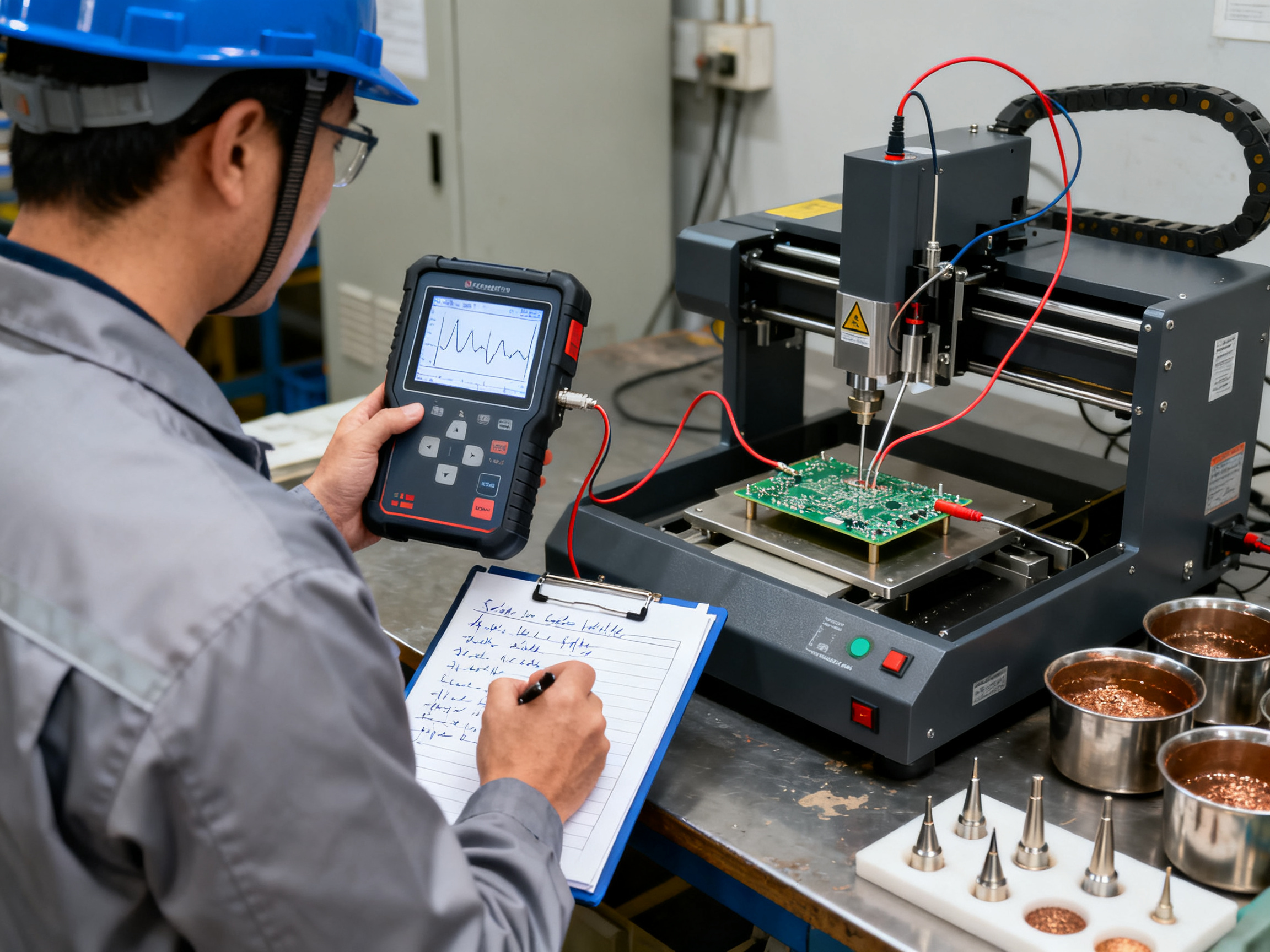
Pro Insight: Thermocouple placement makes or breaks your profile. I learned this the hard way when I attached sensors to component bodies instead of leads. The readings looked fine, but the actual joint temperatures were 20 degrees higher because the lead-to-body thermal resistance was masking the real problem. Always measure at the lead, pad, and barrel, not just somewhere convenient on the component. If you can’t attach directly to the joint, use multiple sensors to bound the actual temperature range.
Documenting Your Measurement System
Good measurement is only good if you can repeat it and prove it to someone else. Document everything.
Record these details for every profile:
- Thermocouple type and wire gauge
- Attachment method (welded junction, adhesive, mechanical clamp)
- Exact sensor placement locations with photos
- Profiler calibration date and certificate number
- Sampling rate used during data capture
- Board loading and fixturing conditions
- Machine settings at time of profile
- Operator name and date
This documentation serves two purposes. First, it lets you repeat the measurement exactly when you need to verify results. Second, it provides audit evidence if a customer or inspector asks how you qualified your process.
Without this paperwork, your thermal profile is just a graph with no context. That won’t fly in an ISO 9001 or IATF 16949 audit.
The goal is to build a measurement system you trust. When your profiler shows a reading, you should have confidence it’s accurate, repeatable, and defensible. That confidence comes from proper calibration, consistent technique, and thorough documentation.
How Speed and Temperature Are Calculated and Converted
Let me cut through the confusion here. Speed and temperature are calculated differently, and mixing them up causes problems.
Speed comes from motion. Temperature comes from measurement. These are separate things, and you need both to build a real process window.
How Selective Soldering Speed Is Calculated
The basic formula is straightforward:
Travel Speed = Solder Path Distance / Travel Time
or rearranged:
Travel Time = Path Distance / Speed
The tricky part? Units vary between machines. Most displays show mm/s or mm/min, and converting between them is simple:
| From | To | Multiply by |
|—|—|—|
| mm/s | mm/min | 60 |
| mm/min | mm/s | Divide by 60 |
So 2 mm/s equals 120 mm/min. Check your machine manual to confirm which unit your recipe fields expect.
Point-solder contact time works differently. It’s a stationary dwell at a specific joint, measured in seconds. This is separate from travel speed. A joint might need 2.5 seconds of contact time regardless of how fast the nozzle traveled to get there.
For drag soldering, contact time equals dwell plus drag duration. Drag duration comes from path length divided by travel speed.
Why Temperature Is Measured, Not Calculated
Here’s something important. You cannot derive solder temperature from speed. Speed tells you how long contact lasts. Temperature depends on your pot setpoint, pump condition, nozzle geometry, and how much heat the board pulls away.
You calculate or model expected heat input, then you verify actual joint temperatures with thermocouples. The math gives you a starting estimate. The profiler tells you what actually happened.
A simplified way to think about it: the joint receives heat from the solder wave and loses heat to the board, leads, and surrounding materials. The net heat flow determines whether the joint reaches wetting temperature. But modeling all that accurately requires either detailed simulation or direct measurement.
The practical approach? Use the formulas to set your recipe. Use thermocouples to validate whether your settings actually produce the thermal result you need. Then adjust based on what the board tells you, not what the formula predicted.
Worked Example: Drag Soldering a 6mm Path
Imagine a connector pin where you need to drag solder across 6mm of pad.
Your settings: 2 mm/s travel speed, 2.5 second stationary dwell at start.
Drag duration = 6mm / 2 mm/s = 3 seconds
Total contact time = 2.5 + 3 = 5.5 seconds
That 5.5 seconds is your heat exposure. Whether it’s enough depends on copper mass, preheat, and pot temperature. The calculation tells you contact duration. Thermocouples tell you if the joint actually got hot enough.
This separation between calculated motion and measured temperature is what makes selective soldering controllable. Don’t skip the measurement step.
How to Optimize the Process Window Without Trading One Defect for Another
Here’s where things get tricky. You fix the barrel fill by slowing down, and suddenly you have bridges everywhere. You raise the pot temperature to improve wetting, and the solder mask starts lifting. Classic selective soldering nightmare.
The solution isn’t to find the perfect single setting. It’s to understand how variables interact and make informed tradeoffs.
The Right Order of Adjustments
Tune preheat and flux activation first. Always. Before you touch solder temperature, before you change dwell time, get these two right. Why? Because preheat and flux do most of the heavy lifting for heat transfer and surface preparation. If your board isn’t at the right temperature and your flux isn’t activated properly, you’ll constantly fight an uphill battle with every other setting.
We learned this on a power module job. The fill kept coming up short, so we cranked the pot temperature up by 10 degrees. Soldering temperature went from 275 to 285 degrees C. The fill improved, sure. But we started seeing flux residue issues and occasional icicles we’d never had before. Turned out the real problem was uneven preheat across the board. Some joints were hitting the solder at 95 degrees C, others at 115. Once we sorted the preheat zones, we dropped the pot back to 275 and the fill held.
So the sequence matters. Preheat first, flux second, then make small adjustments to solder temperature, speed, and contact time as needed.
When you do need to adjust, change one thing at a time or run a structured experiment. Don’t touch three variables at once and wonder what happened. A simple approach: adjust your biggest problem variable first, test, then move to the next.
Mapping Symptoms to Causes
This is where a good troubleshooting matrix saves your sanity. When you see a defect, resist the urge to guess. Instead, check the pattern.
| Observed Problem | Likely Causes | First Adjustment | Watch Out For |
|—|—|—|—|
| Poor barrel fill | Not enough heat, weak flux activation, wrong nozzle size | Boost preheat or dwell time | Don’t just raise pot temperature first |
| Bridging | Nozzle too big, pump height too high, slow peel-off | Check exit trajectory and pump height | Lowering temperature might not fix geometry issues |
| Icicles | Poor solder release, excessive residence time | Adjust peel-off speed and direction | Sometimes a small drag helps break the solder column |
| Cold joints | Actual solder too cold, board too cold, poor flux | Verify thermocouple readings first | Don’t assume the display matches reality |
| Mask damage | Too much dwell, high pump, wrong mask rating | Reduce contact time or pump height | Check if mask is rated for your process temperature |
| Solder balls | Excess flux, rapid preheat, nozzle disturbance | Reduce flux volume, slow preheat ramp | Flux splatter often looks like solder balls |
The pattern here is straightforward. Heat problems usually trace back to preheat or flux before solder temperature. Geometry problems (bridging, icicles) usually trace back to nozzle, pump, or motion settings. Thermal damage usually means too much time or temperature somewhere.
Expert Tip: Think in interactions, not single causes. A bridge might look like a speed problem, but if your pump height is wrong for that nozzle, slowing down just gives the solder more time to bridge. Always verify geometry and flow before blaming speed.
Balancing Quality With Throughput
Quality and speed feel like they’re always fighting each other. They don’t have to be, if you track the right things.
Key response measures that actually tell you what’s happening:
- First-pass yield (boards passing without rework)
- Defect parts per million by type
- Barrel-fill percentage on critical joints
- Rework minutes per board
- Solder consumption per board
- Machine cycle time
- Process capability index where you have measurable characteristics
Industry data shows selective soldering typically reduces defect rates from 1,000 to 5,000 DPMO with hand soldering down to 50 to 200 DPMO. That’s a massive difference, and it comes from consistency more than anything else SMT Machine Line selective soldering research.
One recent case study reported first-pass yield climbing from 85% to 97% after systematic process optimization, with bridging reduced by more than 90% Sentient Soldering process windows. That’s not magic. That’s running structured trials, measuring results, and adjusting based on data instead of hunches.
A high-mix shop reported full rework falling from 15% to below 2%, changeover time dropping from 45 to 8 minutes, and achieving 100% hole fill after optimizing immersion depth and flux application McMaster 2024 AAM study.
The takeaway? Don’t sacrifice one defect to fix another. Build a process that accounts for all variables together, measure what matters, and adjust systematically.
If you want the machine to support your optimization efforts, look for equipment that gives you good control over preheat, precise pump adjustment, and flexible nozzle options. Companies like Shenzhen Chuxin Electronic Equipment Co., Ltd. build selective soldering systems with these controls in mind, which makes the optimization process more straightforward.
Start with your worst-case board, define what success looks like before you begin, and remember that small adjustments compound into big improvements over time.
Validation, Documentation, and Production Control
You’ve profiled your board, tuned your settings, and got good results on a few assemblies. Now what?
Now you validate. And that means running your settings across repeat boards, different shifts, multiple operators, various nozzles, and your worst-case product variants. Don’t just trust one good run. IPC J-STD-001J defines acceptance requirements for Class 1, 2, and 3 products, and those classes determine what kind of validation evidence you need IPC J-STD-001 product page. Visual judgment alone won’t cut it for high-reliability work. You need measurable proof.
Locking Your Recipe
Once your window holds across multiple conditions, lock it down with proper revision control. Your recipe record needs to include:
- Solder alloy and batch
- Flux type and application method
- Nozzle size and geometry
- Board revision tested
- Preheat settings and actual measured temperatures
- Solder-pot setpoint and verified nozzle temperature
- Travel speed and contact/dwell time
- Inspection results and approval authority
- Date and operator
This paperwork feels tedious, but it’s what separates controlled processes from guesswork. When something drifts six months from now, you’ll want these records.
Monitoring for Drift
The process window you validated today won’t stay valid forever. Build in checks to catch drift before it becomes defects:
- First-article inspection on every new lot or shift change
- Periodic thermal profiling to verify temperatures haven’t shifted
- Calibration checks on your measurement equipment
- Preventive maintenance on pumps, nozzles, and heaters
- SPC limits on key variables like solder temperature and contact time
- Defined reaction plans for out-of-control results

From Our Experience: One shop we worked with had solid first-pass yield for months, then suddenly started seeing intermittent fill issues across three weeks. Nobody changed anything. Turns out the solder supplier quietly switched to a slightly different alloy batch with a higher copper content. Same label, different behavior. They caught it only after adding incoming material verification to their control plan. Now every batch gets checked before it hits production.
The reaction plan matters most here. When a control limit triggers, you need a clear checklist: quarantine affected product, verify your measurement system, inspect equipment, correct the cause, and requalify before restarting.
Standards That Guide Your Controls
ISO 9001, IATF 16949, and AS9100D all require documented process controls, traceability, and corrective action. IPC-A-610J provides visual acceptance criteria IPC-A-610 product page. NASA GSFC-STD-6001A sets additional requirements for high-reliability aerospace and defense work NASA standards portal. Know which standards apply to your products and build your control plan accordingly.
Good documentation isn’t bureaucracy. It’s the foundation that lets you scale, troubleshoot, and prove your process works.
Conclusion: A Practical Recommendation for Choosing Speed and Temperature
Here’s the honest takeaway. There’s no magic number for selective soldering speed and temperature. What works for an automotive control module might cause bridging on a consumer gadget board.
The expert recommendation is straightforward: begin with current supplier and machine guidance, profile the actual worst-case board, and optimize within documented product limits.
Your six-step action checklist:
- Define your acceptance criteria before you touch the machine
- Establish a conservative baseline from validated ranges
- Measure actual temperatures with calibrated thermocouples
- Run controlled trials on your worst-case board
- Validate repeatability across operators, shifts, and material batches
- Lock the recipe with proper revision control
For standards reference, review IPC J-STD-001J IPC J-STD-001 product page, IPC-A-610J IPC-A-610 product page, your alloy technical data sheets, and your machine manual.
Equipment like Shenzhen Chuxin Electronic Equipment Co., Ltd.’s selective soldering systems gives you good control over preheat, precise pump adjustment, and flexible nozzle options, which makes this optimization workflow more straightforward to execute.
The production-validation question you need to answer: “Does my locked recipe produce acceptable results on my actual board, under my actual conditions, across multiple runs?” If yes, you have a controlled process. If not, keep iterating until it does.
Don’t stop here. Pull your machine manual. Check your worst-case board construction. Profile one board this week. That is how you turn ranges into a working process.