



Objavljeno: 23 June 2026
Vrijeme čitanja: 8 minutes
Reviewer: Simon Scrapes, Founder
Automatic PCB Unloaders: Your Guide to Efficient SMT Assembly Optimization
If you’ve ever watched an SMT line slow down right at the end, you know how annoying it is. Boards are finished, the line should keep moving, but manual pickup or messy stacking turns into a choke point fast. That is where an automatic PCB unloader starts to make a real difference.
In simple terms, this machine takes finished boards off the line and places them neatly into a magazine or stack, ready for the next step. But the real value is bigger than that. It helps cut handling damage, keeps flow steady, and gives production teams a cleaner way to manage efficient SMT assembly. If you’re trying to figure out what SMT unloader means, what SMT unloader does, or what PCB unloader machine is best for your setup, let’s walk through it together.
Jace Liu is an experienced voice in Surface Mount Technology. He brings years of hands-on knowledge in precision soldering equipment and scalable SMT solutions, helping manufacturers choose systems that fit high-output production with less guesswork.
What Automatic PCB Unloaders Do: Core Functions and Benefits
So, what does an automatic pcb unloader do? At the most basic level, it receives finished boards from an upstream conveyor and moves them into a magazine rack or collection area without manual handling. That sounds small. It isn’t.
In a busy SMT line, the last step can quietly cause the biggest headache. When boards wait too long to be removed, upstream machines may pause, operators rush, and fragile assemblies face extra touch points. According to SMT Manufacturing’s overview of PCB unloaders, these systems are built to automate board removal and keep production moving without those avoidable slowdowns.
From what I’ve seen, the best results come when the unloader is treated as part of the whole line, not just a box at the end. In one line review we did, the problem was not placement speed at all. It was the inconsistent unload rhythm, which kept causing board backups after reflow. Once the handoff improved, line stability got a lot better.
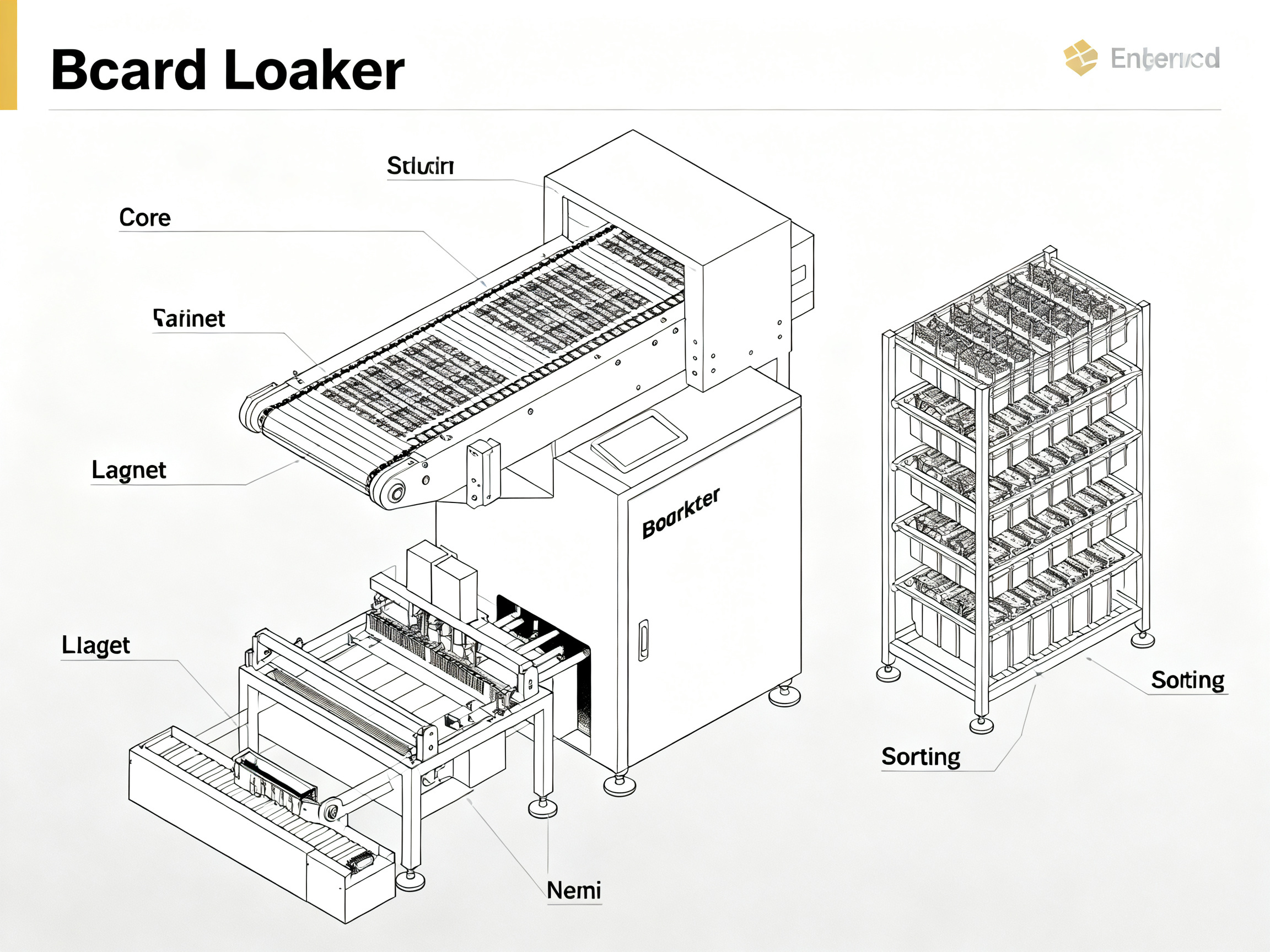
Here are the main jobs an unloader handles:
| Function | What it does for the line |
| — | — |
| Board receiving | Accepts finished PCBs from the conveyor |
| Automatic transfer | Moves boards into magazines or stacks without hand contact |
| Flow control | Helps stop bottlenecks at end-of-line stations |
| Board protection | Lowers risk of scratches, drops, or flex damage |
| Sorting support | In some systems, helps separate OK and NG boards |
This matters even more for lead-free SMT processes, where thermal profiles and board materials can leave assemblies a bit less forgiving during handling. A thin board with fine-pitch parts or BGA packages is not something you want people grabbing in a hurry. Not fun.
Expert Tip: Set a simple maintenance routine for sensors, belts, and lift alignment every week. Small checks help keep long-term precision steady and reduce weird stoppages that seem to show up at the worst time.
Common Problems PCB Unloaders Help Solve
You know that sinking feeling when one operator calls in sick and the line still has to hit target? This is one reason unloaders matter.
Manual unloading often creates three problems at once. First, it slows output. Second, it raises the odds of handling mistakes. Third, it makes final board collection less consistent, especially during shift changes or rush orders. Research from SMT Machine Line on loader and unloader production issues points to bottlenecks, handling risk, and inconsistent separation as common pain points these machines help fix.
Here’s the deal. Even a strong team gets tired. People make small errors when repeating the same motion for hours, and thin or high-value boards can take the hit. Automatic PCB unloaders reduce that manual strain while giving the line a more predictable finish point.
They often help with:
- end-of-line bottlenecks in high-volume SMT production optimization
- less board damage from drops, pressure, or awkward stacking
- cleaner OK and NG board separation in lines that need traceability
- lower labor pressure during long or overnight shifts
- smoother integration with PCB handling equipment already using standard line protocols
And yes, that can mean real savings. Not just in labor, but in fewer damaged boards and less line stop time. Sometimes the return is obvious in a month. Sometimes it shows up in scrap reports two quarters later. Either way, it counts.
Core Features of PCB Unloaders: What to Look For
Not every machine fits every line. That’s usually where buyers get stuck.
If you’re asking what pcb unloader machine do I need, start with board size, magazine type, cycle time, and line communication. Then check how the machine handles delicate assemblies, especially if your factory runs semiconductor, smartphone, or military electronics where precision is a big deal.
A solid automatic unloader pcb setup in 2026 should usually include:
| Feature | Why it matters |
| — | — |
| Adjustable width | Fits different PCB sizes without clumsy changeovers |
| Stable lifting system | Keeps magazines aligned and boards level |
| SMEMA compatibility | Helps the unit talk to nearby SMT machines |
| NG/OK sorting options | Supports cleaner quality handling |
| Anti-static design | Helps protect sensitive components |
| Dual-rail or modular options | Useful for higher throughput or future expansion |
If you’re working with fine-pitch boards or sensitive packages, pay close attention to stacking and transfer control. A cheap machine that jolts boards into position can create tiny handling issues that only show up later in test. That is the kind of problem nobody wants on a Friday afternoon.
Pro Insight: Stacking options matter more than many buyers expect. Better support and gentler magazine handling can help protect BGA and QFN assemblies from flex stress during unload and collection.
For manufacturers already investing in lead-free reflow ovens, wave soldering machines, or full SMT production lines, it often makes sense to choose an unloader that matches the same protocol and throughput style. Companies like S&M Co. Ltd., under Shenzhen Chuxin Electronic Equipment Co., Ltd., focus on that kind of line-level fit, which can make upgrades less painful.
Choosing the Right PCB Unloader for Your SMT Line
I’ll be honest, this is where the choice gets real. Specs on paper can look nearly identical.
When teams ask what automatic unloader pcb do I need, I usually tell them to stop looking at the machine alone and look at the line around it. We once reviewed a setup where the unloader itself was fine, but the magazine capacity was too low for the shift pattern. So operators still had to intervene too often. The machine was not the issue. The planning was.
Use these questions to narrow it down:
- What board sizes and thicknesses run most often?
- Do you need magazine unloading, stacking, or both?
- How much hourly output does the line need to support?
- Are there frequent changeovers between product types?
- Do you need separate handling for OK and NG boards?
- Will the machine need to support future automation upgrades in 2026 and beyond?
If your operation builds high-density assemblies, especially with BGA/QFN packages, you should also ask about transfer smoothness, rail stability, and vacuum or zero-touch options for thinner boards. Funny enough, those details can matter more than raw speed.
For larger manufacturers in automotive, aerospace, semiconductors, and consumer devices, the best fit is usually a machine that scales with the line. That might mean modular upgrades, dual-rail support, or easier predictive maintenance hooks. For many teams, this is also where vendor support starts to matter a lot.
For many mid-to-large factories, the best automatic unloader pcbs are the ones that reduce manual touches while still fitting neatly into existing SMT production optimization plans. If you’re already upgrading soldering, inspection, and transport systems, this is a smart place to tighten the whole line.
And yes, product quality matters. So does service. A good vendor should help with compatibility, install guidance, and long-term parts support, not just send a brochure and disappear.