
Published: 19 October 2026
Last Updated: 19 October 2026
Reading Time: 16 minutes
Reviewer: [Reviewer name – add only after a qualified reviewer has approved the article]
Reviewer Credentials: [Relevant SMT process, electronics manufacturing, or reflow engineering credentials]
Introduction: When a Reflow Problem Becomes a Production Problem
Picture this. It’s Tuesday morning. Your reflow line is running a high-volume lead-free run when alarms start triggering across multiple zones. The operator resets them. Boards keep moving. By lunch, your AOI operator is pulling her hair out over a cascade of solder defects you cannot explain.
Sound familiar? Unstable reflow profiles, mysterious solder defects, unplanned downtime, and the temptation to make quick adjustments that make things worse. These problems rarely arrive alone. They cluster together, feeding off each other until a minor issue becomes a production crisis.
Here is the reality in 2026: high-volume electronics manufacturers face real financial exposure from reflow instability. One unverified industry case study suggests an electronics contract manufacturer lost $1.8 million annually to unplanned stoppages, with reflow temperature drift accounting for a significant portion. Even if your numbers differ, the underlying risk is the same.
This guide walks you through the complete troubleshooting sequence. We cover symptom identification, safe diagnosis, corrective action, verification, and prevention across lead-free reflow lines. You will learn how to trace defects back to root causes without guessing.
Important: Machine manuals, site safety procedures, component limits, and qualified service personnel take precedence over any generic guidance. When in doubt, stop production and escalate.
About the Author
[Author name] is [job title/role] with [number] years of verified experience in SMT production, reflow process engineering, or electronics manufacturing equipment. This individual has [relevant achievement such as commissioning lead-free reflow ovens, optimizing BGA/QFN profiles, or reducing solder defects]. They possess direct hands-on expertise in thermal profiling, defect analysis, and production-line optimization for high-volume electronics assembly.
[Link to full author profile containing employment history, relevant certifications, disclosed commercial affiliations, and other published technical work.]
Note: Author credentials and biography verified upon publication.
1. Start With a Safety-First Diagnostic Workflow
Before you touch a single parameter, you need to know what you are dealing with. Rushing to reset that alarm or tweak the recipe is the fastest way to turn a small problem into a production nightmare. I have seen this happen more times than I can count on reflow lines across multiple facilities.
The first step is triage. Write down the exact alarm code and timestamp. Note which recipe was running, what product was on the line, and what the zone readings showed at that moment. Record conveyor speed and nitrogen status. Here is the critical part: identify the last known good board before anything changed. This gives you a clear boundary for affected product.
Expert Tip: Before resetting anything or changing parameters, preserve alarm logs, profile data, affected boards, and machine conditions using a repeatable sequence: photograph the HMI display, export event history with timestamps, quarantine product from last confirmed-good unit through the stop point, and save the profiler run. Only then begin diagnosis. This evidence is essential for root-cause analysis and for protecting both product quality and personnel safety.
Next, separate machine faults from process, material, design, and upstream causes. This is where most technicians get it wrong. They assume the oven caused the problem without checking whether the issue started elsewhere. Run through a simple check sequence:
- Contain the affected WIP immediately
- Confirm calibration status of profiler and sensors
- Inspect utilities including nitrogen supply and exhaust
- Reproduce the symptom carefully under controlled conditions
- Change only one variable at a time
Common reflow oven problems often cluster together. A zone temperature drift might look like a heater fault but could stem from a clogged filter, fan degradation, or incorrect recipe transfer. You need to rule out each possibility systematically.
Now, define your stop-production conditions. These are non-negotiable:
- Smoke, fire, or flame detection
- Electrical hazards or exposed conductors
- Conveyor jams that could damage assemblies
- Uncontrolled overheating or thermal runaway
- Safety interlock faults
When any of these occur, stop immediately. Do not reset and continue. The machine is telling you something is seriously wrong. Refer to your OEM manual and site safety procedures. If you do not have qualified personnel on-site, escalate to your equipment supplier.
I cannot stress this enough. In our facilities, we lost an entire shift to preventable downtime because someone reset an overtemperature alarm without documenting what triggered it. The root cause remained hidden for two more days. Do not make that mistake.
Once you have preserved evidence and confirmed it is safe to proceed, you can move into diagnostic mode. But the discipline of this first step determines how quickly and accurately you will solve everything that follows.
2. Diagnose Temperature and Reflow Profile Problems
So you have alarm data and a safe machine state. Now you need to figure out what actually went wrong with your reflow profile. This is where most technicians jump to conclusions too quickly.
Here is the thing. Zone temperature readings on the HMI tell you what the machine thinks is happening. They do not tell you what is happening on the board. That gap causes a lot of wasted time and wrong fixes.
What the Full Profile Actually Tells You
A complete reflow profile is not just about peak temperature. You need to look at five things together:
- Ramp rate: How fast the board heats up in preheat. Too fast causes thermal shock and solder splash. Too slow depletes flux early.
- Soak behavior: The plateau where flux activates and thermal mass equalizes. A sloppy soak creates uneven heating.
- Time above liquidus (TAL): How long the solder stays molten at the joint. Too short means poor wetting. Too long risks damage.
- Peak temperature: The maximum measured at your hottest joint. Must exceed paste liquidus but stay below component limits.
- Cooling rate: How fast the joint solidifies. Too fast stresses components. Too slow creates rough grain structures.
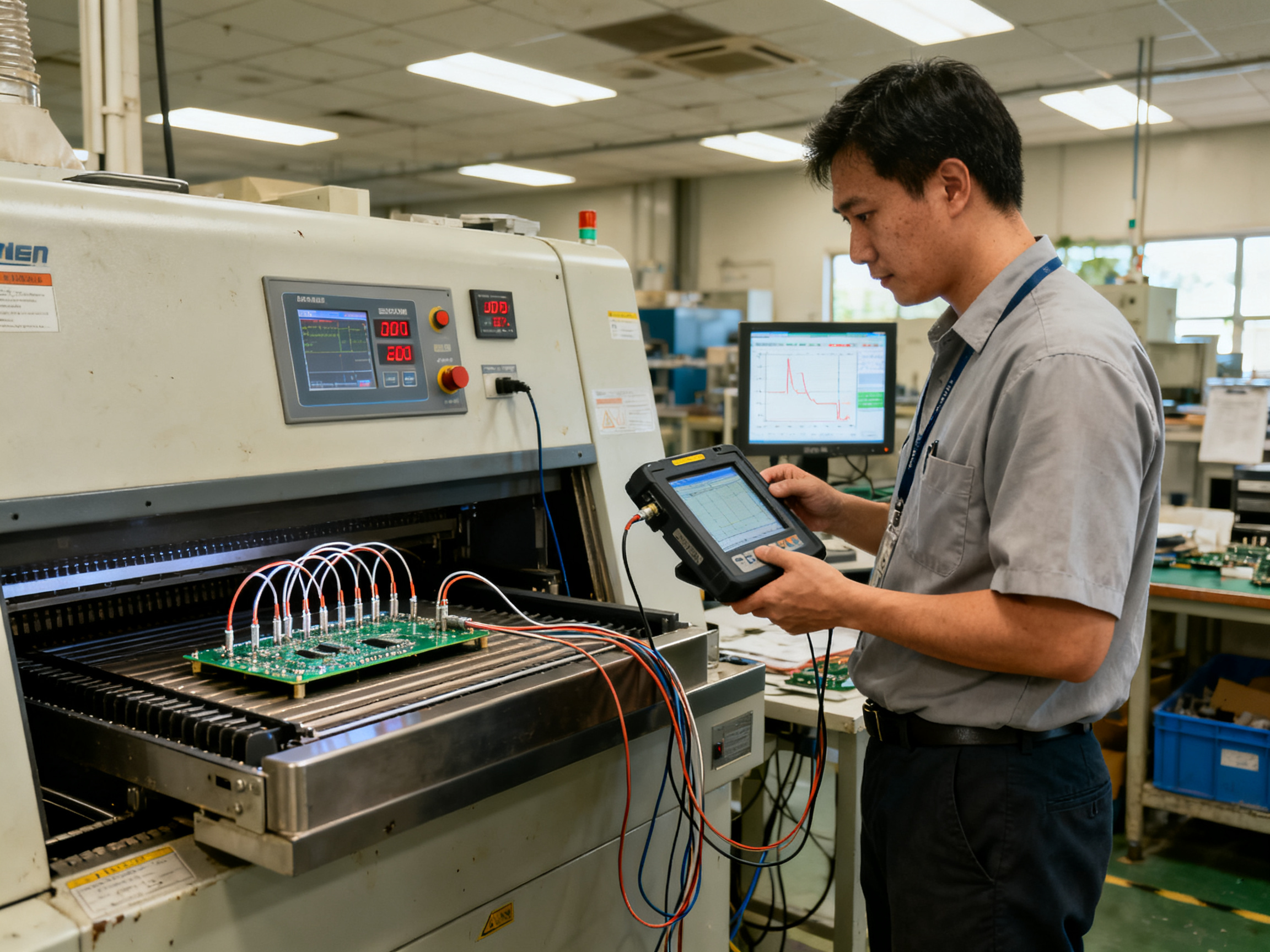
Plus, check your cross-board delta. That is the temperature difference across your board at any given time. If one corner runs 15 degrees hotter than another at peak, you have a problem that setpoints will not show.
Pro Tip: Place your hottest thermocouple on a small exposed component or the area most likely to run hot. Put your coldest thermocouple on large ground planes, thermal pads, or dense BGA regions. These extremes tell you the real story.
Common Causes Behind Profile Problems
Zone display looks right but board traces run low or high. What gives? Several culprits are possible:
Sensor and calibration issues
Thermocouple drift happens. Profiler calibration can slip. We once spent two days chasing a zone control problem before realizing a profiler channel had failed. Always run an independent calibrated profiler before blaming the oven.
Heater and SSR problems
Check heater current in the commanded ON state. Compare current between equivalent zones. Inspect for SSR stuck ON or OFF, loose terminals, or oxidized contacts. A failing SSR often shows normal readings when cold but behaves erratically when hot.
Fan and airflow problems
Verify fan rotation, speed, and bearing condition. Inspect impellers and filters for contamination. Compare top and bottom airflow balance. In one case, a partially blocked intake filter caused uneven heating that only showed up on heavy thermal-mass boards.
Recipe and loading issues
Incorrect recipe transfer with wrong zone mapping. Conveyor speed not matching what was profiled. Excessive board loading where the oven cannot recover between panels. All of these look like temperature problems but are really setup errors.
Cross-Board Delta Diagnostics
If the same board location always runs hot or cold, check layout, copper distribution, and local component effects. If hot and cold spots move with conveyor lane or board position, suspect oven uniformity or fan balance issues. If spread increases only with multiple boards in the oven, look at thermal recovery, loading effects, or exhaust shadowing. If all traces shift together, investigate conveyor speed, recipe settings, or ambient conditions.
Board Mass, Density, and Lead-Free Considerations
Board mass matters. A heavy thermal-mass board needs more heat input and longer TAL. Panel density changes airflow around components. Large components shadow smaller ones from radiant heat. Line speed directly affects time above liquidus, which is tighter for lead-free alloys.
When you move a recipe from one product to another, profile it again on the new board. Never assume that because it worked on product A, it will work on product B. The thermal mass and component mix are different.
In our experience, recipe transfer failures cause more sudden defect spikes than actual oven problems. When in doubt, profile the actual product under actual conditions. That data is the only thing you can trust.
3. Fix Conveyor, Transport, and Board-Handling Faults
Your reflow profile looks perfect. Temperature traces are right where they should be. But boards are jamming. Or worse, boards are coming through damaged.
When temperature is not the problem, conveyor and transport issues step into the spotlight. These faults account for a surprising amount of unplanned downtime.
What Goes Wrong Most Often
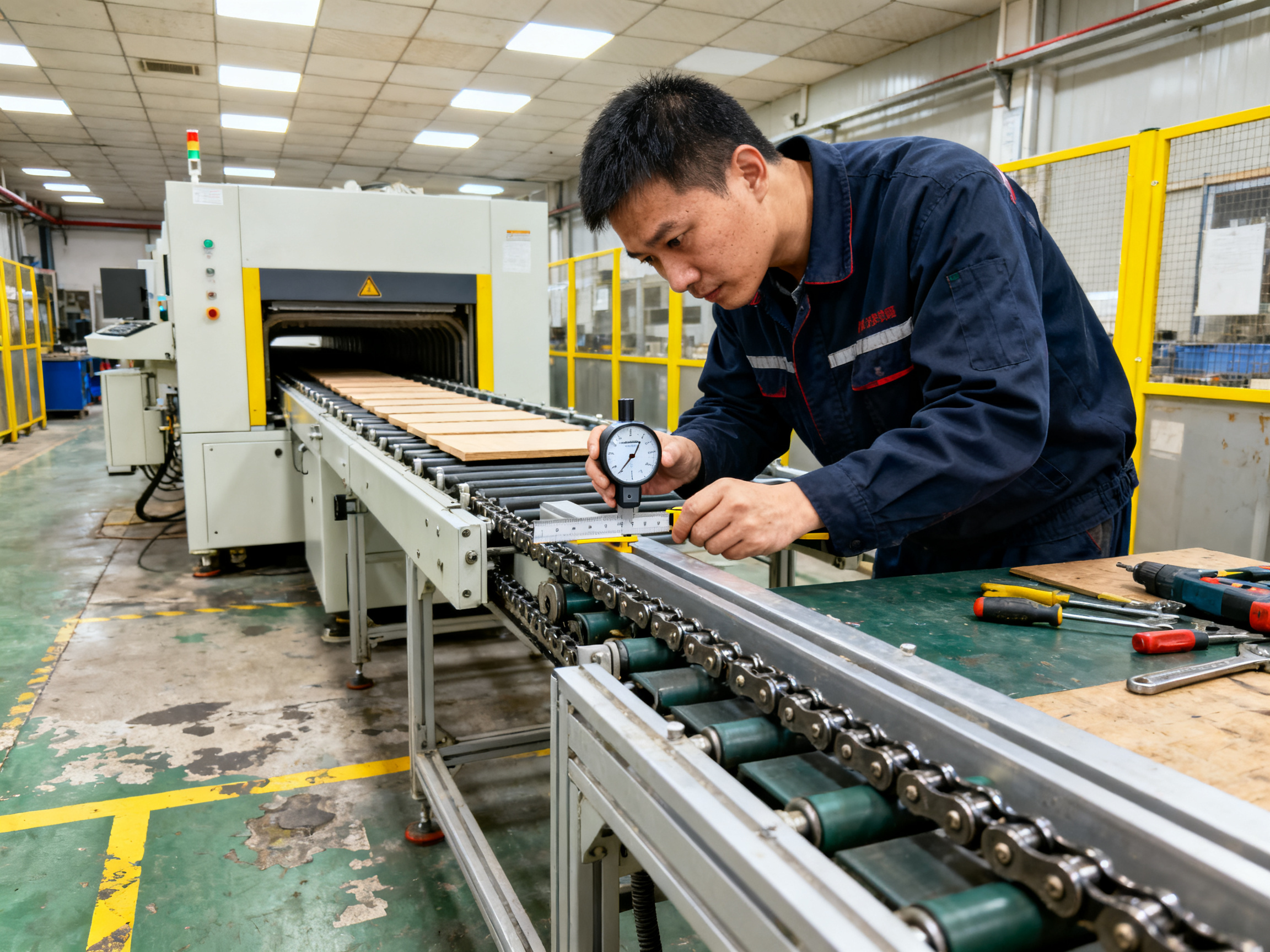
Conveyor problems usually fall into a few categories. Stalls happen when boards catch on misaligned rails or when chain tension slips. Speed drift occurs when encoder feedback loses accuracy or motor torque drops. Rail-width errors mean boards sit too loose or too tight. Skew and board drop damage assemblies and create safety hazards. Center-support misalignment stresses components underneath.
We once spent an entire morning chasing mysterious dropouts on a dual-lane line. Turned out a transfer pin had bent slightly, catching board edges at the inlet. Temperature profiling was never going to fix that one.
Inspection Sequence That Works
Before touching anything mechanical, stop production and apply LOTO. Allow the tunnel to cool to safe temperature. Then work through this sequence:
- Check rail parallelism and height at inlet, center, and outlet
- Measure rail width against your board or carrier drawing
- Inspect chains for stiff links, pitch variation, or missing attachments
- Verify center support height and alignment
- Check transfer gaps at operating temperature
- Test conveyor speed independently with a calibrated tachometer
The speed check is critical. Do not trust what the HMI tells you. Measure it yourself.
Validating Speed
Set your conveyor to production speed. Run a test using a stopwatch and two fixed reference points. Measure three complete traversals. Compare your reading against the machine display. If they disagree by more than 1%, investigate encoder, motor, or gearbox issues before running production boards.
SMEMA and Hermes Interface Testing
Your oven does not work alone. It talks to upstream and downstream equipment. Test this communication under three conditions: normal flow, buffer-full, and downstream-fault. The buffer-full condition is especially important. When downstream equipment signals full, the oven should lock its input conveyor so boards do not get trapped in a hot tunnel. This is not optional behavior. It is safety-critical.
From Our Experience: A recurring jam problem cleared once we discovered the SMEMA handshake was inverted on one machine in the line. The downstream equipment was sending a ready signal when it should have been sending busy. Boards piled up in the oven tunnel during every shift change. Fixing the wiring took 20 minutes. The three weeks of damaged boards and missed deliveries? That took much longer to recover from.
Quick Fault-Reference Table
| Symptom | Check | Pass Criterion |
|———|——-|—————-|
| Intermittent stall | Rail alignment and chain tension | Consistent speed through full tunnel |
| Speed mismatch | Independent tachometer measurement | Within 1% of set speed |
| Board skew | Rail width and center support | Board travels straight, no lateral shift |
| Transfer jam | Inlet and outlet gap measurement | Clean handoff, no catching |
| Interface fault | SMEMA or Hermes handshake test | Correct signal under all conditions |
One Variable at a Time
When you find a mechanical issue, fix one thing. Run boards. Verify the fix worked. Then move to the next item. Jumping between rail adjustment, chain tension, and sensor replacement at the same time means you will never know what actually solved the problem.
Conveyor faults compound quickly. A slightly loose chain today becomes a full jam tomorrow. Catch these early through routine speed verification and visual inspection at every shift change.
4. Trace Solder Defects Back to Reflow Root Causes
Every solder defect has a story. Your job is to read it correctly before you touch anything on the line. Guessing costs money. Systematic analysis saves it.
The key is correlation. Before you blame the oven, you need evidence that links the defect to a specific cause. That means tracking defect location, frequency, product family, material lot, lane, shift, recipe, and machine state all at once. One of those variables will usually point you toward the real problem.
Common Defects and Their Thermal Connections
Opens and non-wetting often point toward insufficient peak temperature or time above liquidus. But they can also come from contaminated pads, expired paste, or nitrogen atmosphere that is too lean. You need to check your profiler traces alongside your paste certificate and pad condition.
Solder balls typically happen when ramp rate is too aggressive or flux gets stripped too early. Slowing the preheat ramp and verifying your nitrogen oxygen level usually helps. But solder balls can also come from paste that has been sitting too long or stencil aperture issues entirely unrelated to the reflow oven.
Bridging looks like a paste volume problem but sometimes it is a profile issue. Too much surface tension during liquidus can pull solder where it should not go. Check your peak temperature and soak behavior before you assume it is a printing error.
Tombstoning happens when one side of a component heats faster than the other. This is a classic thermal gradient problem. Your profiler should show the delta across the board at the component location. Uneven copper distribution, asymmetric pad sizes, and component placement offset can also cause it.
Voiding under BGA and QFN thermal pads gets blamed on peak temperature all the time. It is usually not that simple. Flux chemistry, paste formulation, aperture segmentation, pad design, and atmosphere control all play a role. One supplier study found that optimized profile combined with paste chemistry adjustments nearly eliminated measured voiding in tested conditions, but that result does not transfer to every board without validation.
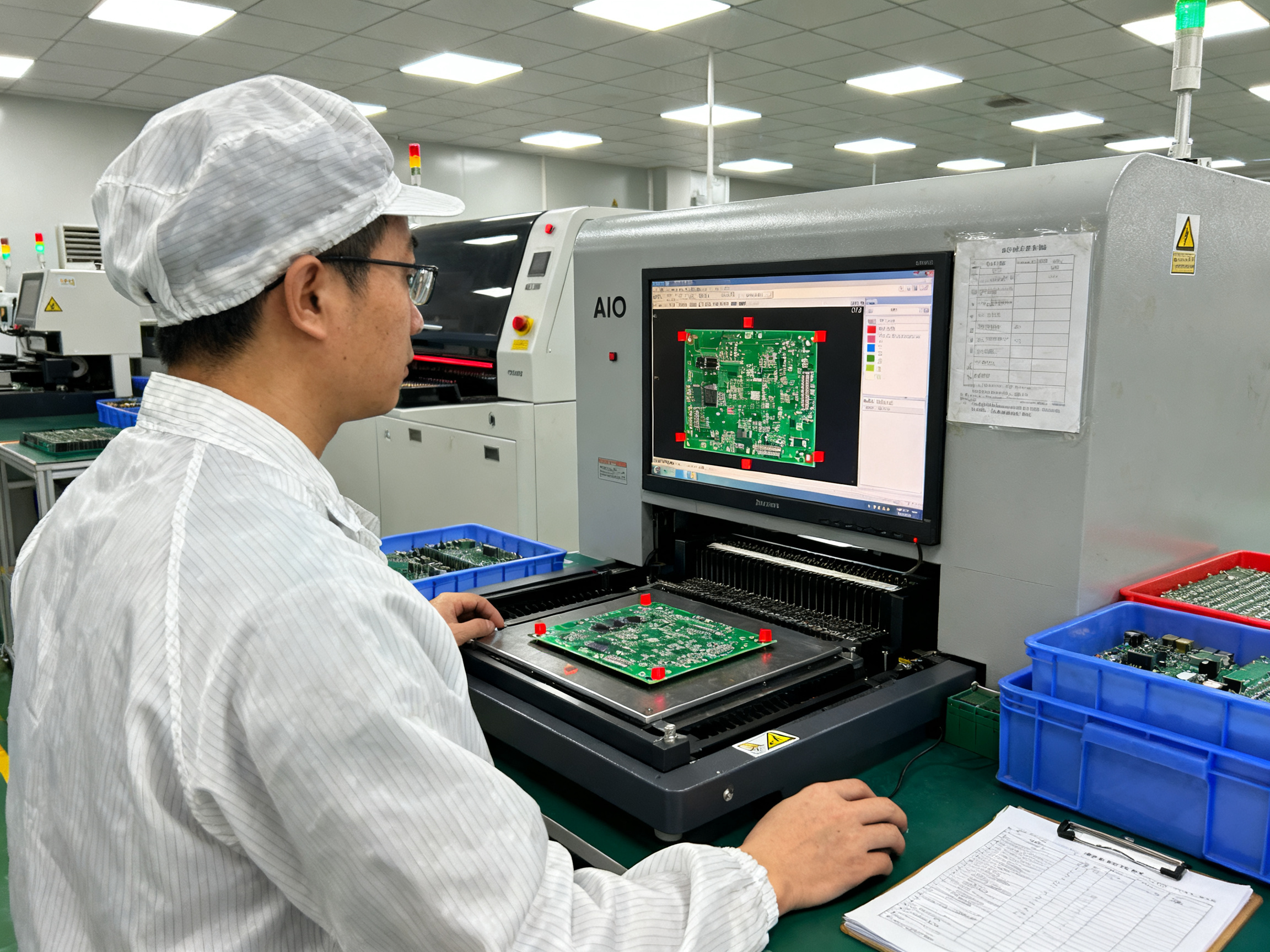
Head-in-pillow is one of the trickiest defects to catch. The ball and the paste appear to touch but never bond properly. Package warpage, board warpage, oxidation, and insufficient flux activation can all cause it. AOI cannot see this joint. You need X-ray inspection or cross-sectioning to confirm it.
Why BGA and QFN Defects Are Different
Hidden joints require indirect evidence. Your profiler traces tell you what happened thermally. Your X-ray images tell you what the joint looks like. Your lot traceability tells you which components, paste lots, and boards are involved. None of these alone gives you the answer. You need all three together.
Pro Insight: BGA and QFN defects should not automatically be blamed on peak temperature. Profiling data, paste lot records, placement accuracy logs, pad design documentation, and atmosphere readings narrow the cause in ways that guesswork never can. A defect that appears on the same component location across multiple board revisions likely points toward pad design or component package variation rather than oven drift.
Building a Defect-to-Cause Map
Create a simple table for your production floor. Track defect type, location on board, which shift it appeared, paste lot, component lot, oven recipe, and machine state. Over time, patterns emerge that point to root causes instead of symptoms.
Here is the practical approach:
- Separate machine causes from material, design, and handling causes first
- Use SPI data to rule out paste volume problems before touching the oven profile
- Use AOI and X-ray together rather than relying on one inspection method
- Correlate defect spikes with maintenance events, paste lot changes, or recipe modifications
- Change only one variable, then verify with production boards before approving the fix
Disciplined correlation beats intuition every time when you are trying to stop a defect cascade.
The Danger of Quick Fixes
When defect rates spike, there is always pressure to act fast. Operators want to tweak the recipe. Maintenance wants to replace parts. Engineering wants to scrap the batch. Nobody wants to spend an hour tracing evidence.
But that hour spent on correlation usually saves three hours of wasted changes and rework. Make the defect-to-cause map a standard tool on your line, not an afterthought.
Correlate first. Act second.
5. Check Atmosphere, Flux, Exhaust, Cooling, and Process Inputs
Temperature looks perfect on your profiler. Recipe matches approved settings. But defects keep showing up on the same components, same shifts, same board revisions. The problem might not be in the oven at all. It might be in what you feed the oven.
Process inputs create ripple effects that setpoints cannot predict. Nitrogen atmosphere, solder paste condition, component moisture, board finish, and exhaust balance all influence what happens during reflow. When these inputs drift outside their control limits, you get symptoms that look exactly like oven problems.
Nitrogen and Oxygen Control
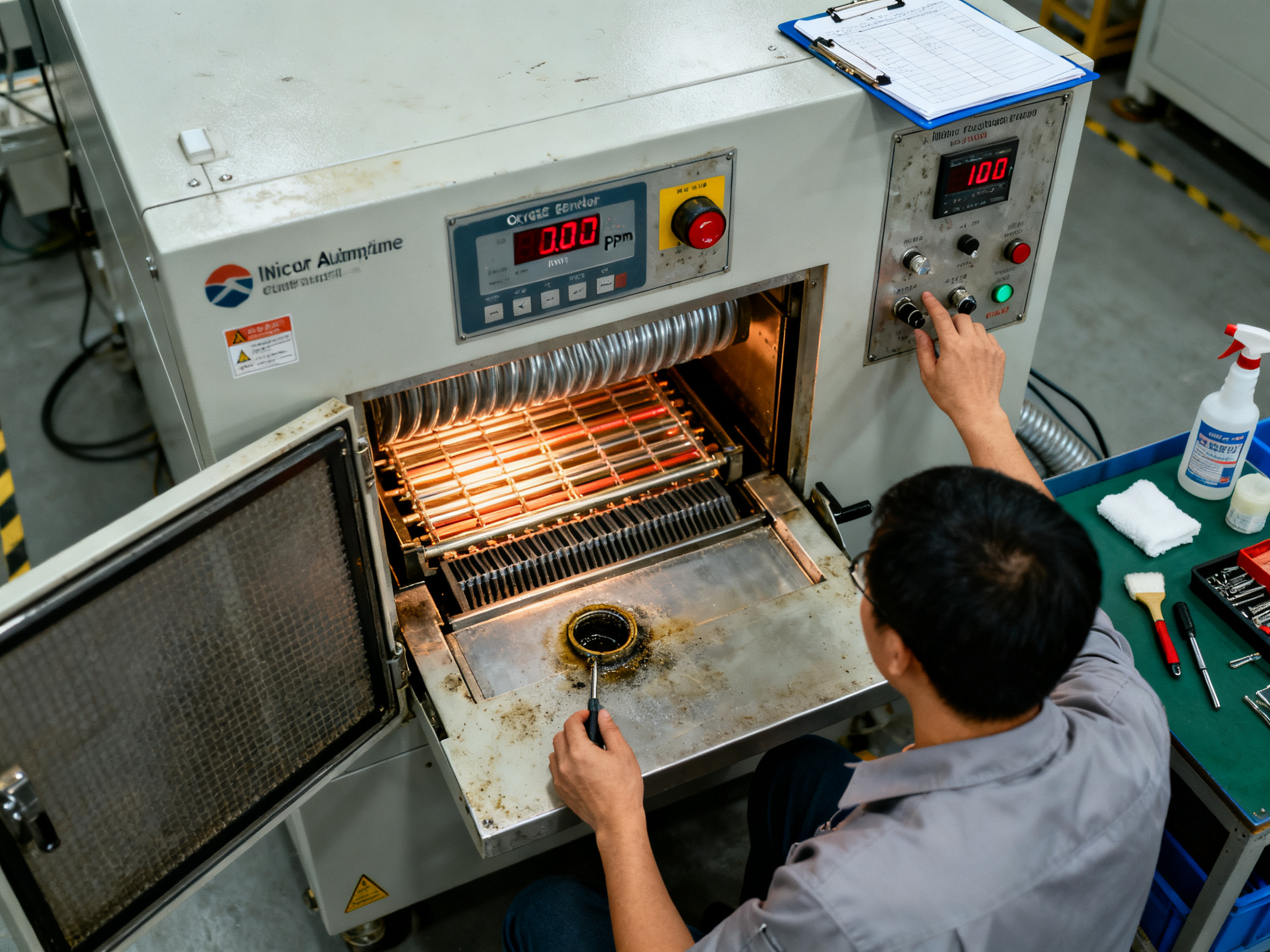
The right oxygen level helps flux work properly. Too much oxygen accelerates oxidation. Too little nitrogen flow creates pressure imbalances that pull air into the chamber. Check your oxygen reading at the product location, not just at the supply inlet.
Flow can rise while oxygen stays high if leaks exist. We once chased a voiding problem for a full week before discovering a door seal had degraded. The nitrogen flow looked normal. The oxygen did not.
For lead-free assemblies, many operations target below 1,000 ppm O2. Some run tighter at 500 ppm or below for oxidation-sensitive finishes. Your paste supplier’s data sheet defines the actual requirement for your specific formulation.
Flux Management and Exhaust Balance
Flux does its critical work during preheat and soak. The exhaust system removes volatile byproducts without stripping flux too early. If exhaust is too aggressive, you get solder balls and poor wetting. If exhaust is too weak, flux residue builds up on sensors and heating surfaces.
Inspect flux condensate collection points regularly. Accumulated flux can drip back onto boards or interfere with temperature sensing. When a board improves after you clean the oven, flux contamination was likely part of the problem.
Paste Storage and Handling
Expired paste, improper thawing, and contamination mimic profile problems. Cold paste causes inconsistent deposition. Warm paste slumps and bridges. Always follow your paste supplier’s storage and thawing instructions. Allow sealed containers to reach room temperature before opening to prevent condensation.
Track paste lot numbers with your defect records. If defects correlate with a new paste lot, you have evidence that points away from the oven immediately.
Component Moisture Sensitivity
Moisture-sensitive components that exceed floor life can delaminate, crack, or popcorn during reflow. Check MSL labels, bag opening times, and floor-life accumulation. A component that looks perfectly fine can hide internal damage from prior moisture exposure.
One Variable at a Time
When you suspect process inputs, change only one thing. Hold paste, profile, placement, and loading constant. Test atmosphere first. Then paste lot. Then component lot. Document what you changed and what happened.
Your oven can only work with what you give it. Keep the inputs clean, documented, and within spec, and your troubleshooting will narrow down to the actual oven variables much faster.
6. Resolve Alarms, Sensors, Controls, and Electrical Faults
Alarms are the oven telling you something needs attention. But an alarm on your screen is not a diagnosis. It is a starting point. Treating every alarm the same way is how you miss the real problem and create new ones.
The first move is always the same: write down exactly what the alarm said, what time it appeared, which zone or system it referenced, and what the machine was doing at that moment. Photograph the display. Export the event history. Do not reset anything yet.
Group Alarms by Subsystem
Your oven has multiple systems that can trigger alarms. Here is how to think about each one:
Temperature alarms cover heater faults, sensor disagreements, and control loop problems. Safe operator checks include comparing zone setpoints against actual readings and verifying the correct recipe was loaded. You need evidence like profiler traces and trend charts before assuming the heater is bad.
Fan and airflow alarms mean something is wrong with air circulation. Check for blocked filters, visible contamination, and abnormal noise. Do not open fan compartments. Collect evidence and escalate if airflow feedback does not match the command.
Conveyor alarms usually signal jams, speed errors, or drive faults. Verify there is no board trapped in the path, but do not reach into a moving or hot conveyor. Measure speed independently and check for mechanical binding.
Nitrogen and atmosphere alarms need immediate attention to supply conditions. Confirm facility nitrogen status. Check oxygen readings at the product location, not just the supply inlet.
Cooling alarms require checking external chiller status and coolant indications. Do not open pressurized cooling circuits.
Safety interlock alarms should never be bypassed or reset without understanding why they triggered. These protect people and equipment.
When to Reset and When to Stop
Reset an alarm only when you understand the cause and the machine is in a safe state. Reset is not repair. If an alarm repeats after reset, that is your signal to dig deeper, not to reset again.
Pro Tip: Keep a log of every alarm, reset, and correction. Over time, this history reveals patterns. Maybe a specific zone always trips after a certain recipe runs. Maybe alarms cluster around shift changes. You cannot see these patterns without the data.
Diagnosing Intermittent Faults
Some faults come and go. These are the hardest to catch. The approach is systematic:
First, pull alarm history and correlate it with other data. Did the temperature alarm happen at the same time as a fan speed change? Did the conveyor fault align with a downstream equipment event? Aligning timestamps across systems often reveals the real trigger.
Second, compare redundant measurements. If two sensors should agree but do not, one of them might be failing. Use your calibrated profiler as an independent reference.
Third, for wiring and connector issues, only qualified electrical maintenance staff should inspect these areas under proper LOTO procedures. Look for loose terminals, oxidized contacts, and heat damage. These problems often get worse with thermal cycling.
Fourth, controlled component substitution can help isolate the faulty part, but only with OEM-approved components and proper documentation of the original state.
Escalation Triggers
Escalate immediately when alarms involve electrical circuits, heaters, safety systems, or repeated trips you cannot explain. Provide the oven model, exact alarm text, timestamps, and what you have already checked. The more context you give, the faster support can help.
Your OEM manual contains the specific alarm code definitions for your equipment. Keep that documentation current and accessible to everyone who operates or maintains the oven.
7. Use the Quick-Reference Troubleshooting Matrix
Now that you understand the diagnostic approach, here is the tool your team can use on the floor every day. This matrix puts the most common symptoms alongside their probable causes, safe first checks, and what to do next.
Quick-Reference Troubleshooting Matrix
| Symptom | Probable Causes | First Safe Check | Confirming Test | Corrective Action | Verify | Escalate When |
|———|—————–|——————|—————–|——————-|——–|—————|
| Zone temperature alarm | Sensor drift, heater fault, SSR failure | Compare HMI setpoint vs actual, check alarm timestamp | Run calibrated profiler, check heater current | Replace sensor or SSR, verify wiring | Fresh thermal profile on production board | Alarm repeats after reset, over-temperature trip |
| Conveyor stall or jam | Rail misalignment, chain tension, board catching | Inspect rail parallelism, check for visible obstruction | Measure conveyor speed independently | Adjust rails, tension chain, clear obstruction | Run 10 production boards, verify speed | Repeat stalls, speed mismatch exceeds 1% |
| Solder opens or non-wetting | Insufficient peak or TAL, paste issue, pad contamination | Check profiler trace for peak and TAL values | Inspect paste lot and expiration, verify paste certificate | Adjust profile, replace paste, verify pad condition | First-article inspection with AOI and X-ray | Defects persist across multiple paste lots |
| Bridging or solder balls | Excess paste volume, aggressive ramp rate, atmosphere issue | Review SPI data for print volume, check ramp rate | Verify oxygen level, inspect profile ramp slope | Optimize print parameters, adjust ramp rate, check nitrogen | Controlled run with AOI inspection | Recurring bridging after profile adjustment |
| Intermittent alarm | Loose wiring, intermittent sensor, vibration | Check connector security, look for visible damage | Monitor alarm history for patterns | Secure connections, replace failing components | Document alarm frequency and resolution | Multiple intermittent faults, safety system affected |
| Nitrogen or oxygen alarm | Supply issue, leak, sensor failure | Verify facility nitrogen status, check pressure | Measure oxygen at product location | Repair leak, replace sensor, confirm supply | Verify oxygen stability over 1 hour | Oxygen cannot stabilize, sensor failure |
| Cooling alarm | Chiller issue, coolant low, pump fault | Check chiller status and coolant level | Inspect coolant lines for leaks | Refill coolant, repair chiller, replace pump | Monitor cooling rate on profiler | Cooling alarm repeats, temperature excursions |
Verification Checklist Before Releasing Production
Before you put the line back into automatic mode, run through this:
- Fresh thermal profile on representative production board
- First-article inspection complete, AOI and X-ray where required
- Controlled run of at least 10 boards with no defects
- SPC charts reviewed and within limits
- Alarm history cleared and documented
- Quality or process engineering sign-off obtained
When to Escalate Immediately
Call your equipment supplier or OEM support when you have:
- Safety interlock failures or fire or smoke events
- Repeated over-temperature trips you cannot explain
- Electrical faults or heater or SSR failures
- Calibration results that conflict with product measurements
- Process window narrower than your oven can achieve
Your OEM manual has the specific alarm code definitions for your equipment. Keep that documentation current and accessible to everyone who operates or maintains the oven. The matrix above covers the most common scenarios you will face, but always cross-reference with your specific machine documentation.
For a printable one-page version of this matrix, save the table to your production floor documentation system and reference it during every shift transition.
Revision: 1.0 | This matrix is a general reference. Always verify against OEM documentation and site safety procedures before applying.
8. Prevent Repeat Failures and Know When to Escalate
So you fixed the problem. Great. But if you do not put controls in place now, that same issue will come back in a week, a month, or the next time you run a different board on the line.
Prevention is not complicated, but it requires discipline. You need scheduled maintenance, process tracking, and clear rules about when you handle something yourself versus when you call for help.
Build Your Maintenance Program Around Risk
A solid preventive maintenance routine is not about following a checklist someone copied from the internet. It is about understanding what fails on your specific equipment, how often, and what that failure costs you in scrap, rework, and downtime.
Start with OEM requirements. Your machine manual specifies service intervals for filters, lubrication points, sensor calibration, and component inspection. Those are your baseline. Then layer in what your production data tells you.
If you run heavy flux loads, your exhaust filters will clog faster. If you process large thermal-mass boards, your heaters work harder and may degrade sooner. Adjust your maintenance frequency based on what you actually run, not what the manual assumes.
Here is a maintenance framework you can customize. The intervals depend on your OEM manual, production volume, and board mix. Treat this as a starting point, not a substitute for your specific requirements.
Reflow Oven Maintenance Framework
| Task | Daily | Weekly | Monthly | Quarterly |
|——|——-|——–|———|———-|
| Visual inspection of rails and conveyor | Check | | | |
| Verify conveyor speed with tachometer | | Check | | |
| Inspect flux condensate and exhaust | | Clean | | |
| Check nitrogen flow and oxygen level | | Verify | | |
| Clean heating chamber surfaces | | | Clean | |
| Inspect heater and SSR condition | | | | Full check |
| Calibrate profiler and sensors | | | Verify | Full calibration |
| Inspect chain tension and lubrication | | | | Check |
| Review alarm history for patterns | | Analyze | | |
| Profile representative production board | | | Verify | Full profile |
From Our Experience: We had a recurring zone deviation problem that showed up every few weeks on one of our ovens. Rather than keep resetting and tweaking, we started tracking zone actual-versus-setpoint deviation daily. Within a month, we saw the drift correlated with a specific maintenance interval. Turns out the intake filter was degrading faster than our schedule assumed. Once we shortened the filter inspection cycle, the drift dropped to nearly zero. The cost of extra filter checks? Negligible. The cost of the defect escapes we had been shipping? That was a different conversation with quality.
Track What Matters
Maintenance keeps the machine running. But you also need to track how well the process is performing. Here are the key metrics to watch:
- Thermal capability: Track Cpk and Ppk for peak temperature, time above liquidus, ramp rate, and cooling rate. If these numbers start drifting, you have warning before defects appear.
- Zone deviation: Compare zone setpoints against actual readings over time. A zone that slowly drifts 2 degrees every week is telling you something.
- Conveyor speed: Verify speed independently at least weekly. If you only trust the HMI, you will miss encoder drift.
- Oxygen concentration: Log oxygen levels every shift. Sudden spikes or gradual increases indicate leaks or supply issues.
- First-pass yield: Watch your AOI defect rate by shift, product, and oven. A 0.5% increase in bridging should trigger investigation.
- Defect Pareto: Track defect types and locations. When tombstoning suddenly appears on a product that never had it, something changed.
- Mean time between failures: Calculate how often alarms and stoppages occur. Declining MTBF is an early warning sign.
When to Repair Versus When to Upgrade
Not every problem needs a new machine. Sometimes a repair makes sense. Sometimes the smart move is a retrofit. And sometimes you need to replace the oven entirely.
Repair is the right call when:
- The fault is localized, like a single heater or one failing sensor
- Replacement parts are available and lead times are acceptable
- The oven still meets your process window after repair
- Calibration results confirm capability is restored
Consider a retrofit when:
- The thermal platform is sound but control systems are outdated
- You need better data acquisition or MES integration
- Obsolete PLC or HMI components are creating support risk
- Upgrading sensors or adding nitrogen control would solve recurring issues
Plan for replacement when:
- Safety functions cannot be reliably restored
- Calibration fails repeatedly after competent repair attempts
- The oven cannot meet lead-free or high-density product requirements
- Critical components are obsolete with no available spares
- Downtime and yield losses from continuing repairs exceed the cost of new equipment
The goal is not to avoid spending money. It is to spend money where it actually solves the problem.
Escalation Triggers That Cannot Wait
Some situations require immediate escalation to qualified support. Do not wait until your next maintenance window.
Call your equipment supplier or OEM support now when you have:
- Failed safety interlocks or fire protection systems
- Repeated over-temperature trips that you cannot explain
- Electrical faults involving heaters, SSRs, or power circuits
- Calibration results that contradict your product measurements
- A process window narrower than your oven can achieve
- Critical spare parts unavailable and production at risk
When you escalate, provide the oven model, exact alarm codes, timestamps, what you have already checked, and what product was running. The more context you give, the faster support can help you.
A good escalation package includes profiler traces, alarm history exports, and your most recent profile approval records. If you do not have these ready, take a moment to gather them while the information is fresh. It will save everyone time.
Prevention is ongoing work. Build the habits now, track the right metrics, and you will spend far less time firefighting tomorrow.
Conclusion: Restore Control, Verify the Fix, and Prevent Recurrence
Reflow oven troubleshooting does not have to feel like guessing. The sequence we covered works: make the condition safe, preserve evidence, isolate the subsystem, verify the root cause, change one variable, validate the result, and document prevention. Every successful resolution we have seen followed that order. Every recurring problem we have seen skipped at least one step.
What to Do Next Depends on Your Role
If you run the line: Record everything before you reset anything. Contain affected product. Do not let boards pile up in a hot tunnel. Your evidence is the only thing that lets engineers and maintenance do their job correctly.
If you engineer the process: Profile the actual product under actual conditions. Correlate defect data with paste lots, component lots, and oven state. Do not assume the HMI tells you what is happening on the board. The profiler does.
If you maintain the equipment: Test machine systems systematically. Check heater current, SSR switching, fan balance, and conveyor speed independently. Verify protective functions before you release the oven back to production.
If you manage the operation: Address spares, support contracts, training gaps, and upgrade risk now. A machine that keeps tripping is not just a maintenance problem. It is a production risk with a dollar value attached.
Build the Habits That Matter
The best facilities we have worked with treat reflow oven maintenance as continuous improvement, not crisis response. They track zone deviation daily. They profile every new product before release. They log alarms and analyze patterns. They change one variable, verify the result, and document what they learned.
Start small. Pick one thing from this guide and apply it consistently this week. Once that habit sticks, add the next one.
For a printable one-page version of the troubleshooting matrix, save the table from Section 7 to your production floor documentation system. Share it with every shift. Use it during every alarm, not just the big ones.
The goal is not to eliminate all problems. That is not realistic. The goal is to catch problems early, solve them correctly, and stop the same issues from coming back.
Revision: 1.0 | Last updated: October 2026
References and Further Reading
- IPC-7530B provides thermal profile guidance for mass soldering processes including reflow. Access IPC thermal profile standards
- IPC-7801 addresses process control requirements for SMT reflow soldering. Review IPC-7801 process control guidance
- OSHA lockout/tagout requirements under 29 CFR 1910.147 govern energy control during equipment servicing. Review OSHA LOTO procedures
- IPC-HERMES-9852 Version 1.4 defines buffer-full protection and oven error loop logic. Review Hermes standard documentation
[Author name] is [job title/role] with verified experience in SMT reflow process engineering. [Add specific documented achievement such as commissioning lead-free reflow ovens, optimizing BGA/QFN profiles, or reducing solder defects upon credential verification. This individual possesses direct hands-on expertise in thermal profiling, defect analysis, and production-line optimization for high-volume electronics assembly. Author credentials will be updated upon completion of identity and qualification verification.]