
Published: 18 October 2026; Last updated 18 October 2026
Reading Time: 17 minutes
Written by: [Author name, credentials pending verification]
Technically reviewed by: [Reviewer name, credentials pending verification]
Technical Disclaimer: All temperature values and profile parameters in this article are starting points for process development. They must be validated against your specific solder paste, component, PCB, and quality requirements before production use.
Introduction: Why There Is No Universal Best Reflow Temperature
Let me save you some time: there is no magic number.
You will not find a single “best reflow oven temperature” that works for every board, component, or product requirement. What actually matters is a validated thermal profile that satisfies your specific solder paste, component limits, and quality requirements. The oven setpoints are just one part of that equation.
Here is what most teams start with as a baseline:
| Solder Alloy | Typical Peak Temperature Range |
|—|—|
| Lead-Free (SAC305) | 235-250°C peak |
| Leaded (Sn63/Pb37) | 205-225°C peak |
These are starting points, not recipes. Always validate against your paste supplier’s data sheet, component manufacturer limits, and customer requirements before production use.
So why does this matter so much? In high-volume consumer electronics, semiconductor packaging, automotive electronics, and especially military or aerospace assemblies, a bad profile does not just cause defects. It costs money, creates rework headaches, and can damage expensive components. Inadequate heating leads to opens, voiding, and weak solder joints. Excessive heat causes charring, delamination, and unnecessary energy waste.
The goal is simple in theory: find the minimum peak and time that produces reliable wetting, then stay just above that threshold. But getting there requires a structured approach.
This guide walks through the complete workflow for developing and validating a reflow profile. You will learn how to establish constraints from your materials, translate those into oven zone settings and conveyor speed, measure the actual board-level profile, inspect results, and lock your process window for consistent production.
Let’s get into it.
About the Author
[Author name, credentials pending verification] is a technical content specialist with experience in surface mount technology and thermal process development. [He/She/They] has [verified achievement related to reflow profiling, process optimization, or solder defect reduction].
Author credentials and professional background information will be updated once verification is complete. A complete author profile with verified qualifications and relevant industry experience will be linked from this section.
The publisher, S&M Co. Ltd. (operating as Shenzhen Chuxin Electronic Equipment Co., Ltd.), specializes in SMT equipment including lead-free reflow ovens and complete production lines. No author credentials or technical claims in this article have been invented or fabricated.
If you have questions about the technical content presented in this guide, please use the contact information provided at the end of this article for corrections or clarifications.
1. How a Reflow Oven Temperature Profile Works
Here’s something that surprises a lot of people new to SMT manufacturing: the numbers you punch into your oven control panel are not your reflow profile.
Those zone setpoints you program? They’re just settings for the air inside the oven. The actual reflow profile is what happens on your board. It’s the measured temperature at specific points on your assembly as it travels through the machine on the conveyor.
Think of it like a bake setting in an oven at home. You set 350°F, but the temperature at the center of that thick casserole dish is way lower than the air around it. Same idea here. The oven might be 250°C in zone 4, but your BGA in the center of a heavy board might only see 235°C.
The four stages of a reflow cycle
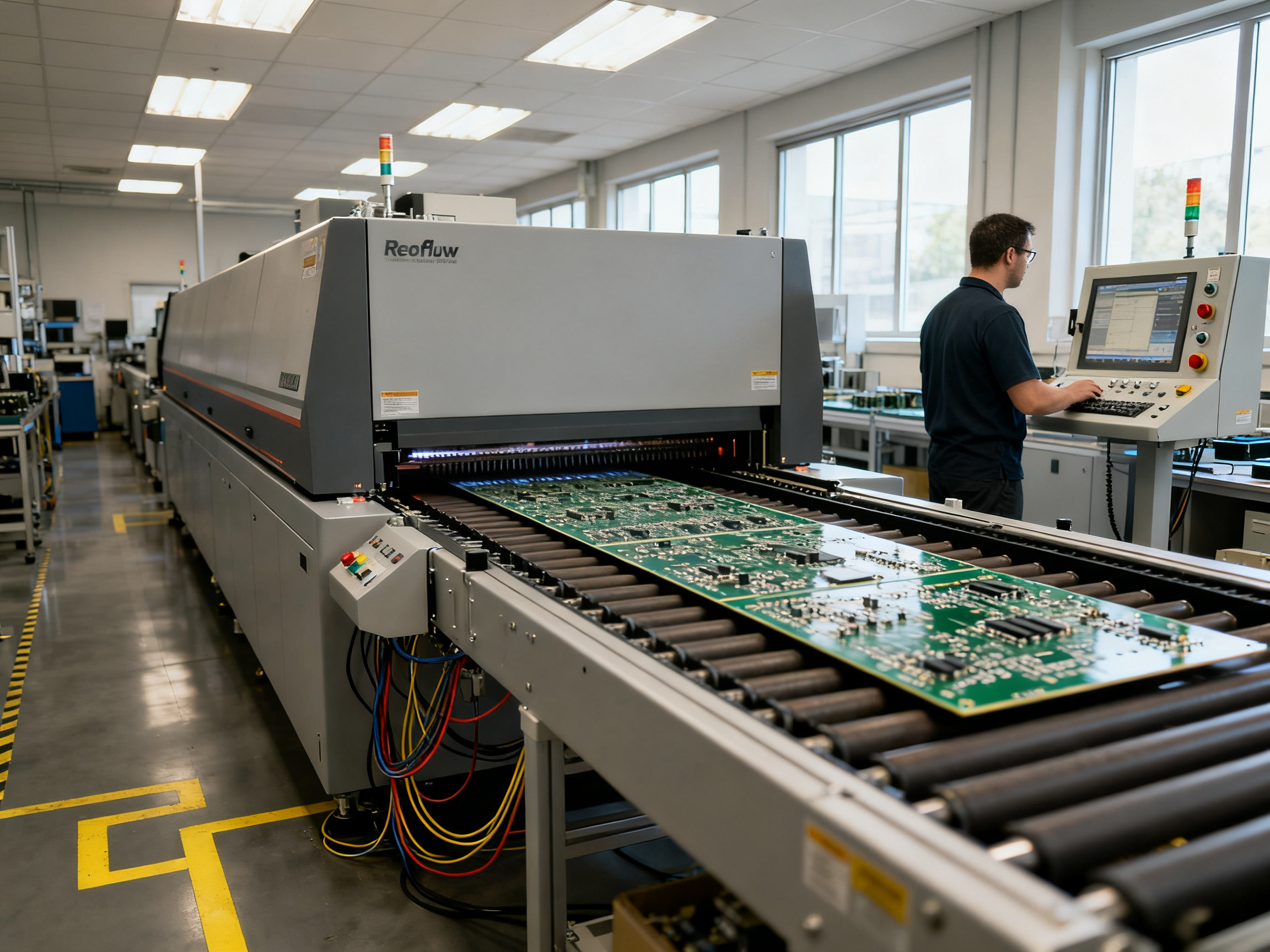
A reflow oven works in four stages that blend into each other as your board moves through:
Preheat: The board starts cold and gradually warms up. You want a gentle ramp here, usually around 1 to 2°C per second. Too fast and you risk cracking ceramic capacitors or causing solder spatter.
Soak: This stage evens out temperature differences across the board and activates the flux in your solder paste. Your board sits in a relatively stable temperature band, typically 150 to 200°C for lead-free alloys.
Reflow: This is where the magic happens. The solder melts and wets the component leads and pads. For SAC305, you’re looking at peaks around 235 to 250°C. The time above the melting point (called TAL) usually runs 30 to 90 seconds.
Cooling: The board exits the hot zone and cools down. Too fast and you can stress components. Too slow and you waste time.
Why your board temperature differs from zone settings
Several things affect what your board actually experiences:
Board mass matters a lot. Heavy copper planes and large ground planes absorb heat slowly. Small components heat up fast in comparison.
Conveyor speed controls how long your board stays in each zone. Slower means more heat input.
Airflow patterns inside the oven change how efficiently heat transfers to your board. Dead spots exist even in good equipment.
Thermocouple placement changes what you measure. A sensor at the board edge reads different than one under a large BGA.
This is why engineers attach thermocouples directly to the assembly. You’re not profiling the oven. You’re profiling your product.
Published: 18 October 2026; last updated 18 October 2026
Reading Time: 17 minutes
Reviewer: [Reviewer name, credentials pending verification]
2. Typical Reflow Oven Temperature Ranges by Solder Alloy
So you know your solder paste. But do you actually know what temperature window your paste needs? And more importantly, does that window work with everything else on your board?
Here’s where things get real. The numbers on your paste data sheet are just one piece of the puzzle. You still need to check what your components can handle, what your PCB laminate tolerates, and what your customer actually requires.
Comparison of Common Solder Alloys
This table shows typical starting points for three widely used alloy families. These are not fixed recipes. Think of them as guardrails for your development work.
| Solder Alloy | Liquidus Point | Typical Peak Range | Typical TAL | Common Use Cases | Key Cautions |
|—|—|—|—|—|—|
| SAC305 (lead-free) | ~217°C | 235-250°C | 45-90 seconds | Most consumer electronics, smartphones, computers | Higher temps increase intermetallic growth; monitor for laminate stress |
| Sn63/Pb37 (leaded) | ~183°C | 205-225°C | 30-60 seconds | Military, aerospace, legacy products, temperature-sensitive assemblies | Declining availability; check customer restrictions on leaded processes |
| Bismuth-based (e.g., Bi-Sn) | ~139°C | 150-175°C | 30-60 seconds | Thermally sensitive components, LED modules, automotive sensors | Lower mechanical strength than SAC; check compatibility with your board finish |
SAC305 is the workhorse right now in 2026. Most manufacturers run it somewhere between 235 and 245°C peak, with 60 to 90 seconds above the liquidus point. That gives good wetting without pushing your components past their limits.
Sn63/Pb37 still shows up in defense and aerospace work. The lower melting point means gentler processing, but lead content restrictions are tightening globally. If your customer specifies leaded solder, make sure you understand their qualification requirements.
Bismuth alloys are gaining traction for heat-sensitive work. That 139°C liquidus means your components barely break a sweat. But here’s the trade-off: the joints tend to be more brittle under mechanical stress. Worth considering for LEDs and sensors, but probably not for your main processor.
Reconciling Multiple Constraints
So you have your paste window. Now what?
You need to find the most restrictive limit in your assembly and design your profile around that. Here’s how to think about it:
First, check your paste data sheet. The supplier has tested their product and published a recommended window. That window is your starting point.
Second, find your lowest-rated component. Open the datasheet for your most temperature-sensitive part. Look for “peak reflow temperature” or “maximum exposure temperature.” That number is a hard ceiling.
Third, check your PCB laminate. Standard FR-4 handles around 240-260°C before things get sketchy. But if you’re using high-Tg materials or flexible circuits, the limit drops. Your PCB supplier can confirm.
Fourth, account for moisture sensitivity. If you’re running Level 3 or higher moisture-sensitive devices, your profile needs to match what the component manufacturer specified in their classification testing.
Fifth, check customer or sector requirements. Automotive customers often have their own profile specifications. Military and aerospace work may invoke specific standards that dictate your process window.
Expert Tip: The paste supplier’s range is only one constraint. You must validate it against your most temperature-sensitive package, your PCB laminate limits, and any customer or sector requirements. Always use the most restrictive limit as your governing constraint.
Specialized Assembly Considerations
Dense BGA and QFN assemblies create their own challenges. The center of a large BGA often runs 15-20°C cooler than the board edge due to thermal mass and airflow shadows. You might need to adjust your zone settings or accept a wider delta-T across the package.
Automotive electronics tend to be conservative. Many automotive customers specify maximum peak temperatures and TAL limits based on their own reliability testing. If you’re supplying to an automotive OEM, get their profile requirements early in the program.
Military and aerospace work often requires adherence to specific workmanship standards. These may dictate your ramp rates, soak temperatures, and cooling profiles. The key documents here are the ones your customer invokes in their contract or quality plan.
Mixed thermal-mass panels are the hardest to profile. When you have a board with both heavy connectors and tiny 0201 resistors, one profile rarely fits all. You often need to make trade-offs or use fixturing to manage the thermal variation.
The Governing Limit Principle
Here’s a simple way to think about it: your final profile is always the intersection of all your constraints. The paste wants one thing. Your components want another. Your customer might want a third.
Your job is to find the overlap, then verify it works on your actual board with your actual oven. That’s why thermocouple profiling on your specific assembly is non-negotiable. Theory only gets you so far.
3. Zone Control: Turning a Target Profile into Oven Settings
So you have your target profile from Section 2. Now comes the real work: turning those numbers into actual oven settings.
Here’s the thing that trips up a lot of people. You cannot just type “240°C peak” into your oven and expect your board to see 240°C. The oven has no idea what’s on your conveyor. It only knows the air temperature inside each zone.
Your job is to tune those zone temperatures, conveyor speed, and airflow so the board sees what you want.
How Multi-Zone Ovens Work
Picture your oven as a series of heating chambers stacked along a conveyor path. An 8-zone machine has 8 independently controlled heating sections. A 10-zone machine has 10. Each zone has its own heater and temperature sensor.
The conveyor moves your board through these zones in sequence. The first zones do the preheat work. The middle zones handle the soak. The final zones hit peak temperature. The cooling section at the end brings things back down.
Adjacent zones should not have huge temperature jumps. Think of it like ramping a car up a hill instead of flooring it. If zone 3 is 180°C and zone 4 jumps to 260°C, your board will experience a sudden thermal shock in that transition area. That can crack components or cause solder spatter.
So keep相邻 zone differences modest, around 10-20°C increments where possible.
Top and Bottom Heat Balance
Most reflow ovens heat from both the top and bottom. These are often controlled separately, and that separation is intentional.
If your board has heavy copper planes on the bottom layer, those absorb heat slowly. You might need more bottom heat to bring them up to temperature. If you have large BGAs or QFNs with exposed thermal pads, the center of those packages often runs cooler than the board edges.
The fix? Add more bottom heat in the zones passing under those heavy areas.
But here’s the flip side. If your bottom side is overheating while the top lags behind, dial back the bottom zones or reduce bottom airflow. The goal is balance.
Airflow matters a lot too. Convection efficiency, fan speed, and nozzle design all affect how well heat transfers from the air to your board. A zone might be set to 250°C, but if the airflow is weak, your board might only see 235°C.
Board Supports and Loading
Thin boards, large panels, and heavy components need support. Without it, boards can sag into the hot zone and cause shadowing effects where heat cannot reach the bottom properly.
Use support pins or fixtures under heavy connectors, transformers, and large BGA regions. Just make sure those supports do not block airflow to areas that need heating.
Production loading matters too. A single board in the oven behaves differently than a panel with multiple boards, carriers, or pallets. Always profile under your actual production loading conditions, not an empty oven run.
From Our Experience
We tested a thermal profiling scenario on a mixed-mass consumer board. The initial run showed a 22°C temperature difference between the board edge and the center of a large QFN package. After adjusting the middle zones to add more bottom heat and slightly reducing conveyor speed, the delta dropped to under 8°C. The fix took about three profile iterations. Not huge changes, just targeted tweaks.
This is why you measure the board, not the air.
The Translation Method
Start with your solder paste supplier’s recommended profile. That gives you target ramp rates, soak conditions, TAL, and peak temperature.
Next, set your conveyor speed. This controls total exposure time. Slower speeds mean more heat input. Faster speeds mean less.
Then set initial zone temperatures based on the supplier guidance, but treat them as educated guesses. A typical lead-free profile might look something like this (all values are illustrative starting points only):
| Zone | 1 | 2 | 3 | 4 | 5 | 6 | 7 | 8 |
|—|—|—|—|—|—|—|—|—|
| Top (°C) | 150 | 180 | 210 | 235 | 245 | 240 | 200 | 150 |
| Bottom (°C) | 150 | 175 | 200 | 225 | 235 | 230 | 195 | 140 |
These numbers will not work for your board as-is. They are just a starting point for iteration.
Run your instrumented board. Compare the measured profile to your targets. Then adjust.
If your ramp is too steep, lower early zones or speed up slightly. If peak is too low, increase late zones or slow down. If your delta-T is too wide, add more soak time or rebalance top and bottom heat.
Iterate until the measured profile fits within your constraints. Only then do you have a validated recipe.
No single zone-setting recipe works for every assembly. Your oven, your board, your loading, your paste lot, all of it changes the equation. The only way to know is to measure.
4. Profile Parameters: Ramp, Soak, TAL, Peak, Cooling, and Conveyor Speed
Now we get into the numbers. Your reflow profile has five key parameters that work together. Get these wrong and you’ll see defects everywhere. Get them right and your boards will run clean.
Here’s a quick reference table to keep handy, then we’ll walk through each one.
| Parameter | Definition | Typical Lead-Free Start Point | Too Low Symptoms | Too High Symptoms | Quick Fix |
|—|—|—|—|—|—|
| Ramp Rate | Temperature rise speed, °C/s | 1.0-2.0°C/s | Uneven heating, cold joints | Solder spatter, cracked ceramics | Adjust early zones or conveyor speed |
| Soak | Equalization dwell at moderate temp | 150-200°C for 60-120s | Temperature gradients, poor wetting | Flux exhaustion, charring | Tune middle zones, adjust time |
| TAL | Time Above Liquidus | 45-90 seconds | Incomplete melting, opens | Excessive IMC growth, damage | Change conveyor speed or peak |
| Peak Temp | Maximum measured temp | 235-250°C for SAC305 | Non-wetting, weak joints | Delamination, intermetallic issues | Adjust final zones or speed |
| Cooling Rate | Temperature drop after peak | 3-6°C/s | Slow throughput, coarse grains | Thermal stress, cracking | Adjust cooling section settings |
Ramp Rate: The Warm-Up That Matters
Ramp rate is how fast your board heats up. You want it gentle, around 1 to 2°C per second for most lead-free work.
Too fast and you’ll crack those expensive ceramic capacitors. The solder paste can spatter too, creating tiny balls that bridge neighboring pads. Flux activates unevenly as well.
Too slow and your board sits in the hot zone longer than needed. That wastes energy and extends your cycle time. It can also let the flux exhaust itself before the solder even melts.
The ramp affects oxidation too. Longer time at moderate temperatures means more exposure to oxygen. Nitrogen helps here if your oven supports it.
Soak: The Equalizer Stage
The soak stage is where your board temperature evens out. Think of it like letting a thick steak come to room temperature before throwing it on the grill.
During soak, flux activates and solvents burn off. Your board temperature should sit in the 150-200°C range for lead-free assemblies. This phase reduces the delta-T between your heaviest components and your lightest ones.
Skip this stage and you’ll see wide temperature spreads. Some joints will be cold while others overheat. That’s when you get opens, poor wetting, and solder balls scattered around.
Extended soak helps with dense boards where the center runs cooler than the edges. But too long degrades the flux and can discolor your board.
TAL and Peak: Finding the Sweet Spot
Time Above Liquidus (TAL) is how long your joint stays hot enough for the solder to flow. For SAC305, that’s above 217°C. Typical range is 45 to 90 seconds.
Too little TAL and your solder does not fully melt. You’ll get opens, non-wetting joints, and weak bonds. Your AOI will light up like a Christmas tree.
Too much TAL and you grow too much intermetallic compound (IMC). The solder becomes brittle. Your components and laminate also see more thermal stress. Indium’s technical paper notes that temperatures above 235°C increase charring and delamination risks for standard epoxy boards Optimizing Reflow Profile Via Defect Mechanisms Analysis.
Peak temperature works with TAL. Higher peaks let you run shorter TAL. Lower peaks require longer TAL to achieve the same wetting. The goal is minimum heat that achieves complete, reliable wetting.
Cooling Rate: The Overlooked Parameter
Most people focus on heating and forget cooling. Too fast and you stress components. Too slow and your solder grains become coarse and weak.
Aim for 3 to 6°C per second cooling for lead-free. That mimics a controlled crystal structure in the solder joint.
Conveyor Speed: Your Primary Adjustment Lever
Conveyor speed controls total time in the oven. Slower means more heat input. Faster means less.
Here’s a quick way to estimate residence time:
Residence Time (seconds) = Oven heated length (mm) ÷ Conveyor speed (mm/second)
Say your oven heated zone is 1200mm long and you run 70cm/minute conveyor speed.
First convert: 70cm/min = 700mm/60s = 11.7mm/s
Residence time = 1200mm ÷ 11.7mm/s = 103 seconds
That number is a starting point only. Your actual profile depends on zone temperatures, board mass, and loading. Always measure with thermocouples on your actual board.
IPC-7530 provides the framework for developing, measuring, and validating these parameters IPC-7530 Guidelines for Temperature Profiling. Your paste supplier’s data sheet is your authoritative starting window for each value.
Tweak one parameter at a time when troubleshooting. Change conveyor speed first since it’s the easiest adjustment. Then fine-tune zone temperatures. Measure after every change.
Pro Insight: Profile the expected cold spot and hottest vulnerable component under your production loading, then verify with inspection and capability data. A profile that looks fine on paper might show problems when you actually run boards.
Your oven setpoints, conveyor speed, board mass, and loading all interact. The measured profile on your actual assembly is what counts, not the numbers you punch into the control panel.
5. Adjusting the Profile for the PCB, Components, and Production Environment
Here’s where theory meets reality. Your board is not a flat, uniform piece of material. It has heavy copper planes that hoard heat, tiny components that heat up fast, dense BGA packages that trap cold spots, and shields that block airflow. All of that changes what your oven setpoints actually do to your assembly.
What Your Board Does to the Profile
Board mass is usually the dominant factor. A thick multilayer board with internal ground planes absorbs heat slowly and acts like a heat sink. Your small 0201 resistors on the same board heat up way faster. That difference is your delta-T, and it determines whether you get consistent joints or a mix of cold and overheated spots.
Copper distribution matters more than total board weight. A board with 3-ounce copper pours in specific areas will have hotspots wherever those heavy planes sit. The thermal mass pulls heat away from nearby joints, creating local cold spots even if the rest of your board is fine.
BGA and QFN packages deserve special attention. The center of a large BGA often runs 15-20 degrees Celsius cooler than the board edge. This is partly thermal mass, partly airflow shadowing from the package itself. For exposed-pad QFNs, the thermal pad underneath creates a similar effect. You might need more bottom heat in the zones passing under these packages, or you might need to slow your conveyor down to give the center time to catch up.
Large shields, heavy connectors, and transformers all create thermal shadows. Heat cannot reach what is blocked from airflow. Profiling with instrumented thermocouples at these locations tells you whether you have a problem.
Production Variables Nobody Tells You About
Running a single board in an empty oven behaves differently than running a full panel, a carrier, or multiple boards with spacing between them. The thermal mass of your fixtures and supports changes the profile. A board sitting on ceramic support pins sees different temperatures than one floating on rails.
Board spacing on the conveyor matters too. If you run boards back-to-back with minimal gap, each board preheats the next one entering the oven. That changes your effective ramp rate compared to running with larger gaps.
Ambient conditions affect repeatability. A cold morning start produces different results than midday after the oven has been running for hours. Most modern ovens stabilize within 30-60 minutes, but you should verify your equipment warm-up procedure and check whether your first boards of the day need different handling.
Nitrogen atmosphere changes wetting behavior. If you are running nitrogen, your profile might need adjustment compared to air reflow. Lower oxygen means better wetting at the same temperature, or you might achieve adequate wetting at slightly lower peak. The defect data shows roughly 85% reduction in bridging for fine-pitch components when switching from air to nitrogen at sub-500ppm oxygen IPC study on reflow atmosphere effects.
The Worst-Case Profiling Strategy
Do not profile the easy locations on your board. Profile the hardest ones.
Your coldest joint is typically under your largest thermal mass: heavy copper plane, large BGA center, or area beneath a heat sink or shield. Your hottest vulnerable component is usually a small package near the board edge or an area exposed to direct airflow.
Attach thermocouples to both locations simultaneously. Your profile must satisfy both constraints. If your peak temperature needed to reflow the BGA center overheats a nearby small component, you have a design problem, not an oven problem. But first you need to measure it to know for sure.
For moisture-sensitive components, verify that your profile stays within the reflow limits specified on the component label and in J-STD-020. Running a profile that accidentally exceeds those limits can crack your packages, even if the joints look fine afterward IPC/JEDEC moisture sensitivity standards.
The goal is one profile that works for your entire assembly. Sometimes that means accepting a wider process window. Sometimes it means your design team needs to rethink thermal management. Either way, measuring tells you what you are actually working with.
We have profiled assemblies where the initial delta-T across a QFN was unacceptable, and after three or four iterations of zone adjustments and conveyor speed tweaks, we got it under control. The fix was not dramatic changes, it was targeted adjustments based on actual measurements.
From Our Experience: Profile the board, not the oven. Thermocouples on your assembly tell you what is really happening, not the numbers on your control panel.
Matching Assembly Type to Profile Adjustments
| Assembly Characteristic | Likely Profile Adjustment |
|—|—|
| Heavy copper planes, thick multilayer | Slower conveyor, more bottom heat, extended soak |
| Large BGA center cold spot | Add bottom heat under BGA zones, reduce conveyor speed |
| Small components overheating | Reduce peak, balance top/bottom heat, shorten TAL |
| Mixed thermal mass | Accept wider delta-T or use board supports to reduce sag |
| Nitrogen atmosphere | Consider slightly lower peak, verify wetting improvement |
These are starting-point adjustments only. Your actual oven, board, and loading will determine what actually works. Measure, adjust, measure again.
6. How to Set, Measure, and Validate Reflow Oven Temperatures
Now we get to the hands-on part. You have your target profile from earlier sections. You have your zone settings as a starting point. Now you need to prove that your oven actually produces what you want on your actual board.
This is not optional. You cannot skip thermocouple profiling and assume your recipe works.
The 8-Step Profiling Procedure
Here is the practical sequence we use for every new assembly:
-
Collect your governing specifications. Pull together your solder paste data sheet limits, your most temperature-sensitive component datasheets, your PCB laminate limits, and any customer or sector requirements. You need all of these before you start so you know what your profile must fit within.
-
Choose representative boards. Profile your worst-case thermal assembly, not your easiest one. That means the board with the most thermal mass, the largest BGA, the heaviest copper planes. If that board passes, your lighter boards will too.
-
Stabilize the oven. Let your equipment reach operating temperature before running the first board. Most ovens need 30 to 60 minutes after startup. Check your equipment manual for the warm-up procedure. Running profiles on a cold oven gives you wrong data.
-
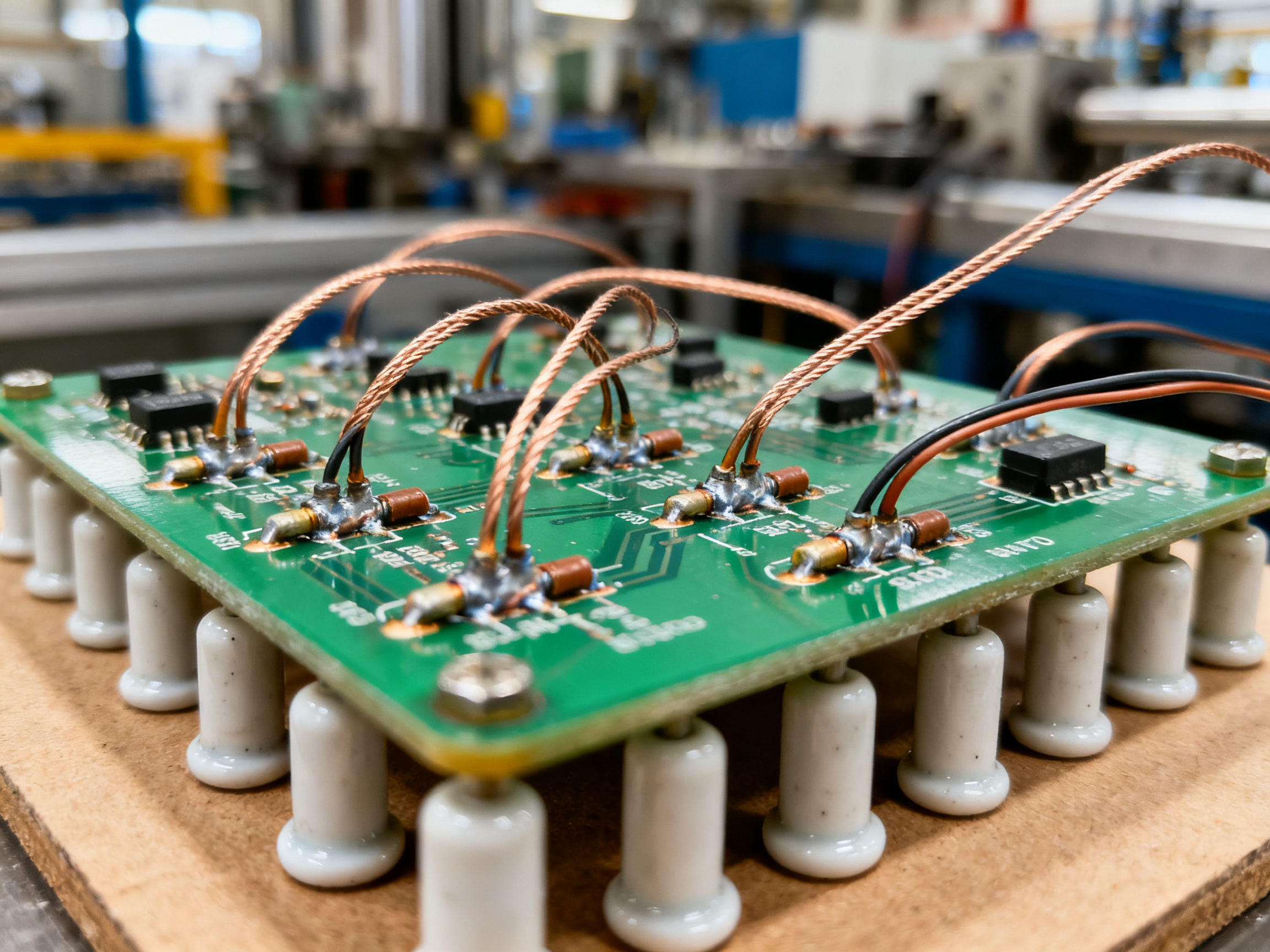
Attach calibrated thermocouples correctly. Use fine-gauge wire, usually 36 AWG Type-K. Attach the junction directly to solder joints, component terminations, or package surfaces. Route the leads flat along the board for at least 10mm from the attachment point. Do not let them loop into the airflow. We always verify our thermocouples against a known reference point before profiling runs.
-
Set a conservative baseline. Start with your paste supplier’s recommended profile as your target. Set your oven to those values and run your instrumented board. This gives you a baseline to improve from.
-
Run the profiler. Send the board through the oven under your actual production loading conditions. That means with the same panelization, carrier, spacing, and board supports you use on the line.
-
Compare every trace with the process window. Look at each thermocouple location separately. Check ramp rate, soak conditions, TAL, peak temperature, and cooling rate against your limits. Your profile passes only if all locations pass.
-
Adjust and repeat. If something is out of range, tweak your zone settings or conveyor speed, then run again. Small changes first. Only iterate until everything fits.
Validation Goes Beyond Good-Looking Joints
A profile that produces shiny solder joints is not automatically validated. You need evidence that your process is stable and capable.
Use SPI data before reflow to confirm paste volume is consistent. Run AOI after reflow to catch missing components, bridges, and obvious defects. For hidden joints like BGAs and QFNs, use X-ray to check for voiding and proper solder collapse. Calculate your first-pass yield and track it over time. For high-reliability products, consider cross-sections or pull testing during qualification to verify joint integrity.
Track capability indices where you have enough data. Cpk values above 1.33 are a common engineering target, but what matters most is that your process stays stable within your specific product limits.
Production Controls That Keep You Stable
Lock your approved recipes so operators cannot change them without authorization. Run periodic profile checks on a golden board at defined intervals. Keep calibration records for your profiler and thermocouples. Set up alarms for out-of-spec results. Define clear triggers for when you must revalidate, like after oven maintenance, paste lot changes, or unexplained defect trends.
Traceability matters too. Link your profile runs to the specific boards, operators, paste lots, and oven settings. That way when something goes wrong, you can trace it back quickly.
IPC-7801 provides the framework for establishing these controls and keeping your process under control over time IPC-7801 Reflow Oven Process Control Standard.
Pro Insight: Profile the expected cold spot and hottest vulnerable component under your production loading, then verify with inspection and capability data. A profile that looks fine on paper might show problems when you actually run boards.
The goal is simple. You want a validated process window that satisfies all your constraints, produces consistent results, and gives you evidence that your boards are reliable.
7. Troubleshooting Temperature-Related Reflow Defects
So your boards came out of the oven and something looks wrong. Before you start tweaking zone settings, take a breath. Not every defect comes from your oven temperature.
Here is how to figure out what actually caused the problem. You want to gather all your evidence first, then make one small change at a time and see what happens. That way you do not accidentally mask one problem by creating another.
The Evidence-Led Approach
Think of troubleshooting like detective work. Your clues live in your thermocouple traces, your SPI data before reflow, your AOI results after, and what your boards look like up close.
Start by comparing your measured profile against your paste and component limits. If everything looks fine there, look at your paste deposit quality. Check your component and PCB condition. Review your placement data. Think about your oven atmosphere if you are running nitrogen. All of these things point to different possible causes.
Only after you have gathered the clues should you touch your oven settings.
Common Defects and Their Likely Causes
| Defect | Profile Evidence to Check | Other Likely Causes | Corrective Action | Verification Method |
|—|—|—|—|—|
| Non-wetting | Peak temp too low; TAL insufficient | Pad oxidation, contamination, flux exhaustion | Raise peak or extend TAL if limits allow | Visual inspection, cross-section |
| Opens | Peak low, TAL short, ramp too fast | Insufficient paste, aperture blockage, placement error | Adjust profile; verify paste and placement | AOI, X-ray for hidden joints |
| Head-in-pillow | Insufficient melting, uneven heating | Package or PCB warpage, oxidation, uneven paste | Profile for uniform heating; address surface issues | X-ray showing separate ball and paste |
| Tombstoning | Unequal pad heating, fast passage through melting | Unequal paste volume, pad size mismatch, placement offset | Slow ramp near liquidus; verify pad symmetry | AOI showing component standing vertically |
| Solder balls | Excessive ramp, unsuitable soak | Excess paste, paste slump, trapped moisture, stencil issues | Adjust ramp and soak; verify paste handling | Pattern: board-wide suggests profile; localized suggests deposit |
| Bridging | Usually not fixed by adding heat | Excess paste, aperture design, placement offset | Prioritize paste volume and placement over profile changes | AOI showing solder connecting neighboring pads |
| BGA/QFN voiding | Soak duration and temperature, ramp rate | Paste chemistry, aperture design, thermal pad geometry, moisture | Optimize soak; evaluate paste and pad design | X-ray showing void area and location |
| Component cracking | Excessive ramp or cooling rate; peak too high | CTE mismatch, PCB flexure, brittle intermetallics | Reduce cooling rate; check component limits | Acoustic microscopy or cross-section |
| Discoloration | Excessive peak or prolonged TAL | Oxidation, flux residue, contamination | Verify atmosphere; check material compatibility | Pattern review: uniform vs localized |
| Delamination | Excessive peak, long TAL, rapid thermal changes | Moisture in moisture-sensitive devices; laminate issues | Reduce peak and TAL; verify bake compliance | Scanning acoustic microscopy or cross-section |
The One-Change Rule
When you do make an adjustment, change only one thing and document the result. If you lower your peak, add more bottom heat, and slow the conveyor all at once, you will never know which change helped or hurt.
This is where most troubleshooting goes sideways. Someone sees a defect and cranks up the heat across the board. That might fix the cold joint, but now the small components nearby are overheating.
Pick the most likely cause from your evidence. Make the smallest reasonable adjustment. Run another board. Check the results.
What Profile Changes Cannot Fix
Your oven settings cannot fix a stencil aperture that is too small. They cannot improve wetting on oxidized pads. And if your components have absorbed moisture, higher temperatures make cracking worse, not better.
These are material, design, handling, and storage problems. They need material solutions, not thermal workarounds.
If defects persist despite good profiles, involve your engineering team to investigate design, handling, and storage practices.
8. Optimizing and Maintaining the Process at Production Scale
Here is something nobody tells you about production-scale reflow: the validated profile you locked in during development will slowly drift if you let it. Paste lots change. Components get revised. Operators adjust zone settings because one board looked “a little off.” Conveyor belts wear. Before you know it, your process window has shifted and nobody caught it.
The fix is not heroic effort. It is built-in controls that catch drift before it becomes defects.
Balancing the Competing Priorities
Throughput, quality, energy use, and equipment life all pull in different directions. Faster conveyor speeds mean more boards per hour but less heat input. Higher zone temperatures improve wetting but stress components and burn more power. The sweet spot sits inside your validated process window, not at its edges.
Think of it like driving. You could always go faster, but the speed limit exists for a reason. Your process window is that limit. Run inside it consistently rather than pushing the edges constantly.
Recipe Governance and Statistical Process Control
Lock your approved recipes so operators cannot edit them without authorization. This sounds obvious, but it happens all the time on the floor. Someone sees a cold joint and bumps up zone 5 by 5 degrees. That fixes one board and breaks twelve others.
Statistical process control gives you early warning before problems reach the assembly. Track your Process Window Index (PWI) across runs. If your PWI creeps toward 80 or 90 percent of the window, investigate. Your oven might need maintenance, or your thermocouples might be drifting.
Track your key metrics over time. First-pass yield tells you if defects are escaping. DPMO (defects per million opportunities) ties your thermal profile to actual quality outcomes. These numbers tell you when the process is stable and when it needs attention.
Preventive Maintenance and Revalidation Triggers
| Activity | Frequency | Trigger |
|—|—|—|
| Thermocouple calibration | Monthly | Per manufacturer specification |
| Conveyor speed check | Weekly | High-volume or tight-window products |
| Zone temperature verification | Quarterly | After heater or sensor replacement |
| Full profile revalidation | After change events | See revalidation triggers below |
Revalidation events that demand new profiling:
- Paste or alloy change
- New component or PCB revision
- Fixture or carrier change
- Conveyor or blower repair
- Heating element or sensor replacement
- Throughput change beyond 15 percent
- Seasonal environmental shifts in your facility
Any of these can shift your thermal profile enough to matter. Profile again before you run production.
Periodic Versus Continuous Monitoring
| Approach | Best For | Benefit | Limitation |
|—|—|—|—|
| Periodic instrumented profiling | Standard production, cost-conscious operations | Lower cost, proven method | Gaps between measurements |
| Continuous in-line monitoring | High-reliability products, automotive, aerospace | Real-time alerts, catches drift immediately | Higher equipment and integration cost |
Most facilities use periodic profiling as their baseline. Continuous monitoring makes sense when the cost of an escape is very high, like in automotive or medical production.
The goal stays simple. You want a process that holds up under production conditions, gives you evidence of stability, and tells you clearly when something drifts out of control. Measure regularly. Govern changes tightly. Maintain your equipment proactively. That is how you keep reflow consistent as you scale up.
Pro Insight: Track profile capability with PWI and Cpk alongside your quality metrics. A profile that looks fine on paper might show drift trends in the data before it causes defects. Catch the drift early, not after the escapes pile up.
Conclusion: Establish a Validated Reflow Process Window
Here is what matters most as you move from this guide into production: your reflow process window lives in your measurements, not your datasheets.
The paste specs, component limits, and laminate constraints all set the boundaries. But those boundaries only become real when you verify them against your actual board, in your oven, under your loading conditions.
Your next five steps:
- Document your governing constraints from paste, components, PCB, and customer requirements.
- Profile your worst-case assembly with calibrated thermocouples at cold and hot spots.
- Verify joint quality with inspection and testing before locking the recipe.
- Lock your approved recipes and track drift over time.
- Revalidate after paste changes, component revisions, or oven maintenance.
We have profiled assemblies where the initial delta-T was unacceptable, and after three or four iterations of zone adjustments and conveyor speed tweaks, we got it under control. The fix was not dramatic changes. It was targeted adjustments based on actual measurements.
Your oven setpoints mean nothing without thermocouple verification on your board. Start with material constraints, validate with measurement, control recipes, and revalidate when conditions change.
For further guidance, refer to the parameter table in Section 4, the troubleshooting matrix in Section 7, and the validation procedure in Section 6.