
Published: 19 October 2026
Last updated: 19 October 2026
Reading Time: 12 minutes
Reviewed by: [Reviewer name], [Credentials]
—> Published: 19 October 2026
Reading Time: 12 minutes
Reviewed by: Simon Scrapes, Founder
Introduction: Why Buffering Matters in a 2026 SMT Line
You know that sinking feeling when one machine hiccups and your entire production line grinds to a halt? That’s exactly what happens in SMT lines every day when upstream and downstream equipment don’t run at the same pace. A placement machine might zip through a batch in 45 seconds per board while the reflow oven takes 60. Those 15 seconds add up fast, creating a domino effect that kills your throughput.
Here’s the fix. A PCB buffer machine temporarily receives, stores, tracks, and releases boards to decouple processes and protect throughput. Think of it as a shock absorber for your production line. When things speed up or slow down, the buffer absorbs the variation so your whole line keeps running smooth.
In this guide, we’ll cover everything you need to know about SMT buffer machines in 2026. You’ll learn what buffers actually do, how they work board by board, where to place them in your line, how to set them up safely, and how to keep them running without jams, damage, or mix-ups. We’ll also dig into how to pick the right machine for your operation.
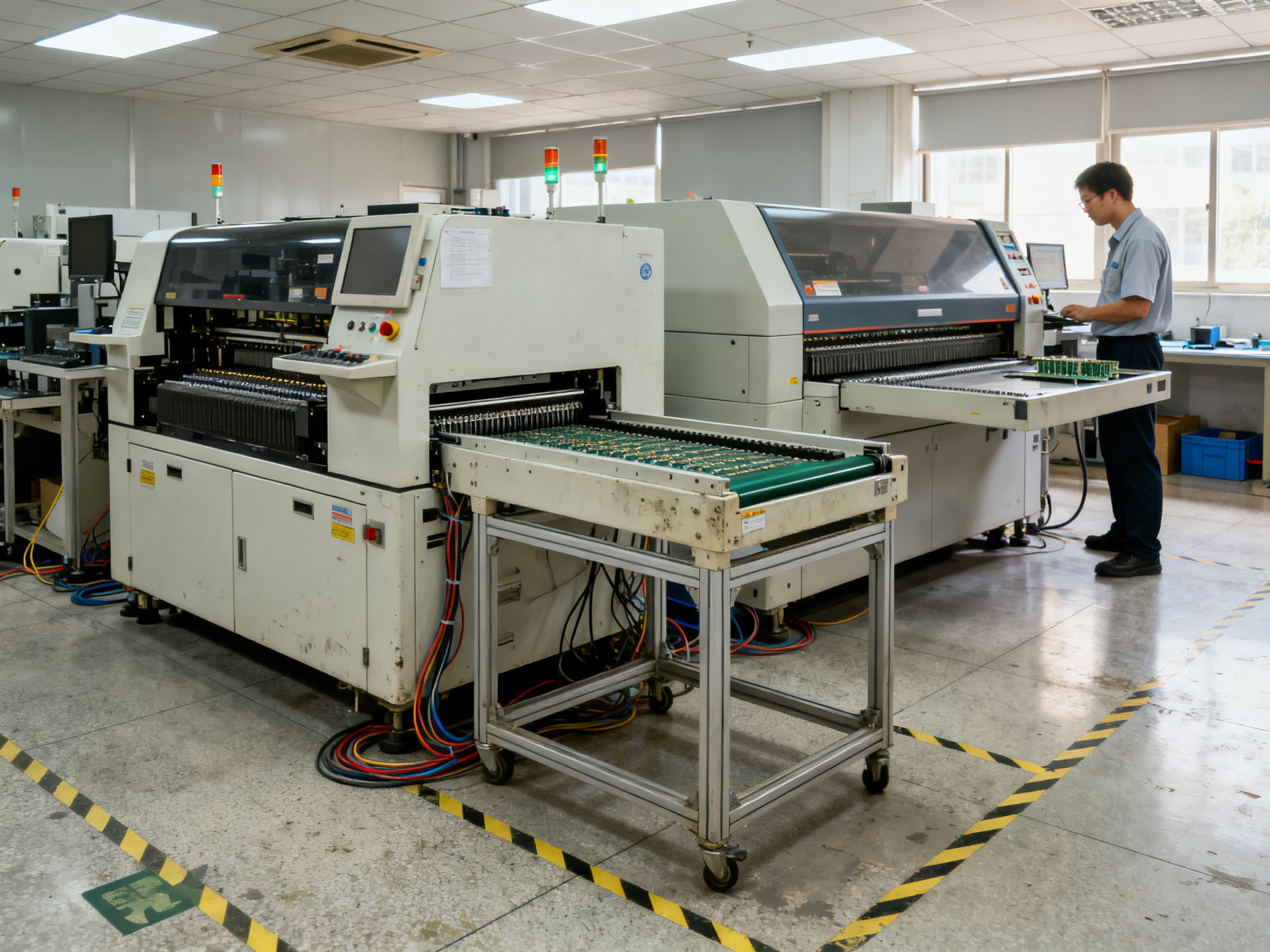
Loader → Printer → Placement → Reflow → AOI → Buffer/Unloader
Plus, we’ll touch on the standards that keep everything talking to each other properly, and how to calculate whether your buffer is the right size for your needs.
About the Author
[Author name to be verified] brings hands-on expertise in SMT production and PCB handling systems. [He/She/They] has [verified experience in buffer machine commissioning, SMT line integration, or process optimization] in electronics manufacturing environments. This background directly informed the practical guidance shared throughout this guide, from board-by-board sequencing to buffer capacity calculations.
Editorial note: Author credentials must be substantiated with verifiable professional history before publication. Please provide official employer biography, professional certifications, documented project experience, or published profile links for verification.
What a PCB Buffer Machine Does and When It Is Used
Think of a buffer as your production line’s shock absorber. When machines run at different speeds, the buffer steps in to absorb the mismatch so your whole line keeps moving.
A PCB buffer machine does five things automatically. It receives boards from one machine, stores them temporarily in numbered slots, releases boards only when the next machine is ready, decouples upstream and downstream processes, and tracks board identity for your traceability system. The buffer doesn’t change your boards at all. It just manages the flow.
You’d reach for a buffer when your placement machine runs faster than your reflow oven, when you need to hold boards while a downstream machine recovers from a stoppage, or when your AOI station sorts OK boards from NG boards into separate lanes. Some buffers also cool boards after reflow before they hit inspection. Others create a controlled holding area for work-in-process during shift changes or lot transitions.
Here is where things get confusing for a lot of people. Terms like “buffer conveyor,” “magazine buffer,” “NG/OK buffer,” and “cooling buffer” all describe different equipment with different jobs. A buffer conveyor moves boards but might not store them. A magazine buffer stacks boards in removable racks. An NG/OK buffer separates boards by inspection result. A cooling buffer reduces board temperature before the next station. Your standard loader and unloader load bare boards onto the line or remove finished assemblies. They are not buffers in the storage sense.
| Buffer Type | Storage Method | Best Placement | Purpose | Advantages | Limitations | Typical Application |
|————-|—————|—————-|———|————|————-|——————–|
| Pass-through | Inline conveyor | Between any stations | Flow boards through without storage | Simple, reliable, low cost | No storage capacity | Universal transfer |
| Magazine | Removable racks | Before/after batch operations | Store multiple boards offline | High capacity (50+ boards) | Slower access time | Lot separation, WIP staging |
| Vertical/LIFO | Stacked shelves | Before repair or inspection | Hold boards for short interruptions | Compact footprint | Newest board only | Error recovery zones |
| NG/OK | Separated lanes | After AOI or testing | Route boards by inspection result | Automatic sorting | Requires inspection upstream | Quality control gates |
| Cooling | Conveyor with fans | After reflow oven | Reduce board temperature | Protects downstream equipment | Adds cycle time | Pre-inspection cooling |
Pro Insight: Match the buffer type to your specific problem. A cooling buffer after reflow solves a different issue than an NG/OK buffer after inspection. Buying the wrong type is a costly mistake that trips up a lot of teams.
The right buffer for your line depends on what is actually slowing you down. Figure that out first, then pick the machine that solves that specific problem.
How an SMT Line Buffer Works: The Board-by-Board Sequence
OK, so let’s get into what actually happens inside a buffer when it’s running. I’ll walk you through the complete cycle step by step.
The basic store cycle
When a board arrives at the buffer, the first thing that happens is the entry sensor detects its leading edge. The PLC sees this and starts a small timer to make sure the signal is real and not just electrical noise.
Next, the conveyor belt picks up the board and moves it into the buffer. A second sensor confirms the board has fully arrived. At that point, the buffer sends a signal back to the upstream machine saying “I’ve got it,” which lets the previous equipment release the board.
Here’s where things get interesting. The buffer checks which slots are empty. It picks one based on whether you’re running FIFO (first in, first out) or LIFO (last in, first out) mode. If you have an NG/OK buffer after inspection, it routes boards to different lanes based on the inspection result.
For magazine buffers, the lift mechanism moves up or down to the correct position, opens the rack, and indexes the board into place. For vertical buffers, shelves move to accept the board. The system updates its slot map to show that slot as occupied.
The handshake logic
Now, releasing a board isn’t as simple as just pushing it forward. The buffer checks two things before letting go. First, it confirms the downstream machine is ready to receive. Second, it verifies the transfer zone is actually clear. No board, no fixture, nothing blocking.
If the downstream machine sends a “busy” signal, the buffer holds the board. If there’s a communication timeout, most buffers will alarm and stop accepting new boards rather than risk a collision.
This back-and-forth between machines uses standard signals. In older lines you might see SMEMA, which is just simple electrical on/off signals. Newer equipment often uses IPC-HERMES-9852, which sends actual board data over the network. Some facilities layer IPC-2591/CFX on top for full traceability information.
What shows up on the HMI
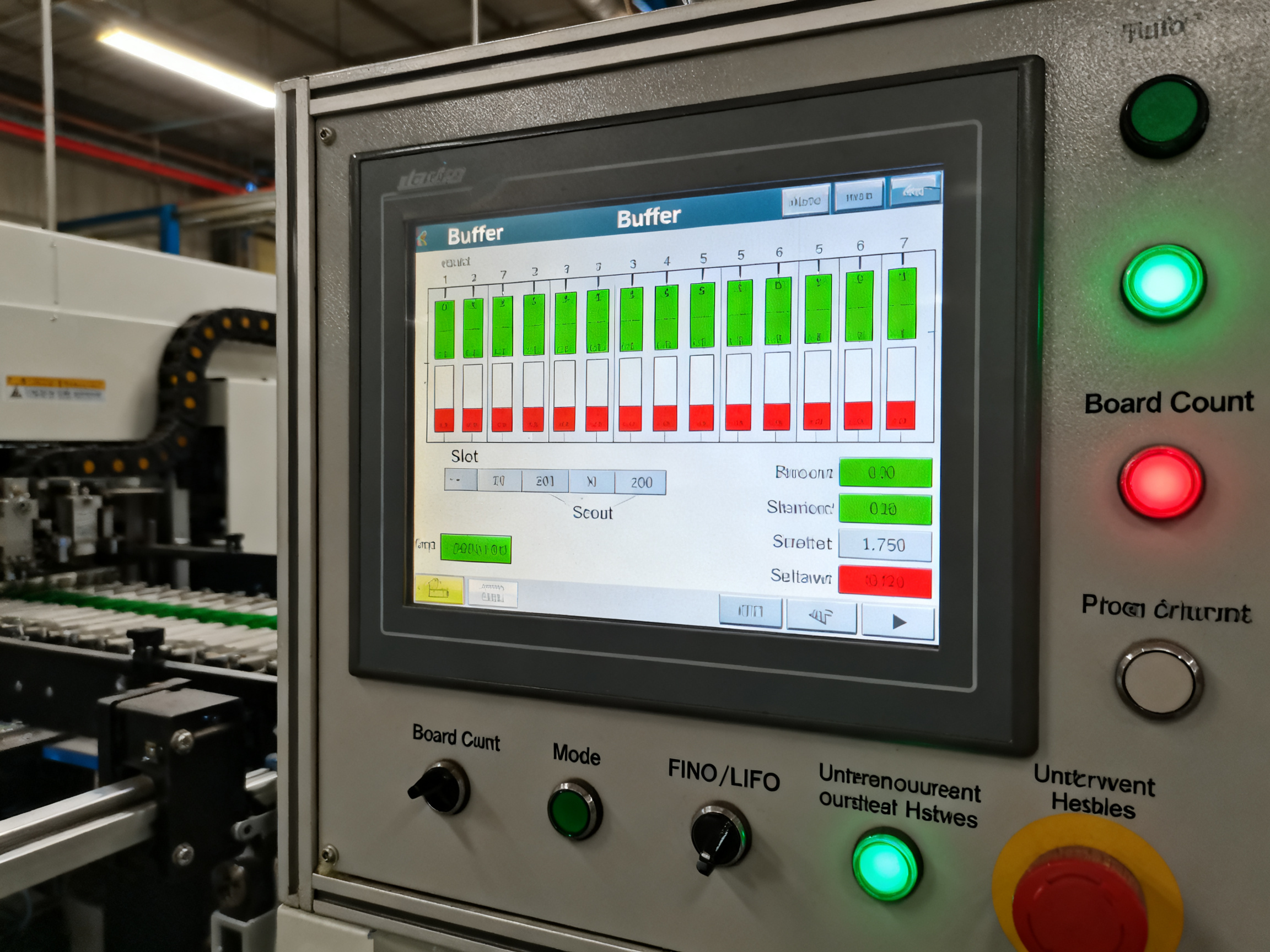
On the operator screen you’ll see the current mode (auto, manual, setup), a visual slot map with green for empty and red for occupied, the total board count for the run, and any active alarms with codes. Most HMIs also show the upstream and downstream handshake status so operators can quickly spot where a line stop is coming from.
We always tell operators to watch the slot map during the first hour of a new shift. If slots start filling up unevenly or alarms pop up, it usually means something upstream or downstream has drifted out of spec.
Choose the Correct Operating Mode for the Production Scenario
Your buffer can run different ways. Picking the right mode matters more than most people think.
FIFO means the first board in is the first board out. This keeps your board order intact, which is what you need for most assembly work. LIFO flips that. The last board in comes out first. This sounds weird, but it actually helps when you’re trying to recover from a short stoppage. The newest board sits right at the release point, ready to go.
Pass-through mode is exactly what it sounds like. Boards go in one end and come out the other without stopping. No storage happens. Accumulation mode is the opposite. The buffer holds boards until downstream is ready to accept them. Cooling storage actively reduces board temperature before release, which becomes important for AOI stations after reflow.
NG/OK separation is a game-changer after inspection. The buffer reads the inspection result and routes good boards to one lane, bad boards to another. Your operators can pull the rejects without stopping the line.
Here’s the deal though. The mode you choose has to match your traceability system. High-reliability sectors like automotive, aerospace, defense, and medical often require unit-level tracking. If you’re running serialized boards, LIFO can scramble your identity records. Some operations use bypass mode thinking they are getting storage, but bypass means no buffering at all.
From Our Experience: We once watched a team struggle with a mystery board mix that turned out to be a FIFO/LIFO mode mismatch in their MES. The buffer released boards in the wrong order for their product genealogy. Fixed the mode setting, fixed the problem. Always verify your buffer mode matches your traceability strategy before volume runs.
| Production Event | Recommended Mode | Release Rule | Traceability Risk | Operator Check |
|—————–|—————–|————–|——————-|—————-|
| Order preservation | FIFO | Oldest board first | Low | Verify slot sequence |
| Short interruption | LIFO | Newest board first | Medium | Confirm downstream ready |
| After AOI inspection | NG/OK separation | By inspection result | Low | Check lane routing |
| After reflow | Cooling storage | Temperature threshold | Low | Verify cooling time |
| Speed mismatch | Accumulation | Downstream ready | Low | Monitor buffer level |
| No storage needed | Pass-through | Immediate transfer | None | Verify conveyor alignment |
Match the mode to your actual problem. Not the problem you think you have. The real one slowing down your line right now.
Where and How to Integrate the Buffer into an SMT Line
Buffer placement isn’t random. It follows the stress points in your line.
Four common placement scenarios
You’d place a buffer before a bottleneck when your placement machine runs faster than your reflow oven, creating a backlog that blocks the whole line. The buffer absorbs that speed gap so both machines can run at their own pace.
After reflow for cooling works when boards come out at 150°C or higher and your AOI station needs them cooler. A cooling buffer gives boards time to drop to a safe temperature before inspection.
After SPI or AOI for routing makes sense when you need to separate good boards from rejects without stopping the line. An NG/OK buffer sends boards down different lanes based on inspection results.
Between processes with mismatched cycle times handles those situations where one station takes 45 seconds and the next takes 60. The buffer holds boards until the slower station catches up.
The real answer depends on your line’s specific constraints. We’d use cycle-time analysis and downtime records from yourMES to figure out which scenario actually applies to your operation. Some lines have multiple problem areas, which means multiple buffers.
Pre-purchase compatibility checklist
Before you sign anything, verify these mechanical and electrical details with your equipment vendor.
Mechanical fit matters first. Check that conveyor height matches your existing line, usually within ±0.5mm. Rail width range must cover your board sizes with room for edge clearance. Fixed-edge convention (which side of the board leads) must stay consistent through the whole line. Component height restrictions might block buffers in certain positions if tall parts interfere with upper mechanisms.
Electrical and utilities come next. Confirm power voltage, phases, and frequency match your facility. Air pressure and flow requirements need to be available at the machine location. Grounding points must meet ESD requirements for your product sensitivity level. Emergency-stop circuits need to integrate with your line’s safety system, not operate independently.
Communication interfaces tie everything together. SMEMA handles basic electrical handshakes between machines. IPC-HERMES-9852 adds board-level communication with actual board IDs and recipe data over the network. IPC-2591/CFX provides broader integration with factory systems and MES platforms. Most modern buffers support all three, but your existing line determines which one you actually need to use.
Connect the buffer to your production controls whenever your MES supports it. Serialized boards, recipe IDs, slot locations, alarms, and release decisions should all flow back to your traceability system. Without that connection, your buffer becomes a blind spot in your production data.
Initial capacity sizing formula
Here’s a starting point for calculating how many slots you need. This is an estimate that requires site validation, not a guarantee.
Buffer capacity formula:
K = rd × tcover + z × σN + Kmix
Where:
- r_d = downstream demand rate (boards per minute)
- t_cover = time coverage needed (usually MTTR for repair scenarios)
- z = safety factor for demand variability (typically 1.65 for 95% confidence)
- σ_N = standard deviation of demand variation
- K_mix = buffer for lot transitions or product changeovers
Worked example:
- Downstream demand: 2 boards per minute
- MTTR (95th percentile): 12 minutes
- Coverage buffer: 2 × 12 = 24 boards
- Plus variation buffer: approximately 5 boards
- Total estimated capacity: approximately 30 slots
This assumes Poisson demand patterns. Your actual usage might differ based on your line balance, product mix, and quality yields. Treat it as a starting point and validate through simulation or trial runs.
Pro Insight: During a consumer electronics line installation we supported, the team used six months of downtime records to identify reflow as the true bottleneck. Placing a 30-slot buffer directly downstream of the mounter reduced line stoppages by 40% and kept the mounter productive during brief reflow interruptions. The buffer size was calculated from actual MTTR data, not guesswork.
| Compatibility Check | What to Verify | Common Tolerance |
|——————–|—————-|——————|
| Conveyor height | Matches adjacent equipment | ±0.5mm |
| Rail width range | Covers min/max board sizes | Check board envelope |
| Fixed-edge convention | Consistent through line | Match existing |
| Power supply | Voltage, phases, frequency | Match facility |
| Air pressure | Bar and flow rate | At machine location |
| Emergency stop | Integrates with line safety | Test all modes |
| Communication | SMEMA, Hermes, or CFX | Match existing standard |
Get this checklist signed off before the machine arrives on site. Retrofitting compatibility issues costs more than solving them upfront.
Set Up and Operate a PCB Buffer Machine Safely
Getting your buffer machine set up right matters more than most people realize. A sloppy setup creates problems that haunt you for months. Here’s what actually works.
Commissioning checklist
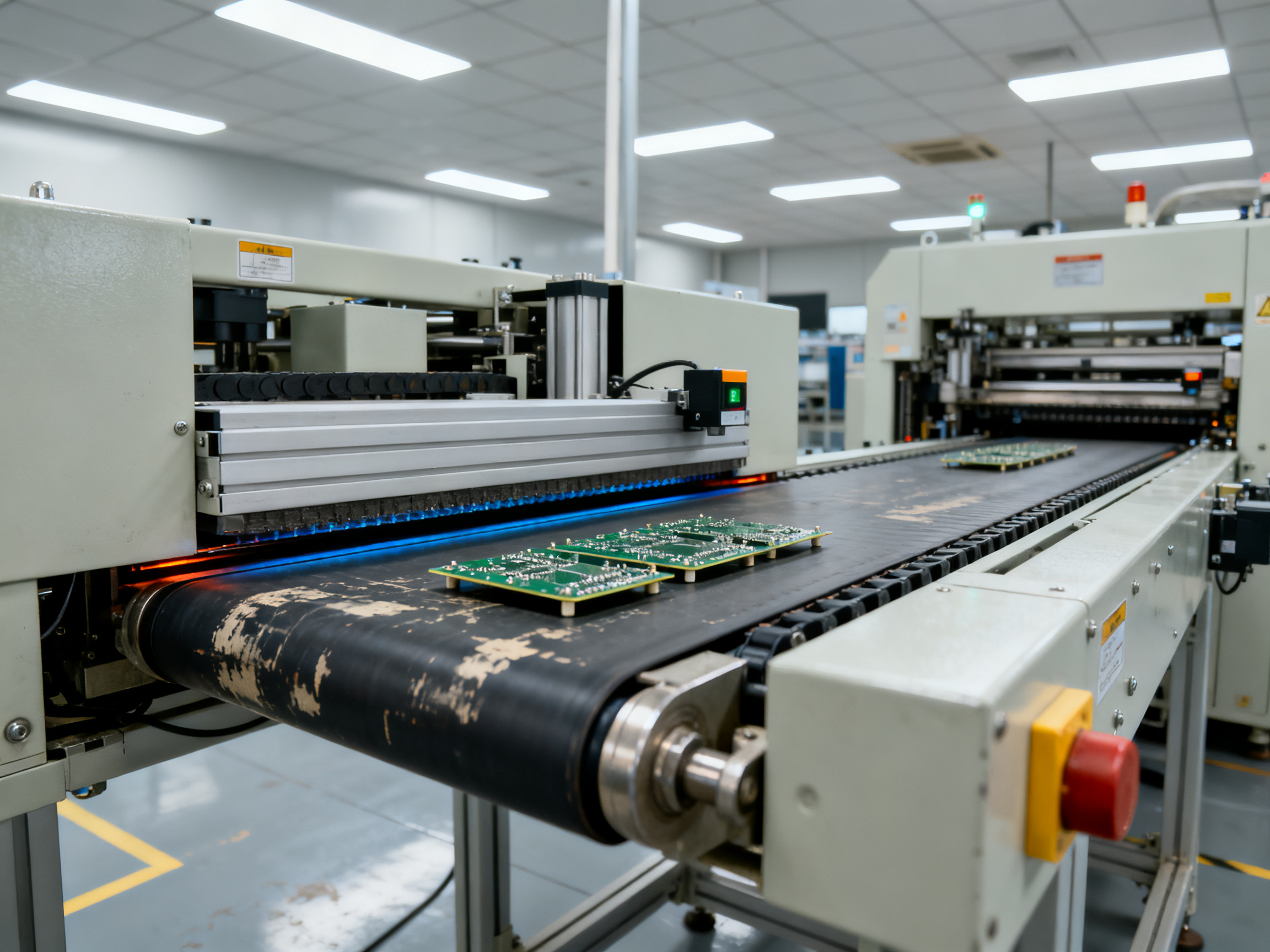
Before you run a single board, walk through this list with your installation team. First, level the machine in both directions using a precision spirit level. Most buffers need to be within 0.5mm per meter. Second, anchor the feet with the hardware the manufacturer specifies. Loose mounting creates vibration and tracking problems down the road.
Next, check conveyor rail alignment with adjacent equipment. The transfer height must match your upstream and downstream machines within tolerance. Misalignment by even 1mm causes board skew and jams. Then connect your utilities. Power, air, and grounding all need verification before you touch the controls.
Verify ESD grounding at every defined grounding point. Use a calibrated meter and log the readings. Guards and safety interlocks come next. Test every door switch, every light curtain, and every barrier. Finally, test your emergency stop circuit with qualified personnel present. The E-stop must stop all motion immediately. If it doesn’t, you have a safety problem that needs fixing before production.
Changeover procedure
When you’re switching to a new product or board size, follow these steps in order. Load the correct recipe from your setup sheet or MES. This sets rail width, mode, capacity, and tracking rules automatically. If you’re doing it manually, adjust the rail width and confirm the setting with a go/no-go gauge.
Confirm your PCB dimensions match what the recipe expects. Check the fixed edge convention too. The board must enter the same orientation as your upstream machines. Set your operating mode (FIFO, LIFO, accumulation, or NG/OK) based on your traceability requirements. Finally, validate barcode and traceability rules for serialized boards.
Then run your first article. This is your chance to catch problems before they hit volume production.
Expert Tip: Run a first-article test that includes your smallest board, your largest board, your thinnest board, and your most warped board. Watch for rail-width issues, fixed-edge mismatches, sensor false triggers, handshake failures, and slot-tracking errors. Catching these in first article saves hours of downtime later.
Standard operating procedures
Your startup procedure should verify the machine is clear, guards are closed, and E-stop circuit is reset. During normal operation, operators monitor the HMI slot map, handshake status lights, and alarm history.
Bypass mode lets boards pass through without storage. Use it only when storage isn’t needed and your traceability system can handle it. Pause mode holds all boards in position. Manual recovery clears jams using the approved OEM procedure.
Shutdown means clearing all boards from the buffer, running the clean cycle if your manual specifies one, and securing the machine per your site’s lockout/tagout policy.
Always follow your manufacturer’s manual, your site’s safety procedures, and only let trained personnel operate the equipment. Those three things aren’t suggestions. They’re how you stay safe and keep the machine running.
Prevent Jams, Board Damage, Mix-Ups, and Quality Loss
Every buffer machine will give you trouble at some point. The trick is knowing what causes what, so you can fix it fast without guessing.
Troubleshooting common problems
Here’s a quick reference for the issues that show up most often.
| Symptom | Probable Cause | Safe Operator Check | Maintenance Escalation | Quality Disposition |
|———|—————-|——————–|———————–|———————|
| Board jams in rails | Rail misalignment, warped board, incorrect rail width | Inspect entry zone, verify rail width setting | Check belt tension and drive alignment | Segregate affected boards, inspect for damage |
| False sensor triggers | Dirty sensor lens, calibration drift, board reflectivity issue | Clean sensor with approved method, test with known board | Replace or recalibrate sensor | Quarantine boards from affected time window |
| Slot tracking error | Board stopped mid-slot, serial number mismatch | Check slot map on HMI, verify board position | Reconcile with MES record, reset tracking | Stop movement, do not release uncertain boards |
| Transfer collision | Conveyor speed mismatch, handshake timing error | Verify downstream ready signal, check transfer zone | Measure conveyor speeds, test handshake timing | Inspect both boards for damage |
| Board scrapes or skews | Transfer height mismatch, worn guides | Measure gap at transfer point | Replace worn components, re-level conveyor |
| Intermittent stops | Loose connections, power fluctuation | Check cable routing and connectors | Verify power supply quality | Log event for pattern analysis |
Protecting fragile assemblies
High-density boards and fragile components need extra attention. When you’re running assemblies with BGA packages, QFN components, or tall parts near the board edge, check these things before each run.
Component overhang is a big one. If your components hang over the board edge, they can catch on rails, stoppers, or lift mechanisms. Compare your assembly drawing against your rail position settings. Sometimes the buffer needs wider edge clearance than your other machines.
Board sag between supports causes problems too. Thin boards bow under their own weight, especially when they’re hot from reflow. Some buffers have enhanced support rails or tighter roller spacing for this. If you’re running boards thinner than 1.2mm, ask your vendor about support options.
Hot-board handling matters after reflow. Boards can come out at 150°C or higher, and that affects warpage, stiffness, and component attachment. If your buffer sits downstream of reflow, make sure it can handle the temperature without causing problems.
ESD control stays non-negotiable for sensitive assemblies. Your buffer needs proper grounding at every contact point. Measure it with a calibrated meter and log the readings.
Expert Tip: Run a first-article test that includes your smallest board, your largest board, your thinnest board, and your most warped board. Watch for rail-width issues, fixed-edge mismatches, sensor false triggers, handshake failures, and slot-tracking errors. Catching these in first article saves hours of downtime later.
Dwell time limits apply to some processes. If you’re buffering boards before rework or before a critical process, check whether your product has time limits. Solder paste open time and moisture-sensitive device floor life both matter here.
Controlled recovery sequence
When something goes wrong, follow this sequence. Stop the line and identify which board is affected. Preserve the serial number and slot location in your records. Follow safe access procedures before reaching into the machine. Correct the root cause, not just the symptom. Verify the board’s route before restarting. Document everything in your event log.
Never reset an alarm and keep running. If you don’t know why it stopped, find out first. Your traceability records and your team’s sanity will thank you later.
Maintain Performance and Measure the Buffer’s Impact
A buffer machine needs regular attention to keep running right. Split maintenance into two levels. Operator care covers daily cleaning, visual inspections, and confirming safety devices work. Qualified maintenance handles sensor calibration, conveyor adjustments, lubrication at specified points, recipe backups, and periodic verification of ESD grounding.
| Task | Frequency | Who Does It |
|——|———-|————-|
| Clean rails and sensors | Per shift | Operator |
| Check slot map accuracy | Per shift | Operator |
| Verify ESD grounding | Weekly | Technician |
| Calibrate sensors | Monthly | Qualified maintenance |
| Backup recipes and settings | Monthly | Technician |
| Test safety interlocks | Per manufacturer spec | Qualified maintenance |
Here’s the thing though. Watching the buffer alone doesn’t tell you if it’s actually helping. Track these metrics during production runs: blocked time (how long upstream waits for the buffer), starved time (how long downstream waits for the buffer), buffer occupancy rate, alarm frequency, dwell time per board, line throughput, work-in-process levels, mean time between failures, mean time to repair, and first-pass yield.
High occupancy downstream probably means your upstream is faster than your downstream. Low occupancy means upstream is the problem. The buffer can’t fix a broken machine somewhere else.
Use trend data to spot patterns. If blocked time drops after adding a buffer, that’s a win. If buffer occupancy stays near zero but your line still starves, the buffer isn’t your problem. Maybe feeder setup is slow. Maybe your placement machine is the real bottleneck. The buffer reveals stress points; it doesn’t eliminate them.
Some teams treat buffer occupancy as the goal and try to keep it high. That’s backwards thinking. A buffer doing its job should fluctuate naturally. Consistently full or consistently empty tells you something upstream or downstream needs attention, not that your buffer needs more boards.
Measure the right things. Then you can actually tell if your buffer is worth what you paid for it.
How to Specify the Right PCB Buffer Machine in 2026
Picking a buffer machine means matching its capabilities to your actual production needs. Don’t get distracted by fancy features you won’t use. Focus on what your line actually requires.
Start with your physical requirements
Your board size sets the baseline. What’s your minimum and maximum PCB length and width? What thicknesses do you run? How heavy are your heaviest assemblies? These numbers narrow your search fast.
Storage capacity depends on your bottleneck severity. We usually recommend starting with the formula we covered earlier, then rounding up to the nearest available slot count. Common sizes range from 8 slots for light buffering up to 50 slots for magazine buffers.
Check these mechanical details too. Transfer height must match your line, usually within half a millimeter. Rail width range needs to cover your full board envelope with room for edge clearance. Fixed-edge convention must stay consistent through the entire line, so verify which edge leads before you buy.
Think about your environment
Heat tolerance matters if you’re buffering boards right after reflow. Some buffers handle 150-degree boards fine; others need cooling time first. ESD sensitivity drives your grounding and material requirements. Cleanliness standards for medical or aerospace work might push you toward enclosed conveyors and specialized lubes.
Footprint constraints are real. Measure your available space and check the machine’s footprint before you commit. Some vertical buffers need extra height clearance for their lift mechanisms.
Evaluate the control side
Your communication interface needs to match your existing line. SMEMA handles basic handshakes. IPC-HERMES-9852 adds board-level data over the network. IPC-2591/CFX connects to your factory systems for full traceability.
Recipe management matters if you’re running multiple products. Can the buffer store multiple setups? How fast can operators switch between them? Remote diagnostics cut downtime when problems pop up.
Don’t forget support
Spare parts availability varies wildly by vendor and region. Ask about local stock versus factory shipments. Training, warranty length, and regional service response times affect your total cost of ownership more than the initial price tag.
From Our Experience: The acceptance test condition most likely to expose integration problems is a hot, warped board with serialized tracking. Run it through your full production sequence, not just a standalone buffer test. That combination reveals handshake timing issues, rail clearance problems, and traceability gaps that single-variable testing misses every time.
Get the factory and site tests
Before you accept delivery, run a proper FAT (factory acceptance test) using your actual representative boards. Test thin boards, heavy boards, warped boards, hot boards, and serialized assemblies. Your supplier should commit to this before you sign.
The same goes for SAT (site acceptance test) once it’s installed. Run your worst-case products through the complete line, not just the buffer in isolation. That’s the only way to catch integration issues before they hit production.
| Specification Area | Key Parameters to Define |
|——————-|————————–|
| Board envelope | Min/max L x W x thickness x mass |
| Storage capacity | Slots needed based on bottleneck analysis |
| Mechanical fit | Transfer height, rail width, edge convention |
| Environmental | Heat tolerance, ESD, cleanliness class |
| Control interface | SMEMA, Hermes, CFX, MES integration |
| Support | Spare parts, training, warranty, service response |
Match these specifications to your actual problems. Not the problems you imagine might exist. The real ones slowing down your line right now.
Conclusion: Use the Buffer as a Controlled Process Asset
A PCB buffer machine does five things in sequence: it receives a board, confirms the transfer is complete, stores or passes it through, tracks its location and identity, and releases it only when the downstream machine is ready and the path is clear. The mode you select (FIFO, LIFO, accumulation, NG/OK separation, or cooling storage) determines when and how that release happens. Treat it as a controlled process asset, not just a conveyor with extra slots.
Here is the sequence that actually works. First, identify your real bottleneck using cycle-time data and downtime records from your MES. Second, size your buffer capacity from actual MTTR numbers, not guesswork. Third, validate mechanical fit, communication interfaces, and ESD grounding before the machine arrives. Fourth, test representative boards during commissioning (thin, thick, warped, hot, and serialized). Fifth, monitor buffer occupancy and quality metrics after launch.
Action Checklist for Production and Procurement Teams:
- Document your board envelope, cycle-time constraints, and traceability requirements
- Involve process, quality, EHS, and IT stakeholders early in the specification
- Conduct a line survey to identify your true bottleneck
- Size capacity from real stoppage and cycle-time data
- Validate interfaces (SMEMA, Hermes, or CFX) before purchase
- Run a controlled acceptance test with your worst-case boards
Ready to validate your buffer requirements? Request a technical line assessment to review your specific production constraints and equipment compatibility.