
Published: 22 October 2026
Reading Time: 16 minutes
Reviewer: [Reviewer Name, TBC]
Reviewer credentials: [SMT process engineer, IPC-A-620 certified, N/A placeholder pending assignment]
Two SMT lines. Same board. Same paste lot. Same components pulled from the same reel. Different reflow temperature profiles, because one oven was set up by a technician who copied a recipe from another line, and the other was profiled properly.
One line held first-pass yield at 97%. The other sat at 88% and started returning boards from the field six months later with cracked QFN joints and lifted BGA corners.
That is the whole game. The temperature profile is where oven calibration, board design, paste chemistry, and component datasheets all collide into one measurable curve.
| Figure | Value |
|—|—|
| First-pass yield swing between a tuned and an untuned profile | 9 points (88% to 97% on an anonymized customer line) |
| Average rework and scrap cost attributed to profile-related defects | $6 to $18 per board, depending on rework labor |
| Time to run one full profile measurement cycle | 8 to 12 minutes per board, plus setup |
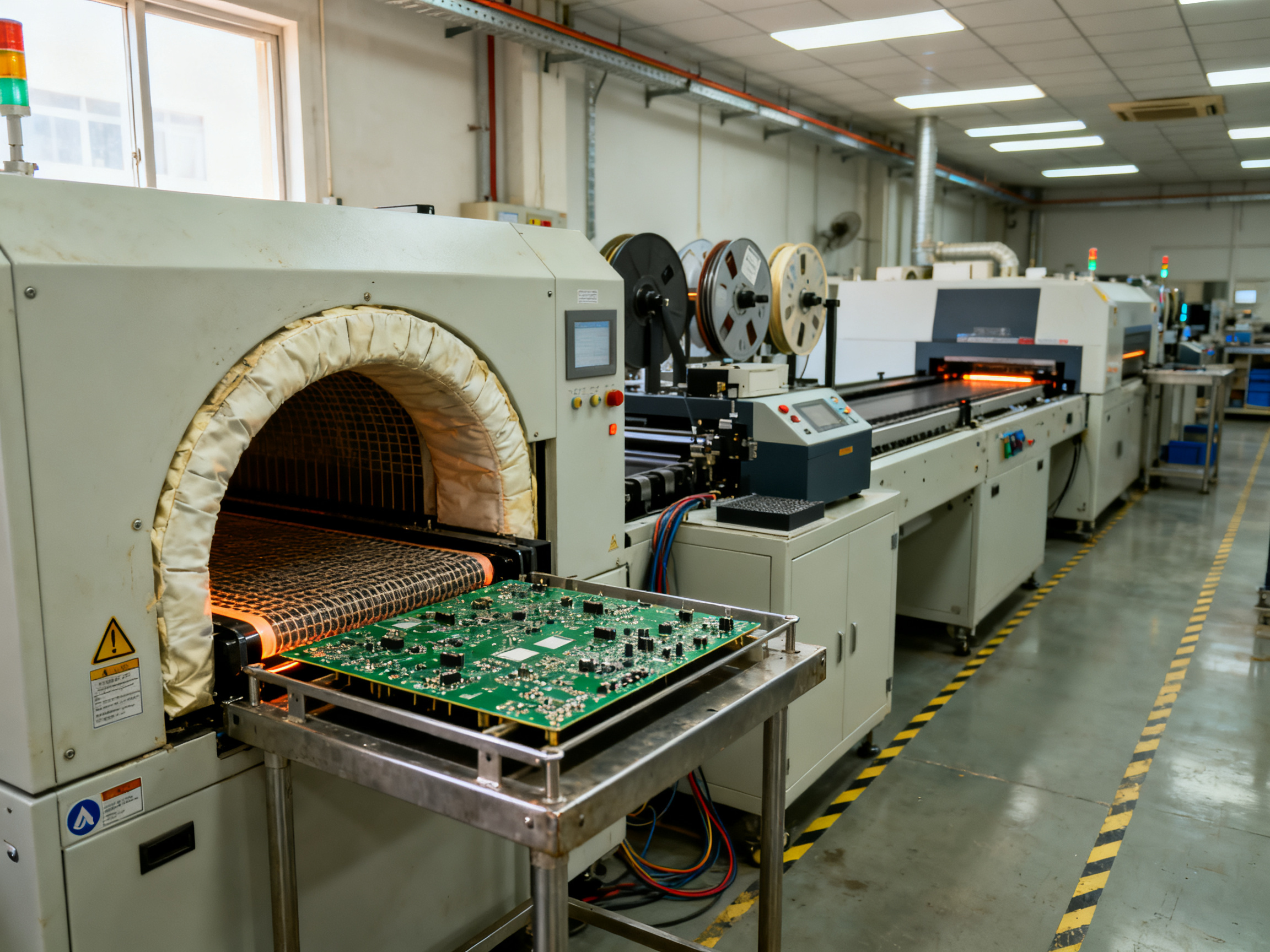
Why the Temperature Profile Decides Whether Your Board Ships
Most factories treat the profile as a one-time setup task. Sign the sheet, file the graph, move on. Then a new paste lot arrives, or someone bumps a zone setpoint by 5 °C to “save time,” and the curve drifts out of spec without anyone noticing.
Here is what actually matters. Every reflow profile has four numbers that decide quality: ramp rate, soak time, peak temperature, and time above liquidus. Miss any one of them and you get a specific defect, not a vague “quality issue.”
This article walks through how reflow temperature profile measurement actually works, how to read a reflow profile graph without guessing, and how to optimize a lead-free profile for high-density BGA and QFN work. We will use our own commissioning data from lead-free reflow ovens and customer lines, plus the current IPC and J-STD-020 limits that define acceptable boundaries.
We do this work at Shenzhen Chuxin Electronic Equipment Co., Ltd. (S&M Co. Ltd.), where we build lead-free reflow ovens, wave soldering machines, and complete SMT production lines for consumer electronics, semiconductor, and military electronics manufacturers. Much of what follows comes from our own factory acceptance testing, where every oven we ship is thermally profiled before it leaves the building. We also draw on the published IPC guidance and current component manufacturer datasheets, because a line that ignores the standard is just guessing with better documentation.## About the Author
This article comes from the process engineering team at Shenzhen Chuxin Electronic Equipment Co., Ltd. (S&M Co. Ltd.), where we build lead-free reflow ovens, wave soldering machines, and complete SMT production lines for consumer electronics, semiconductor, and military electronics manufacturers. The work covers reflow oven engineering, line commissioning, and customer process support, so most of the numbers here come from our own factory acceptance testing plus live customer lines, not from a lab notebook. We cross-check every recommendation against IPC-7530, IPC-7801, and J-STD-020 limits and current component datasheets, because a profile that satisfies the paste sheet can still fail the connector rating.
Want to see how this applies to the equipment side? Our engineers put together a practical guide to using and optimizing a reflow oven for PCB soldering, and the S&M range of lead-free reflow ovens is built around the same commissioning workflow described here.## What Is a Temperature Profile? The Thermal Profiling Definition
A temperature profile is the time and temperature story of a solder joint. It shows how hot a joint got, how fast it heated up, how long it stayed above the melting point of the solder, and how quickly it cooled down. Think of it as a story told in two columns: time on one side, temperature on the other.
That story is why IPC describes the profile as a unique temperature and time plot captured with thermocouples attached to representative components or solder-joint locations. It is not a setting you type into the oven. It is a measurement of what the board actually experienced.
The profile is a heat transfer result, not a setpoint
Every part of the curve comes from heat moving in three ways:
- Convection, which is hot air carrying energy to the board surface. The amount depends on the temperature gap, airflow speed, and how the air is directed.
- Radiation, which is infrared energy from the heaters. It reaches exposed, dark surfaces quickly, but a large connector or shield blocks the view.
- Conduction, which is heat traveling through copper, leads, pads, and vias. A tiny 0402 resistor sitting on a big copper pour behaves like a much larger object, because the copper carries heat away from it.
Add those three together plus losses to the conveyor and fixtures, and you get the curve. So temperature profile heat transfer is not an abstract topic. It is the reason two ovens set to the same numbers can produce completely different results.
Zone setpoints are inputs, the board curve is the output
Here is the mistake that costs the most money. A line manager sets zone 1 at 150 °C, zone 2 at 180 °C, zone 3 at 230 °C, and zone 4 at 245 °C. The oven display confirms those numbers. The board still misses spec.
Setpoints are heater targets. The actual board temperature depends on conveyor speed, zone length, airflow, oven loading, board thickness, copper weight, component mass, and the pallet underneath. Industry guidance puts the gap between displayed oven conditions and true board temperature at roughly 15 to 30 °C depending on the setup.
| What you see | What it means | What it does not mean |
|—|—|—|
| Zone setpoint | Heater control target | The temperature of your joint |
| Board surface reading | Skin temperature near the probe | Hidden joint temperature under a BGA |
| Package body peak | Component rating check (J-STD-020 style) | Peak the copper actually saw |
Board level or component level?
This is the question that decides your warranty risk. A board-level profile, taken on a coupon or a lightly loaded test vehicle, tells you the oven is behaving. It is fast, cheap, and repeatable. But it does not prove the joint under that 15 x 15 mm BGA reached liquidus long enough.
A component-level profile, with thermocouples on the actual parts of interest, is what proves the assembly meets the solder paste and component limits. IPC points out that the slowest location to reach the minimum soldering temperature, usually the joint under the highest thermal mass component, is the one that sets the process.
Board level for equipment verification. Component level for product qualification. Most lines need both.
Next, we get into the hardware: the sensors, the thermocouples, and the data logger that turn a moving board into a curve you can read.
Sources
- IPC-7530A, Thermal Processing Controls Table of Contents
- Reflow Oven Temperature Profile overview
- S&M Co. Ltd. guide to using and optimizing a reflow oven for PCB soldering## The Hardware Behind the Curve: Thermocouples, Probes, and Data Loggers
A reflow profile is only as trustworthy as the measurements used to create it. The graph in the previous section is not produced directly from the oven; it is reconstructed from temperature readings taken as the board moves through the chamber. Understanding the hardware behind those readings explains why two ovens programmed with the same nominal recipe can produce materially different profiles.
Thermocouples: Measuring a Moving Board
A thermocouple consists of two dissimilar metals joined at a sensing point. When that point changes temperature, the metals generate a small voltage that can be correlated with temperature. Reflow profilers measure this voltage and convert it into a temperature trace.
The important limitation is that the thermocouple does not measure the entire board. It measures the temperature at one location, and that location may not experience the same thermal history as the component joints. A probe placed near a large thermal-mass connector, for example, may indicate a substantially different profile from one attached to a small exposed pad.
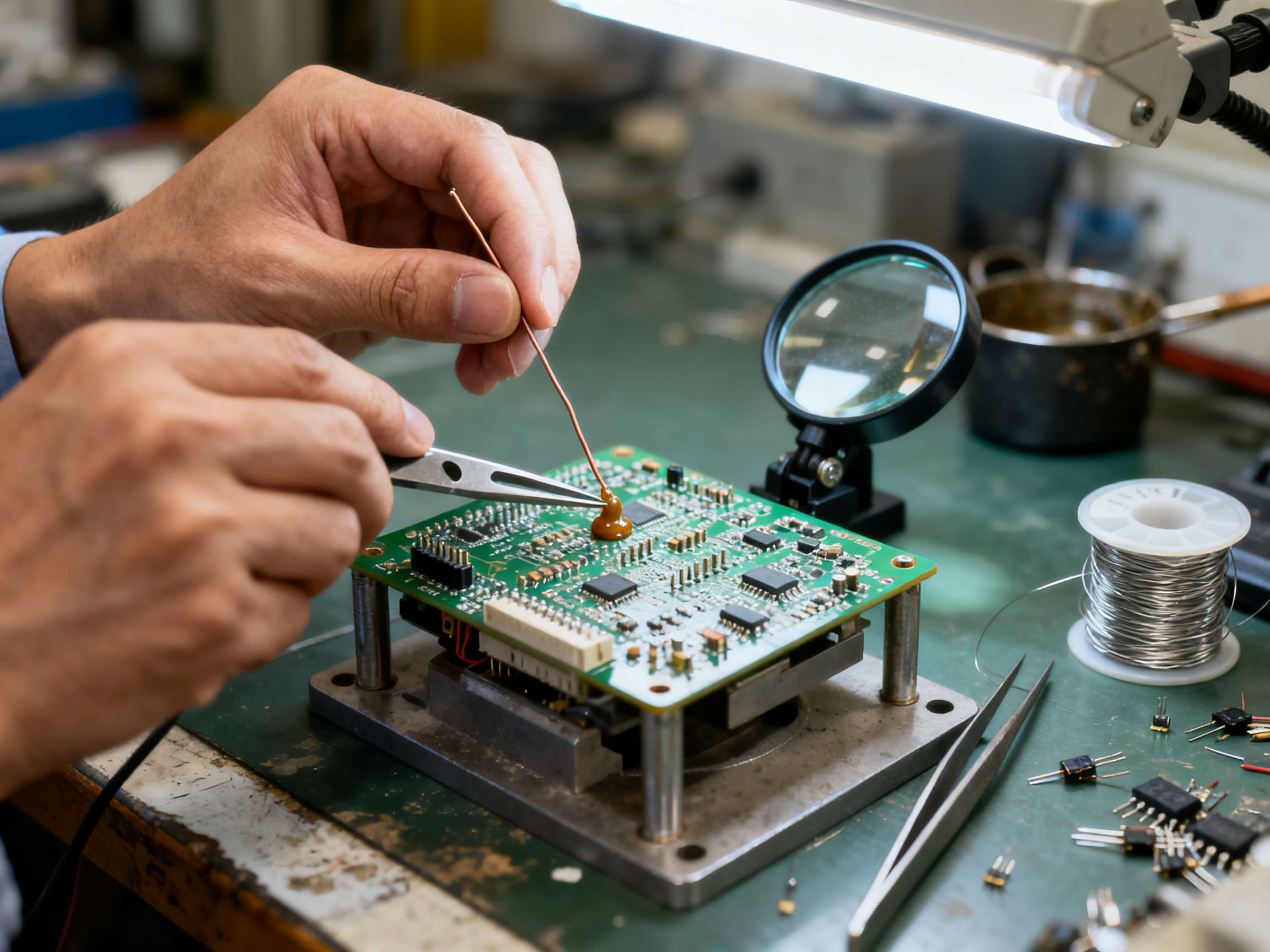
For meaningful profiling, attach the probe to the component or feature that most closely represents the solder-joint environment. The attachment method also matters. Soldering a thermocouple directly to a test coupon can provide good thermal contact, while tape, adhesive, or a spring clip may introduce lag or uneven coupling. High-temperature adhesive can be useful when the test board cannot be soldered without disturbing the joint under evaluation.
Thermocouple type affects both accuracy and response time. Type K is common for general-purpose electronics profiling because it covers a broad range with good stability. Type R and Type B provide more specialized high-temperature measurement, but their response characteristics and cost may be less convenient for routine board profiling. The probe must also be rated for the full process temperature; a conductor or adhesive that is not suitable near the peak can distort the result or fail during the run.
The Difference Between Board Temperature and Air Temperature
An oven’s air sensor tells the controller how hot the chamber is. It does not necessarily tell you how hot the board is. The board enters at ambient temperature, absorbs heat from the air, and continues releasing heat as it moves toward the exit. Its actual thermal lag depends on component density, board construction, package mass, and the oven’s airflow.
This distinction explains why a recipe can show a correct peak-temperature setting while the board-mounted profile falls short. Air reaches its programmed temperature more quickly than the board does, especially on densely populated assemblies with substantial thermal mass. The same effect can produce excessive board temperature near the end of a profile if the recipe waits for the air to cool before moving the conveyor.
A robust recipe is therefore based on measured board profiles rather than oven settings alone. Run representative assemblies, compare the measured curves with paste and component limits, and then adjust the recipe so the board—not merely the chamber—meets the requirements.
Profilers: Turning Signals into a Time–Temperature Curve
A reflow profiler combines one or more temperature channels with a trigger and a data-recording system. During the run, the instrument records temperature against elapsed time. The resulting trace reveals the soak region, ramp rate, peak, time above liquidus, and cooling rate without relying on visual estimates from the oven display.
The trigger determines where the board is within the profile. A common method uses a rising-edge trigger tied to an initial board-temperature threshold. As the board crosses that threshold, recording begins or the time reference shifts. Trigger configuration must be consistent across every test; otherwise, small changes in heat-up behavior can make separate traces appear misaligned.
Some profilers also calculate derived values automatically. These usually include maximum ramp rate, time within a specified temperature band, time above liquidus, peak temperature, and cooling rate. Such calculations are convenient, but the raw trace should still be reviewed. An automated metric can hide a brief thermal excursion, an uneven soak, or a sensor attachment problem that is obvious when the full curve is inspected.
Choosing a Test Coupon That Represents the Product
The best coupon is a board that behaves like the real assembly. It should include the same laminate thickness, copper distribution, component mix, and thermal masses that influence the product’s heat-up and cooling behavior. A bare coupon made from a similar material is useful for qualifying a new paste or oven recipe, but it may understate the thermal lag of a densely populated board.
A representative coupon can also carry a preferred test component. Thermocouples may be attached under or near that part, while the component’s solder joints remain available for cross-sectioning or failure analysis. If the risk is concentrated in a large QFN, leaded BGA, or connector, the measurement and inspection locations should reflect that risk rather than an easier-to-probe empty area.
Practical Profile-Acquisition Checklist
Before running a qualification profile:
- Use a representative board and attach a thermocouple at the component of interest.
- Confirm probe type, polarity, calibration, and temperature rating.
- Configure the trigger consistently and verify the timing reference.
- Run the complete oven recipe, including its natural cooling segment.
- Review the full trace for soak uniformity, ramp limits, peak temperature, time above liquidus, and cooling rate.
- Compare the result with both the solder-paste specification and the component manufacturer’s reflow classification.
- Save the raw data and profile image alongside the board, paste lot, oven program, and test conditions.
The key lesson is that the graph is evidence, not merely a picture. It should connect a specific board and measurement location to a repeatable oven recipe. Once the hardware, coupon, trigger, and sensor arrangement are controlled, the profile becomes a useful process-control tool rather than an illustrative curve with an uncertain meaning.
Sources
- Indium lead-free solder paste technical data sheet
- AIM NC256 SAC305 solder paste technical data sheet
- TI reproduction of J-STD-020 reflow classification conditions
- IPC-7530A, Thermal Processing Controls Table of Contents## How Reflow Temperature Is Measured: Sensors, Thermocouples, and Data Loggers
Reflow oven temperature profile measurement starts with a small millivolt signal and ends with a CSV file on your laptop. In between sits about 200 grams of hardware and a lot of judgment about where to put the sensor.
How the temperature sensor works
A reflow oven thermocouple is two dissimilar metals joined at a welded junction. When that junction changes temperature, the metals generate a tiny voltage, roughly 41 microvolts per degree Celsius for Type K. The profiler measures that voltage, applies cold-junction compensation for the temperature at the logger end of the wire, and converts it into a temperature reading. That is how a reflow temperature sensor works, in one sentence.
Type K remains the default for good reason. It is the best documented option, with major systems such as the Datapaq Reflow Tracker specifying Type K probes in both standard (0.2 mm conductor) and fine-wire (0.1 mm) builds. The fine-wire version is recommended for BGA and ultra-fine-pitch work. Type N has no comparable published reflow-profiler advantage, so skip it unless a supplier requires it.
The lag problem nobody budgets for
A sensor does not read the truth instantly. It chases it, and the gap grows with ramp rate. Approximate the deficit as dT = R × tau, where R is ramp rate and tau is the sensor’s thermal time constant. At 1 °C/s with a 2-second tau, you read about 2 °C low. At 3 °C/s, the same probe can read 6 °C low. Wire mass, solder blob size, and epoxy thickness all inflate tau.
| Attachment method | Best for | Watch out for |
|—|—|—|
| High-temperature solder on the joint | Most accurate joint reading | Large solder blob adds mass |
| Conductive epoxy | Component bodies, no soldering | Excess epoxy slows response |
| Aluminum tape | Non-solderable surfaces | Air gaps and wrinkles |
| Kapton tape | Securing an aluminum tape setup | Insulates, so never cover the tip |
| Drilled board | Hidden bottom-termination joints | Destructive and must be documented |
Pro Insight: A single thermocouple run is not enough on large mixed-component boards. Attachment method changes the recorded curve by 10 to 25 °C at peak, so the same oven recipe can look compliant with a soldered probe and out of spec with an epoxied one. For BGA and QFN, attach high-temperature solder directly to the joint or drill from underneath. For THT and connectors, aluminum tape with a fine-wire probe is enough.
Where the probe goes and how the logger samples
How a temperature probe works inside the oven comes down to placement, sampling, and trigger. The probe rides on the board, not in the airflow. The logger records every channel against elapsed time, with modern units sampling as fast as 0.05 seconds per reading and up to 50,000 readings per channel in six- and twelve-channel bodies. In practice, a 1 to 10 Hz interval is plenty for a reflow run, since the whole cycle lasts about eight minutes.
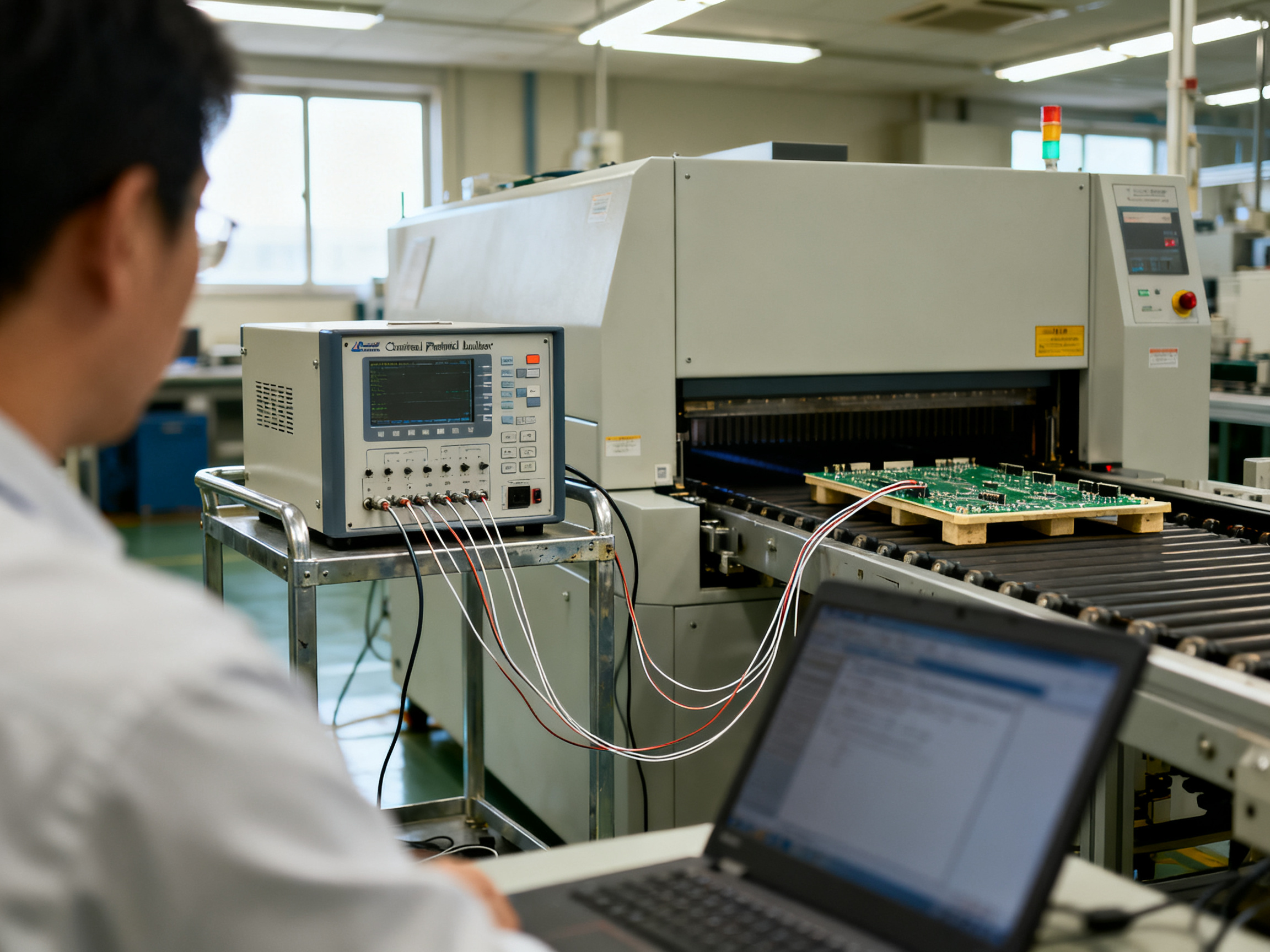
Triggering matters just as much. A rising-edge trigger tied to an initial board temperature threshold keeps every run aligned to the same reference point. Change the trigger between runs and your curves stop being comparable.
The oven sensor is not the joint sensor
The air sensor in the chamber tells the controller how hot the gas is. That number never reaches the board, because the board lags and then overshoots on the way out. Industry guidance puts the gap between displayed oven conditions and true board temperature at roughly 15 to 30 °C. IPC test-method material is explicit that thermocouple attachment must calibrate the profile to the specimen surface, not to oven air temperature, which is why IPC-7530A describes attachment with high-temperature solder or tape at representative components.
The workflow, and why you run it twice
Attach the probe at the component of interest, on the actual production pallet and fixture. Run the full recipe, including natural cooling. Export the CSV. Then run the same board again.
That second pass matters because the first run often warms the pallet, the fixtures, and the board itself, so the second curve shows the steady-state behavior your production line actually sees. The Indium thermocouple attachment guidance recommends contacting the solder joint rather than the component or bare board, which is the difference between measuring a joint and measuring a neighbor of one.
Save the raw data with the board part number, paste lot, oven program, and loading condition. A profile without that context is a curve with no meaning.
Sources
- Datapaq Reflow Tracker thermal profiling system
- IPC-7530A, Thermal Processing Controls Table of Contents
- IPC test method 2.6.27b, thermocouple attachment to test specimens
- Indium, Attaching Thermocouples to a PCB for Reflow Profiling## How to Measure a Reflow Oven Temperature Profile: Step by Step
Profiling is not complicated, but it is easy to do halfway. The routine below is the order we use during factory acceptance testing and customer line commissioning. Follow it exactly and the resulting curve is defensible in an audit.
The field procedure
Step 1. Choose the coupon. Use a board with the same laminate thickness, copper weight, pad layout, and component population as the production part. A bare laminate will run hot and fast, and it will lie to you about the joints you actually care about.
Step 2. Attach the thermocouple. Place the tip on the joint or component of interest, on the actual production pallet and fixture. Use high-temperature solder where you can, aluminum tape where you cannot.
Step 3. Set the oven recipe. Load the zone setpoints and conveyor speed you intend to run in production, not a lab profile.
Step 4. Run it twice. The first pass warms the pallet and fixtures. The second pass shows the steady state your line actually sees.
Step 5. Export and read. Pull the CSV, then work through the numbers below.
Step 6. Archive. Save the raw file, the graph image, and the context.
How the zones and conveyor speed work together
A modern lead-free reflow oven usually has 10 zones, split into preheat, soak, reflow, and cooling sections. The setpoints are sequenced so the board sees a controlled climb, a soak band, a fast reflow zone, then a controlled descent. Conveyor speed is the hidden multiplier, because it decides how many seconds a board actually spends in each zone. The same zone setpoints at 80 cm/min and 120 cm/min produce completely different time above liquidus.
That is why AIM’s SAC305 guidance offers both a short and a long profile family, peaking at 230 to 245 °C with 45 to 75 seconds above the 217 °C liquidus line. Two conveyor recipes, two profiles, same paste.
Turning the graph into numbers
| Metric | How to read it | Lead-free reference |
|—|—|—|
| Ramp rate | Slope of the climb to peak | Max 3 °C/s, per J-STD-020 classification conditions |
| Soak time | Seconds held in the 150 to 200 °C band | 60 to 120 s from TSmin to TSmax |
| Peak temperature | Highest point on the curve | 230 to 260 °C typical, package limit wins |
| Time above liquidus | Seconds above 217 °C | 45 to 75 s |
| Cooling rate | Slope on the way down | Max 6 °C/s, 4 °C/s for many SAC305 pastes |
| Total time | 25 °C to peak | 8 minutes max |
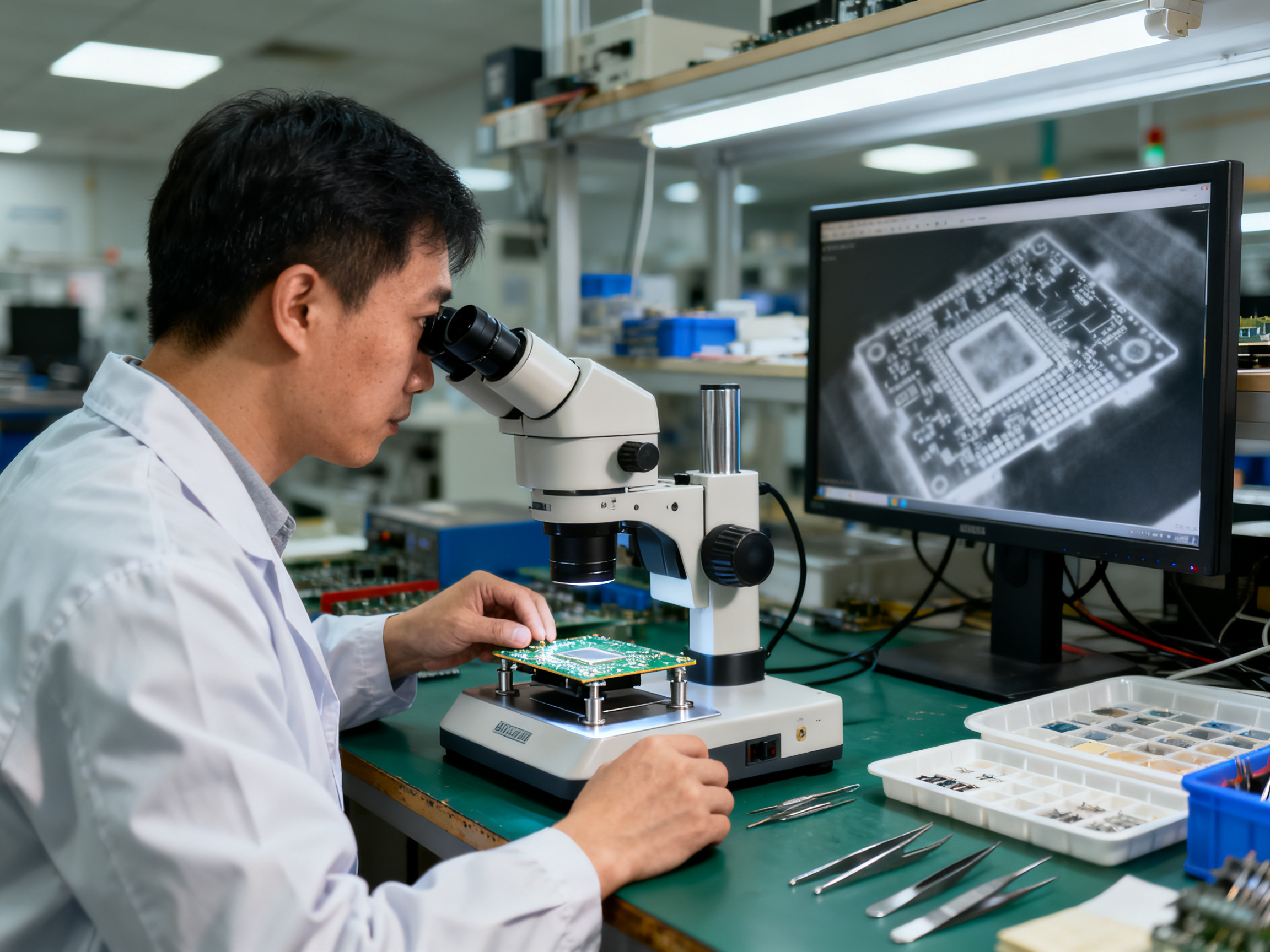
Notice how the numbers pull against each other. Faster ramps shorten total time but stress components. Longer soak improves wetting but can push a large package past its own rating.
When to re-profile
Do it when you change the board, the paste lot, the conveyor speed, the oven loading pattern, or the ambient season. Also re-profile after any maintenance that touches heaters, fans, or thermocouples, and after a paste change even if the part number looks the same.
The record template
Log this for every run:
| Field | Entry |
|—|—|
| Board part number | |
| Paste type and lot | |
| Component profile limit | |
| Ramp / soak / peak / TAL / cooling | |
| Conveyor speed and zone setpoints | |
| Thermocouple type and attachment | |
| Pallet and loading condition | |
| Ambient temperature | |
| Operator and date | |
Filed properly, this table becomes your process control plan evidence and the baseline for Cpk tracking. Miss the archive step and you have a graph nobody can interpret eighteen months later.
Want to see how this workflow runs on real equipment? Our engineers cover the oven side in using and optimizing a reflow oven for PCB soldering, and the S&M lead-free reflow oven range is built around the same commissioning process, from thermal profiling during factory acceptance test through to customer line support.## How to Read a Reflow Temperature Profile Graph Like a Process Engineer
Most people read a profile graph wrong. They look at the peak first, nod, and move on. A process engineer reads it in a fixed order, and the order matters because each step tells you something different about what went wrong.
Here is the reading order we use on customer lines.
1. Cooling curve first. Look at the tail of the graph before anything else. A healthy SAC305 profile drops at 2 to 4 °C/s. If the descent is steep and straight, you are fine. If it flattens into a long tail, your cooling zone is underpowered and the board is soaking heat into the exit. If the curve slopes down sharply and then sits flat at ambient for a long time, the board reached solidification too fast on the way down, which is where intermetallic growth and warpage problems start.
2. Peak temperature. Now check the top of the curve against the narrowest limit in play, and that limit is usually the component, not the paste. A 235 °C peak that satisfies the paste sheet can still destroy a connector rated for 230 °C. The package limit always wins. TI’s reproduction of the J-STD-020 classification conditions is a good reference here, since peak is measured on the package body rather than the oven display.
3. Time above liquidus. Draw a horizontal line at 217 °C for SAC305 and count the seconds the curve sits above it. Under 30 seconds means cold joints and dry-looking fillets. Over 150 seconds means the joint sat in molten state far too long, which drives intermetallic growth and weakens the bond. AIM’s SAC305 specification calls for 45 to 75 seconds.
4. Soak region. This is the flat shelf before the climb to peak. Too short, and flux never activates, so you get solder balls and poor wetting. Too long, and oxidation sets in along with head-in-pillow risk on large BGAs. Forty-five to sixty seconds in the 150 to 175 °C band is the usual working window.
5. Ramp rate, last. The climb from ambient to soak. Anything above 3 °C/s is a thermal shock risk for large packages and BGAs. Fast ramps also cause solder to skip, where the ball rolls before the paste reflows.
Expert Tip: Here is the five-number check, and it takes about 60 seconds. If you only look at peak temperature and time above liquidus, you will miss the two defects that cause most field returns: insufficient soak time and excessive ramp rate. Read all five numbers in order, cooling first, and you will name the defect before you cut a cross-section.
| Phase | What to read | Pass window (SAC305) | Red flag defect |
|—|—|—|—|
| Ramp up | Slope of the climb | 1.0 to 1.5 °C/s typical, 3 °C/s max | Skipping, voiding, thermal shock |
| Soak | Flat shelf, 150 to 175 °C | 45 to 60 s | Solder balls if short, graping if long |
| Peak | Top of the curve | 230 to 260 °C, package limit controls | Package damage if too high, cold joints if low |
| Time above liquidus | Seconds over 217 °C | 45 to 75 s | Dry joints if low, intermetallic growth if high |
| Cooling | Slope after peak | 2 to 4 °C/s | Warpage, brittle joints if too fast |
Reading the heat transfer story in the preheat plateau
The preheat section tells you where heat is actually going. A clean, gradual climb from ambient means convection is doing the work and the board is warming evenly. A flat shoulder where the curve crawls, then suddenly shoots upward, usually means the small components have already reached soak while the heavy copper areas are still absorbing heat. That is the same thermal lag you would see between a tiny 0402 resistor and a 40 mm connector, and it tells you the board needs more soak or a slower ramp, not a higher peak.
Comparing against your golden profile
Once you have a profile you trust, save it as the golden reference and compare every new run numerically, not by eye. Three deltas matter:
| Delta | Acceptable drift | Action threshold |
|—|—|—|
| ΔPeak | within 5 °C | Re-profile if above 5 °C |
| ΔTAL | within 10 s | Investigate if above 15 s |
| ΔSoak | within 15 s | Re-profile if below 30 s total |
When we pulled a profile from an anonymized smartphone line last year, the graph looked fine at a glance. Peak was on target and time above liquidus was acceptable. But the soak shelf was 22 seconds, roughly a third of the golden profile, and the ramp hit 3.4 °C/s. That combination explains a lot of the 88% first-pass yield they were living with. The fix was a slower preheat ramp and a longer soak, not a hotter peak.
For most lines, drift beyond these thresholds means something changed outside the recipe: a different paste lot, a different board revision, a pallet change, or seasonal ambient temperature. Find the cause before you adjust the oven.## Optimizing the Profile: Zones, Ramp Rates, and Lead-Free Setpoints
Profiling tells you where you are. Optimization is where you change something, re-measure, and find out whether you moved the right number. The order of those changes matters, because some knobs hide the effect of others.
Here is the hierarchy we use on customer lines, and it has saved a lot of wasted oven tuning.
The adjustment hierarchy: speed first, then soak, then cooling
Step 1, conveyor speed. This is the master control. Conveyor speed sets total time through the oven, which sets ramp rate, soak time, and time above liquidus all at once. Move it and everything downstream moves with it.
Step 2, zone setpoints. Now you shape the curve. Pull the preheat and soak zone setpoints down or up to lengthen or shorten the shelf. Add a hotter zone right before the peak to push peak temperature without extending total time.
Step 3, cooling zone. Last, and only after the rest is stable. Cooling is easy to fix and tempting to fix early, but if you cool a curve that is already wrong, you just cool a bad profile faster.
Change one variable, re-profile, record the result, then change the next. Every time we have seen a customer try to adjust zone setpoints and conveyor speed together, the profile lands somewhere nobody can explain and the line blames the oven.
From Our Experience: On a military-electronics customer line in 2026, we ran a full re-profile after a BGA voiding problem. The initial curve peaked at 244 °C with 68 seconds above liquidus, which looked respectable. But the soak shelf was only 18 seconds and the ramp through the 200 to 210 °C region hit 4.1 °C/s. The fix was not a hotter oven. We slowed the preheat ramp to 1.4 °C/s, extended soak to 55 seconds, and moved cooling into a dedicated zone. Voiding under the BGAs dropped from roughly 14% of inspected devices to under 2%, with no change to the peak. Same oven, same paste lot, same board. Only the curve changed.
What lead-free changes about the target
Leaded processes ran at a peak near 205 to 225 °C with liquidus at 183 °C. Lead-free SAC305 flips that: liquidus sits around 217 °C, and you need more heat, longer, to do the same wetting work.
The practical lead-free targets that the current paste sheets agree on look like this:
| Parameter | SAC305 working window | Notes |
|—|—|—|
| Ramp rate | 1.0 to 1.5 °C/s typical | Up to 2.5 °C/s acceptable, 3 °C/s hard limit |
| Soak | 140 to 160 °C for 20 to 60 s | Optional, but useful for BGA and CSP |
| Peak | 230 to 260 °C | Package limit wins over paste limit |
| Time above liquidus | 45 to 75 s | Longer means more intermetallic growth |
| Cooling | 2 to 4 °C/s | AIM caps SAC305 cooling at 4 °C/s |
Indium’s current SAC305 guidance gives a recommended ramp of 1.0 to 1.5 °C/s, 20 to 60 seconds of soak at 140 to 160 °C, 45 to 60 seconds above liquidus, and a 230 to 260 °C peak. AIM’s SAC305 profile supplement adds an important point: a low-thermal-density board and a high-thermal-density board should not share one conveyor recipe. They publish a short profile family and a long profile family for exactly that reason.
Why lead-free wants a fast ramp and a fast cool
This part surprises people who came from tin-lead. Lead-free alloys need more aggressive heating and more aggressive cooling, for a metallurgical reason rather than a thermal one.
SAC305 forms brittle intermetallic compounds at the joint. Long exposure to molten solder grows that layer, and a thicker intermetallic layer is a weaker joint that cracks under vibration or thermal cycling. So you want to get through liquidus and get out. Aggressive ramp-up and aggressive cool-down limit growth, but only if the assembly can physically tolerate the gradients. A large BGA on a heavy multilayer board often cannot, which is why the “fast ramp” advice gets bent for dense assemblies.
Leaded processes had more headroom. The alloy sat at a lower temperature, the intermetallic growth rate was slower, and long hot dwells did less damage.
Building a recipe for high-density BGA and QFN work
When we profile a board with a 15 x 15 mm BGA and a large exposed-pad QFN, we start from a different set of numbers than a small consumer module.
| Target | Dense BGA/QFN assembly | Small module |
|—|—|—|
| Ramp through 200 to 210 °C | 1.0 to 2.0 °C/s | 1.5 to 2.5 °C/s |
| Soak band | 150 to 200 °C | 140 to 160 °C |
| Soak duration | 60 to 90 s | 20 to 40 s |
| Peak | 240 to 250 °C | 235 to 245 °C |
| Time above liquidus | 90 to 150 s | 45 to 75 s |
| Cooling | 2 to 3 °C/s | 3 to 4 °C/s |
The pattern: heavier soak, gentler ramp through the region where the large package is still absorbing heat, higher peak, and longer time above liquidus to help wetting in the shadowed areas underneath the package.
Watch the soak ceiling here. Long soak plus high peak plus a large BGA is exactly the combination that produces head-in-pillow defects, where the package floats and the balls squash. Component manufacturers such as Microchip also recommend a slower ramp-up of 1 to 2 °C/s for many of their packages, which lines up with what we see in the field.
And a word of caution on QFN voiding. Before blaming the profile, check the stencil. Window-pane or segmented apertures on the exposed pad and controlled paste volume fix most QFN voiding problems. A profile change cannot fix 150% paste coverage, though it can make things worse by cooking a bloated deposit.
Adjusting for thermal mass: same oven, different board
This is where recipes get copied and fail.
A small module with a handful of 0402 parts and thin copper heats fast and cools fast. A 16-layer board with a heavy copper pour, a 40 mm connector, a shielded can, and a heat spreader lags badly. The joint under the biggest part is usually the last to reach liquidus, and IPC treats that location as the controlling one.
Three ways to compensate:
- Extend residence time. Slow the conveyor slightly, or use a longer profile family, so the heavy areas catch up.
- Rebalance zones toward the soak section. More time at temperature, less ramp rate.
- Fix the fixture. A metal pallet or carrier can act as a heat sink on the way in and a heat source on the way out. Changing how the board is supported sometimes buys more than any setpoint change.
Do not solve a cold joint under a heavy connector by raising peak. That cooks the small parts on the same board. The rule we give customers: the narrowest component rating in the assembly sets the ceiling, and everything else is solved with time, not heat.
A worked optimization loop
Here is the loop in practice, from a real customer run.
Initial profile. Peak 238 °C, soak 22 seconds, time above liquidus 51 seconds, ramp 3.2 °C/s. Symptom: solder balls around fine-pitch QFNs and intermittent opens on two nets under a large BGA.
Diagnosis. Read the graph in the order from the previous section. Soak of 22 seconds means flux activation was incomplete, which explains the balls. A 3.2 °C/s ramp means the big BGA was still heating while small parts were already at peak, which explains the intermittent opens. Peak was fine and time above liquidus was fine, so leave both alone.
Change one thing. Slow the preheat ramp to 1.5 °C/s by lowering the first two zone setpoints and extending the soak zone. Nothing else moves.
Re-measure. New curve: ramp 1.6 °C/s, soak 58 seconds, peak 239 °C, time above liquidus 96 seconds. Time above liquidus went up because total time went up, which is exactly what happens when you slow the ramp, and it helped the BGA wetting.
Verify. Run 50 boards, inspect solder balls and X-ray the BGA. Ball count dropped to zero on the sample. BGA voiding fell from 9% to under 3%.
Document. Archive the before and after profiles with the recipe change noted. Next time the paste lot changes, you are back to a known baseline rather than a guess.
That loop is the whole job. Measure, diagnose, change one variable, measure again, verify on parts, write it down.
The limits you cannot negotiate
One last thing before you start tuning. J-STD-020 and J-STD-033 classify components for moisture and reflow sensitivity, and the peak temperature they reference is measured on the package body, not read off the oven display. A 245 °C package body is fine for one part and destructive for a connector rated to 230 °C.
So before you adjust anything, write down the limit for every part on the board. The narrowest one sets your ceiling, and the recipe gets built underneath it.
If you are working from a recipe someone else handed you, treat it as a starting point, not a spec. Our engineers at S&M Co. Ltd. profile every lead-free reflow oven during factory acceptance testing before it ships, and the same commissioning workflow applies when we support a customer line in Shenzhen, Guadalajara, or Brno.
Sources